

Most companies didn’t fail to adopt AI because they lacked access.
They failed because AI showed up… but never really stuck.
- A few teams used it.
- A few experiments worked.
- But across the organization nothing changed.
That’s the real problem modern AI platforms are trying to solve.
TL;DR
In a hurry? Here are the top Langdock alternatives to keep on your shortlist:
AICamp – Best for SMEs that want multi‑model AI rollout with strong governance and agents (~$20/user/month; BYOM from ~$12/user/month)
ChatGPT Team – Best for small teams that just need shared ChatGPT, not full governance (~$30/user/month)
ChatGPT Enterprise – Best for larger orgs standardizing on OpenAI with enterprise‑grade security (~$90/user/month)
LibreChat – Best for engineering‑heavy teams that want a self‑hosted, open‑source chat UI (free software, infra + API costs)
OpenWebUI – Best for R&D teams experimenting with local/open‑source LLMs (free software, infra + API costs)
Claude Team – Best for small teams prioritizing safety and long‑context document work (team pricing, mid‑range)
Claude Enterprise – Best for regulated enterprises standardizing on Claude (custom enterprise pricing)
Gemini Team (Workspace) – Best for Google Workspace organizations wanting AI directly in Docs/Sheets/Gmail (Workspace + Gemini add‑on pricing)
Microsoft Copilot – Best for Microsoft 365 organizations that want AI inside Office apps (Copilot add‑on per user)
Juma – Best for marketing teams that want AI inside campaign and project workflows (25/user/month)
Platforms like Langdock emerged to solve exactly this problem by offering enterprise‑grade AI workspaces with chat, assistants, agents, and integrations under strong data sovereignty.
But while Langdock is powerful, it can quickly become complex and expensive at scale, especially once you factor in per‑user licenses, workflow usage, and model costs. Many small and mid‑sized enterprises are now looking for alternatives that are simpler to adopt, more flexible with models and deployment, and easier to justify from a budget and UX perspective.
In this guide, you’ll find the best Langdock alternatives, the top pick for small and mid‑sized enterprises that want multi‑model access, clear governance, and fast employee enablement.
What is Langdock?
Langdock is an enterprise AI platform designed to help organizations adopt AI safely, with secure workspaces where employees can chat with models, build assistants, and run AI agents on top of company data. It targets organizations that care deeply about data residency and privacy, offering EU hosting, strict data handling, and even on‑premise or dedicated deployment options.
Its core capabilities include chat, custom assistants, agents, search over internal documents, APIs, and integrations with tools like Slack, Google Drive, Notion, or Confluence so employees can pull knowledge into their workflows. The business pricing typically sits around €20–25 per user per month for Chat/Assistants, with additional layers for advanced workflows and API usage, which can add up quickly as adoption grows.
If you like the concept of an AI adoption platform but worry about complexity, cost, or fit for your team size, it’s worth exploring what else is out there.
Why You Should Look for Alternatives to Langdock
For many teams, Langdock works well in early stages.
But as usage grows, a few challenges start to show up:
- Cost becomes harder to predict as more users and workflows scale
- The platform can feel heavier than needed for simple team-wide rollout
- Non-technical users often need more structure to use it consistently
💡 Case Study: See how How Neadoo Digital Rolled Out AI to Their Entire SEO Team. Read the full story →
At a feature level, many tools will look similar.
The real difference is how they approach AI adoption inside a team.
| Alternative | Best for | Key strength | Multi‑model support | Pricing (high level) |
|---|---|---|---|---|
| AICamp | SMEs rolling out AI across teams with governance needs | Multi‑model workspace with strong RBAC, agents, and guardrails | Yes – OpenAI, Claude, Gemini + BYO APIs | ~$20/user/month (BYOM from ~$12/user/month) |
| ChatGPT Team | Small teams that just need shared ChatGPT | Simple, familiar team workspace around GPT models | No – OpenAI models only | ~$30/user/month (annual) |
| ChatGPT Enterprise | Larger orgs standardizing on OpenAI | Enterprise‑grade ChatGPT with privacy and admin features | No – OpenAI models only | ~$90/user/month (typical enterprise quote) |
| LibreChat | Engineering‑heavy, open‑source‑first organizations | Self‑hosted, highly flexible open‑source chat UI | Yes – via connected APIs/custom backends | Free software; infra + model/API costs |
| OpenWebUI | R&D teams and devs testing local/open‑source LLMs | Great front‑end for local and experimental models | Yes – local and remote models via config | Free software; infra + model/API costs |
| Claude Team | Small teams prioritizing safety and long‑context documents | Access to Claude with strong safety and long‑context | No – Anthropic models only | Team‑tier pricing (mid‑range) |
| Claude Enterprise | Regulated enterprises standardizing on Claude | Safety‑first enterprise deployment of Claude | No – Anthropic models only | Custom enterprise pricing |
| Gemini Team | Google Workspace organizations | Deep integration into Docs, Sheets, Gmail | No – Google Gemini only | Workspace plan + Gemini add‑on per user |
| Microsoft Copilot | Microsoft 365 organizations | Embedded in Word, Excel, Outlook, Teams | Primarily Microsoft‑hosted models | Copilot add‑on per M365 user |
| Juma | Marketing teams | AI‑driven marketing project and campaign management | Yes | 25/user/month |
How to Choose the Right Alternative
Most teams don’t choose based on features.
They choose based on what they’re trying to fix.
- If you want simple access → ChatGPT Team
- If you want deep ecosystem integration → Copilot / Gemini
- If you want full control → LibreChat / OpenWebUI
- If you want structured AI adoption → AICamp
Top Alternatives to Langdock:
Here are the top platforms to consider, in the order we recommend evaluating them:
- AICamp
- ChatGPT Team
- ChatGPT Enterprise
- LibreChat
- OpenWebUI
- Claude Team
- Claude Enterprise
- Gemini Team
- Microsoft Copilot
- Juma
Below, we’ll go platform by platform, following the same structure: what it is, why to choose it over Langdock, how it works, when it makes sense, whom it’s best for, and why you might still look at alternatives.
1. AICamp – Best for Teams That Want AI to Actually Work Across the Organization
Most teams don’t struggle with getting access to AI.
They struggle with making it consistent, repeatable, and useful across the entire team.
That’s exactly where AICamp fits.
AICamp is built for companies that have already experimented with AI and realized that individual usage doesn’t translate into team-wide impact.
Instead of being just another chat interface, AICamp acts as a central adoption layer where teams can:
- standardize how AI is used
- share knowledge and prompts
- build repeatable workflows
- and maintain control over usage, data, and models
This is where most teams underestimate the problem.
AI doesn’t fail because of model quality.
It fails because there’s no structure around how teams use it.
That’s the gap AICamp is designed to solve.
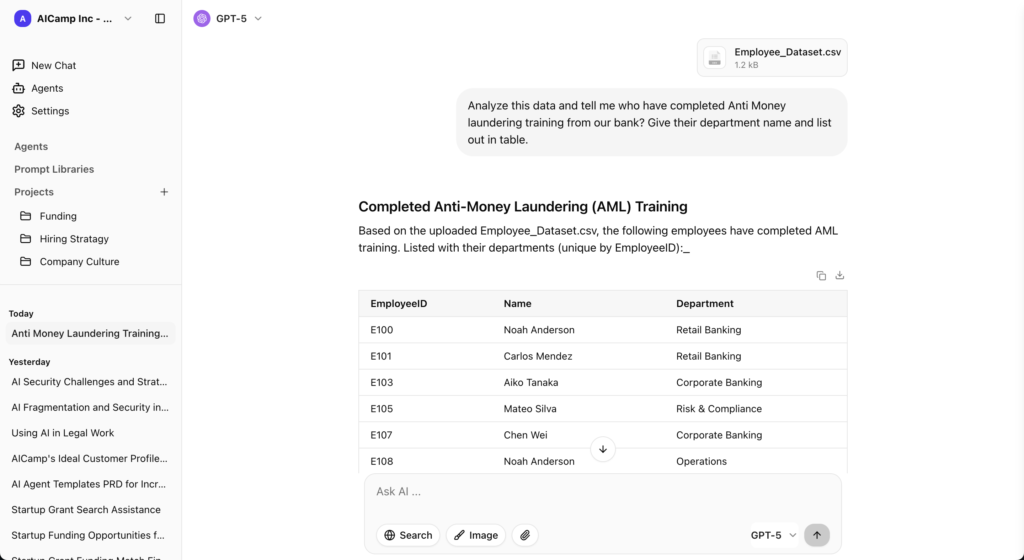
What AICamp Enables (Beyond Just Chat)
- From scattered prompts → shared knowledge
Teams stop rewriting the same prompts and start building on what already works - From individual usage → team workflows
Projects, custom agents, and prompt libraries turn experiments into repeatable processes - From zero visibility → controlled adoption
Admins can see how AI is being used and guide adoption with guardrails - From model lock-in → full flexibility
Use OpenAI, Claude, Gemini, or your own APIs without being tied to one provider
Why Teams Choose AICamp Over Platforms like Langdock
At a feature level, many platforms will look similar. But the difference shows up after rollout.
Teams typically choose AICamp when:
- they want faster adoption across non-technical teams
- they need structure without heavy complexity
- they care about long-term flexibility with models (BYOM)
- they want to move from experiments → organization-wide workflows
Because the goal isn’t just to “use AI.” It’s to make AI actually work across the company.
Where AICamp May Not Fit
- If you only need a simple shared chatbot → lighter tools may be enough
- If you’re building a fully custom AI stack with a large engineering team → open-source options may fit better
Pricing (Simplified for Decision-Making)
- ~$20/user/month (models included)
- ~$12/user/month (BYOM – bring your own API keys)
👉 Start with a free trial
👉 Book a demo to see team workflows in action
👉 Read more : AICamp vs Langdock in detail
2. ChatGPT Team
ChatGPT Team is OpenAI’s team‑oriented plan for small groups that want shared access to ChatGPT with basic collaboration features. It offers a shared workspace, higher usage limits than the individual plan, and access to advanced models, but it doesn’t provide the deep governance or multi‑model routing that dedicated AI rollout platforms do.
What it enables
- Messages and interactions with advanced OpenAI models.
- Chat history and shared workspace.
- File upload and web‑search‑style capabilities.
- Some project‑style organization, but limited role‑based sharing.
Where it works well
Easy to start, familiar UX, backed by strong base models from OpenAI.
Where it may not fit
Not built as a full AI rollout platform; lacks deep governance, multi‑model, and agent/knowledgebase features.
Pricing
Around $30 per user per month on yearly plans (exact pricing may vary by region and time).
👉 Read more : ChatGPT Team Alternative
3. ChatGPT Enterprise
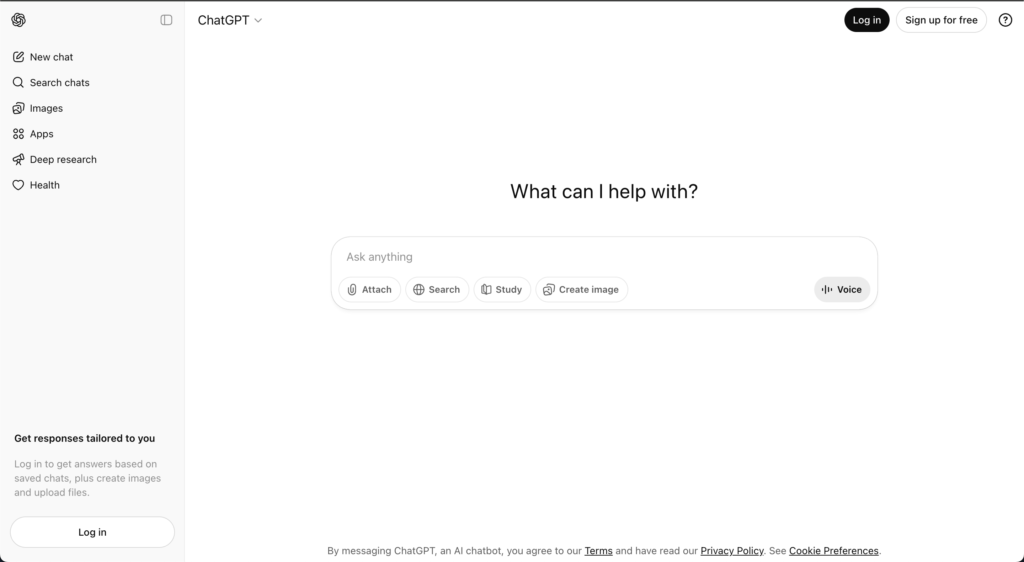
ChatGPT Enterprise is OpenAI’s higher‑end offering for organizations that want ChatGPT with stronger security, privacy, and administrative controls. It adds enterprise‑grade features such as SSO, advanced data privacy options, extended context windows, and better analytics, making it more suitable for larger deployments than Team.
What it enables
- Chat with advanced OpenAI models and extended context windows.
- Admin console, SSO, security and compliance features.
- Higher limits, improved performance SLA compared with lower tiers.
Where it works well
Direct access to OpenAI’s best models with strong enterprise assurances and reliability.
Where it may not fit
More expensive than many alternatives, single‑vendor lock‑in, and fewer built‑in workflow/agent features compared to dedicated AI rollout platforms.
Pricing
Often quoted around ~$90 per user per month with models included, typically via yearly contracts and custom quotes.
👉 Read more : ChatGPT Enterprise Alternative
4. LibreChat
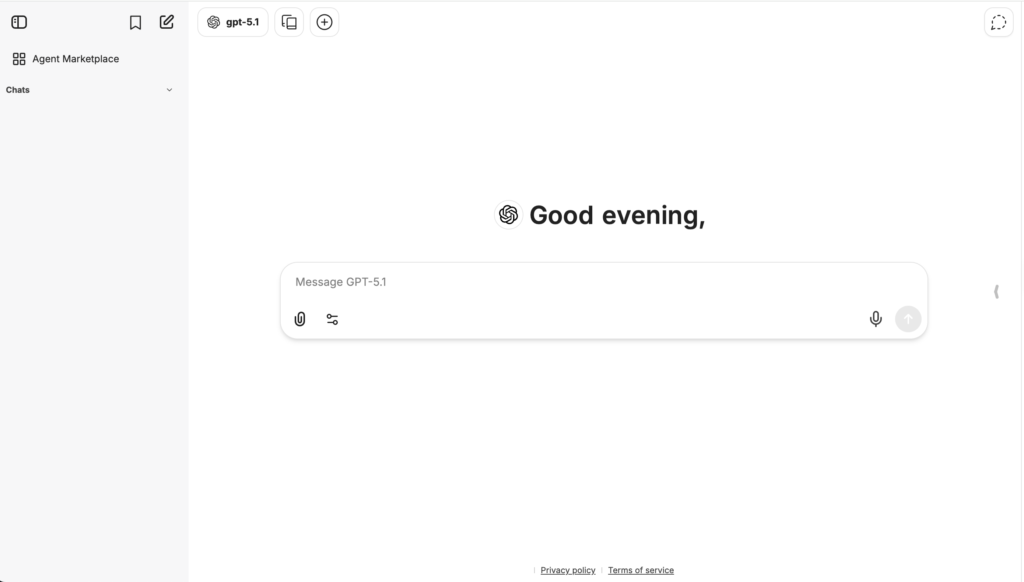
LibreChat is an open‑source, self‑hosted chat interface designed to work with multiple LLMs via APIs, often used by technically inclined teams who want full control over their AI stack. It acts as a unified front‑end for different models, giving developers and power users a flexible playground for experimenting and building their own workflows.
What it enables
- Multi‑model chat interface.
- Chat history and file upload (depending on configuration).
- Highly configurable and extensible via code.
Where it works well
Very flexible and cost‑effective for technical teams; no vendor lock‑in.
Where it may not fit
No native enterprise governance, guardrails, or adoption tooling; requires strong engineering capacity.
Pricing
Free to use as software; you pay for infrastructure and model/API usage.
👉 Read more : LibreChat Alternative
5. OpenWebUI
OpenWebUI is an open‑source interface for interacting with local and remote AI models, often used with self‑hosted or open‑source LLMs. It focuses on providing a smooth web experience on top of models you run yourself or via APIs.
OpenWeb UI Features:
- Multi‑model chat, often optimized for local models.
- Chat history, file handling, and customization via configuration.
Where it works well
Great for experimentation and local setups, with strong flexibility for technical users.
Where it may not fit
Not designed as a governed, organization‑wide rollout platform; lacks built‑in enterprise controls.
Pricing
Free to use as software; infra and model costs apply.

6. Claude Team
Claude Team is Anthropic’s team‑focused offering that gives small groups shared access to Claude models in a collaborative workspace. Claude is known for its safety‑first design and long‑context capabilities, which make it particularly strong for large‑document work and complex reasoning tasks.
What it enables
- Chat with Claude models.
- File upload and long‑context handling.
- Basic workspace collaboration.
Advantage
Excellent for long documents and safety‑critical use cases.
Where it may not fit
Single‑vendor, limited workflow and governance features versus rollout platforms.
Pricing
Team‑level pricing start from $25/user/month; typically more affordable than full enterprise plans, but subject to change.
👉 Read more : Claude Team Alternative
7. Claude Enterprise
Claude Enterprise is Anthropic’s offering for larger organizations that want to deploy Claude at scale with enterprise‑grade security and compliance. It builds on Claude’s core strengths and adds administrative, security, and integration features for corporate environments.
What it enables
- Enterprise security and compliance.
- SSO, admin tools, and integration pathways.
Where it works well
Best‑in‑class safety posture combined with enterprise assurances.
Where it may not fit
Single‑vendor, limited multi‑model and agent/platform features out of the box.
Pricing
Enterprise‑level, via custom quotes.
👉 Read more : Claude Enterprise Alternative
8. Google Gemini Team
Gemini Team (or equivalent Gemini for Workspace offerings) gives organizations Google’s Gemini models within a team or workspace context, often integrated tightly with Google Workspace apps. It’s Google’s answer to bringing generative AI into day‑to‑day productivity tools like Docs, Sheets, Slides, and Gmail.
What it enables
- Gemini integrated into Docs, Sheets, Slides, and Gmail.
- Chat‑style interactions with Gemini.
- Some admin controls via Workspace.
Where it works well
Seamless integration into familiar tools, easy to adopt for existing Google users.
Where it may not fit
Limited governance and dedicated rollout features; not multi‑model; less suited for centralized AI adoption strategies.
Pricing
Typically packaged as Gemini add‑ons to Workspace tiers; pricing varies by plan.
👉 Read more : Google Gemini Team Alternative
9. Microsoft Copilot
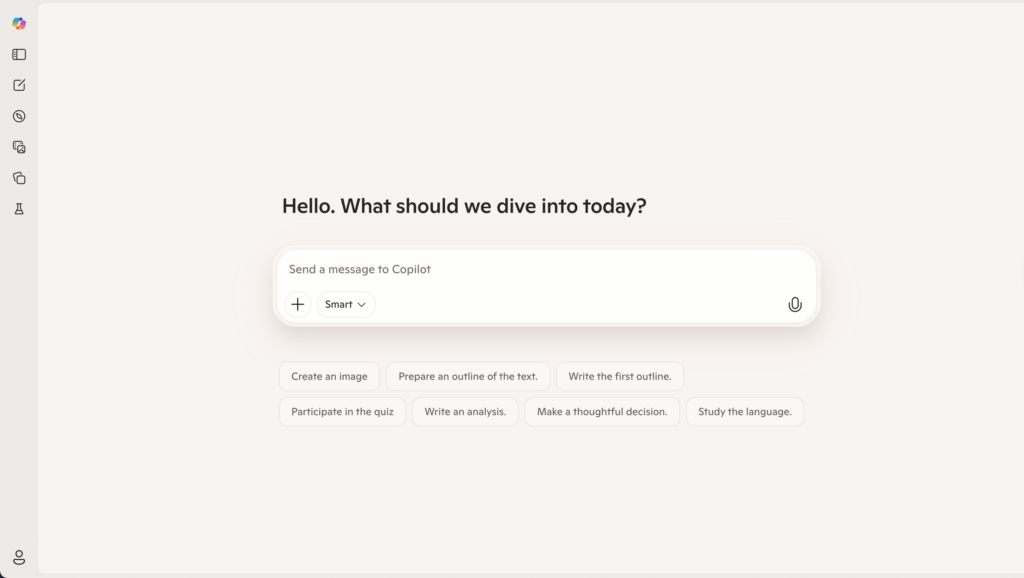
Microsoft Copilot is an AI companion integrated into Microsoft 365 apps like Word, Excel, PowerPoint, Outlook, and Teams, as well as across Windows and other Microsoft products. It’s designed to augment everyday productivity tasks for users already in the Microsoft ecosystem.
What it enables
- AI features inside Word, Excel, PowerPoint, Outlook, Teams, and more.
- Meeting summaries, content drafting, and spreadsheet assistance.
- Some centralized admin controls via Microsoft 365 admin center.
Where it works well
Familiar environment and strong integration into existing tools; great for incremental AI adoption.
Where it may not fit
Not an AI‑native rollout platform, high learning curve, and not the best choice for heavy PDFs, images, or data workflows.
Pricing
Licensed as Copilot add‑ons per user and $30/user/month; exact pricing depends on Microsoft 365 plan and region.
👉 Read more : Microsoft Copilot Alternative
10. Juma
Juma is an AI‑enabled platform built specifically for marketing teams, functioning more like a marketing project management and campaign planning tool than a company‑wide AI rollout platform. It uses AI to help marketing teams plan, execute, and track campaigns, rather than to serve as a general‑purpose AI workspace for all departments.
What it enables
- Marketing‑focused project and campaign management.
- AI assistance for content and planning.
Where it works well
Strong alignment with marketing workflows; easy for marketers to adopt.
Where it may not fit
Not suitable as a full, organization‑wide AI rollout platform; limited scope beyond marketing.
Pricing
Pricing starts from $25/user/month with basic plan and go high for enteprise plan.
👉 Read more : Juma AI Alternative
Compare Langdock Alternatives Based on Your Needs
| If your goal is… | Best option | Why this works | Watch out for |
|---|---|---|---|
| Get started quickly with AI (no setup) | ChatGPT Team | Simple, familiar interface with fast onboarding | No structure, limited team-level visibility |
| Standardize on a single AI provider (enterprise-grade) | ChatGPT Enterprise / Claude Enterprise | Strong security, admin controls, and model performance | Vendor lock-in, limited flexibility |
| Use AI inside your existing tools (Docs, Excel, Gmail) | Microsoft Copilot / Gemini Team | Seamless integration into daily workflows | Not built for centralized AI rollout or governance |
| Build a fully custom AI stack (engineering-led) | LibreChat / OpenWebUI | Maximum flexibility and control over models and infra | Requires engineering effort, no built-in adoption layer |
| Deploy a highly secure, enterprise AI workspace | Langdock | Strong data security, integrations, and enterprise setup | Can become complex and expensive at scale |
Add AI to a specific function (e.g. marketing) | Juma | Built for campaign workflows and team collaboration | Not designed for company-wide AI rollout |
| Roll out AI across teams with structure and flexibility | AICamp | Multi-model access + governance + workflows in one place | May be more than needed for very small teams |
FAQ
1. What’s the difference between Langdock and its main alternatives?
Langdock is an AI workspace for internal assistants, RAG, and workflows; alternatives differentiate mainly on:
- Ecosystem integration: Suite-native tools (e.g., “Copilot-style” for Microsoft 365 / Google Workspace) embed AI directly into email, docs, and spreadsheets.
- Model flexibility: Neutral platforms let you combine multiple providers (OpenAI, Claude, Gemini, open source) instead of being locked into one stack.
- Hosting and control: Some competitors offer self-hosted / VPC options and on‑prem indexing for stricter data control.
- Agent depth: Agent-first tools focus on complex, multi-step workflows across systems, not just Q&A chat over documents.
- Collaboration and analytics: A few alternatives add multi-user sessions, approvals, and detailed usage analytics beyond Langdock’s core features.
2. Can Langdock and its alternatives connect to my company data?
Yes, but the how and how-much differ:
- Langdock: Connects to major knowledge sources (wikis, drives, chat tools, tickets) and lets you build assistants on top of that content.
- Suite-native AI: Deep, automatic access to their own storage (SharePoint/OneDrive or Google Drive/Docs); third‑party tools can be more limited or require extra setup.
- Neutral workspaces: Usually offer broader connector catalogs plus APIs/webhooks for custom systems.
- Self‑hosted stacks: Maximum flexibility but you must assemble connectors, vector DB, and security yourself.
3. Are Langdock alternatives more expensive?
Not necessarily; the pricing logic is different:
- Langdock: Per-seat licenses plus model usage, good for pilots but can become costly if “everyone” needs access.
- Suite-native AI: Lower add‑on price per user, but you must also pay for the underlying productivity suite.
- Neutral platforms: Often mix per‑workspace, per‑agent, or pooled usage, which can be cheaper at scale for cross-team assistants.
- Self‑hosted: No vendor seat fees but you pay for infra, LLM calls, and engineering time great ROI if you have in‑house talent.
4. Which option is best for security‑sensitive industries?
Most serious Langdock alternatives aim at enterprise security; the key differentiators are:
- Certifications and audits: Look for SOC 2, ISO, HIPAA, or region-specific standards depending on your sector.
- Data residency: Some vendors can pin data to EU/US regions or your own cloud account; others are fixed to their infrastructure.
- Network model: SaaS is simpler; VPC or on‑prem gives you more control for finance, healthcare, or public‑sector use cases.
- Governance features: Fine-grained access controls, audit trails, retention rules, and DLP are where “enterprise” tools stand apart from lighter SaaS.
5. When does it make sense to choose a Langdock alternative?
A Langdock alternative usually makes more sense when:
- You are already heavily invested in a productivity suite and want AI inside those tools, not a separate hub.
- You need self‑hosting, custom network topology, or strict data residency guarantees.
- You want specialized agents (e.g., code, support, analytics, research) rather than one generic internal assistant.
- You’re optimizing total cost of ownership at thousands of seats and need pooled or usage-based pricing instead of pure per-user licensing.
Final Thoughts
- The AI tools you choose matter less than how your team ends up using them.
- Because in most organizations, the challenge isn’t access anymore.
- It’s making AI actually work consistently, across teams.
- And that’s where the right platform makes all the difference.