

Juma.ai has quickly become a go‑to AI workspace for marketing teams, bringing campaign planning, content creation, and analysis into one collaborative environment. But if you need broader, company‑wide AI rollout or different pricing, governance, or ecosystem fit, it’s smart to evaluate alternatives.
In this guide, you’ll find the best Juma alternatives, the top pick for small and mid‑sized enterprises that want multi‑model access, clear governance, and fast employee enablement.
TL;DR
In a hurry? Here are the top Juma.ai alternatives to keep on your radar:
- AICamp – Best for SMEs rolling out AI across multiple teams with multi‑model access and governance (~$20/user/month; BYOM from ~$12)
- ChatGPT Team – Best for small teams that just need shared ChatGPT, not full governance (~$30/user/month)
- Claude Team – Best for small teams that prioritize safety and long‑context work ($25/user/month)
- LibreChat – Best for engineering‑heavy, open‑source‑first orgs that can self‑host (free software; infra + APIs)
- OpenWebUI – Best for R&D teams experimenting with local/open‑source LLMs (free software; infra + APIs)
- Gemini Team – Best for Google Workspace organizations wanting AI inside Docs/Sheets/Gmail (Workspace + Gemini add‑on)
- Microsoft Copilot – Best for Microsoft 365 organizations that want AI inside Office apps ($30/user/month)
- Nexos.ai – Best for SMBs building agentic workflows across tools
- Langdock – Best for EU/data‑sensitive SMBs that want workflow‑centric AI workspaces
What is Juma?
Juma (formerly Team‑GPT) is an AI workspace built specifically for marketing teams, designed to bring research, strategy, content creation, and analysis into one collaborative environment. Teams can connect their marketing stack (Google Drive, Notion, SharePoint, CRM tools), build custom AI agents on top of their brand and customer data, and generate campaign‑ready content and reports.
The platform includes shared projects, AI assistants trained on your brand voice, and workflows for tasks like creating social calendars, turning emails into blog posts, auditing landing pages, and analyzing campaigns. It’s highly rated by marketing teams (4.8/5 on G2), who highlight its collaborative workspace, multi‑model support, and fast search.
Why You Should Look for Alternatives to Juma
Even if Juma is strong for marketing use cases, there are good reasons to explore alternatives:
- Marketing‑only focus
Juma is designed for marketing teams; it’s not a full‑fledged AI rollout platform for the entire organization (product, ops, support, engineering, etc.). - Scope and governance
It offers collaboration and multi‑model support, but if you need deep role‑based access, guardrails, and governance across all departments, dedicated rollout platforms like AICamp or enterprise AI workspaces may fit better. - Ecosystem fit
Teams deeply invested in Microsoft 365 or Google Workspace sometimes prefer Copilot or Gemini embedded directly in their existing tools instead of using a separate marketing‑first workspace. - Technical flexibility
Engineering‑heavy organizations may want self‑hosted interfaces (LibreChat, OpenWebUI) or multi‑model governance platforms that support custom and open‑source LLMs more directly.
If you want AI for the whole company, not just marketing, or you need tighter governance and multi‑model control, the alternatives below are worth serious consideration.
Case Study: See how How Neadoo Digital Rolled Out AI to Their Entire SEO Team. Read the full story →
Comparison Table: Top Juma.ai Alternatives
| Alternative | Best for | Key strength | Multi‑model support | Pricing (high level) |
|---|---|---|---|---|
| AICamp | SMEs rolling out AI across multiple teams | AI‑native rollout platform with governance and agents | Yes – OpenAI, Claude, Gemini + BYO APIs | ~$20/user/month; BYOM from ~$12/user/month |
| ChatGPT Team | Small teams that just need shared ChatGPT | Simple, familiar team workspace around GPT | No – OpenAI models only | ~$30/user/month (annual) |
| Claude Team | Small teams prioritizing safety & long‑context work | Safe, long‑context Claude models for doc‑heavy work | No – Anthropic models only | $25/user/month |
| LibreChat | Engineering‑heavy, open‑source‑first orgs | Self‑hosted, open‑source chat UI | Yes – via connected APIs/custom backends | Free software; infra + API costs |
| OpenWebUI | R&D and dev teams with local/open‑source LLMs | Great front‑end for local and experimental models | Yes – local and remote models via config | Free software; infra + API costs |
| Gemini Team | Google Workspace organizations | Deep integration into Docs, Sheets, Gmail | No – Google Gemini only | Workspace plan + Gemini add‑on |
| Microsoft Copilot | Microsoft 365 organizations | Embedded in Word, Excel, Outlook, Teams | Microsoft‑hosted models (mostly OpenAI‑based) | Copilot add‑on per M365 user starts from $30/user/month |
| Nexos.ai | SMBs building agentic workflows over their tools | Yes – curated models | Team/workflow‑oriented | Around $20/user/month per seat |
| Langdock | EU/data‑sensitive SMBs with workflow needs | Yes – curated set | Strong (EU‑first, workflows) | $29/user/month; BYOM $22/user/month |
Top Alternatives to Juma:
Here are the top platforms to consider, in the order we recommend evaluating them:
- AICamp
- ChatGPT Team
- Claude Team
- LibreChat
- OpenWebUI
- Gemini Team (Workspace)
- Microsoft Copilot
1. AICamp
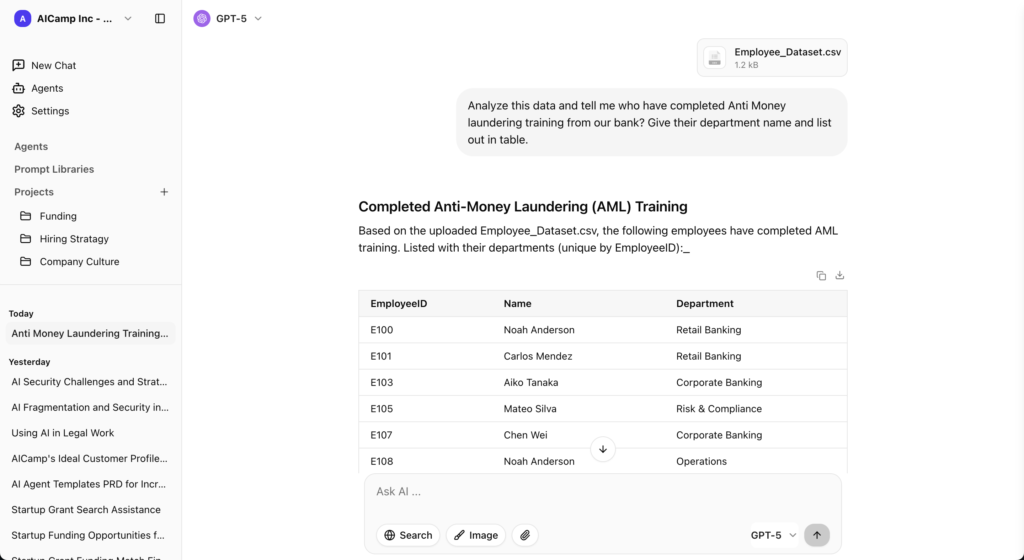
AICamp is an AI rollout platform built for small and mid‑sized enterprises that want to roll out AI to employees across multiple teams not just marketing with strong governance, multi‑model support, and collaboration features. It sits between single‑app assistants and heavy enterprise platforms, giving you a structured AI workspace with projects, agents, and knowledgebases.
AICamp Features
- Multi‑model access to the latest OpenAI, Claude, and Gemini models.
- Bring‑your‑own‑API/LLM support (Anthropic, Google, OpenAI, Azure, AWS, Google Cloud, open‑source, and custom models).
- Chat with memory, multimodel selector, file upload, OCR, data analysis, and web search.
- Projects, AI agents, prompt library, and knowledgebase to standardize workflows.
- Role‑based access, group‑level model controls, SAML SSO, audit logs, AI guardrails.
- Dedicated cloud and on‑prem‑style deployment options, with US/EU region controls.
- Admin center, usage analytics, unified billing, bulk member management.
- Custom team enablement strategy, pilot programs, and ongoing account management.
Advantages
- Designed as a company‑wide AI rollout layer, not just a single‑team tool.
- Strong multi‑model and BYOM flexibility so you’re not locked into a single vendor.
- Governance and enterprise controls built‑in (RBAC, guardrails, audit logs).
- Adoption support via enablement and pilot programs to help teams ramp up.
Disadvantages
- More platform than you need if you only want a marketing‑only content tool.
- Requires some admin setup to fully configure roles, models, and guardrails for larger organizations.
Pricing
- Standard model‑included seat: about $20/user/month.
- BYOM seat: about $12/user/month, where you pay the model provider separately.
- Monthly and yearly billing options available.
2. ChatGPT Team
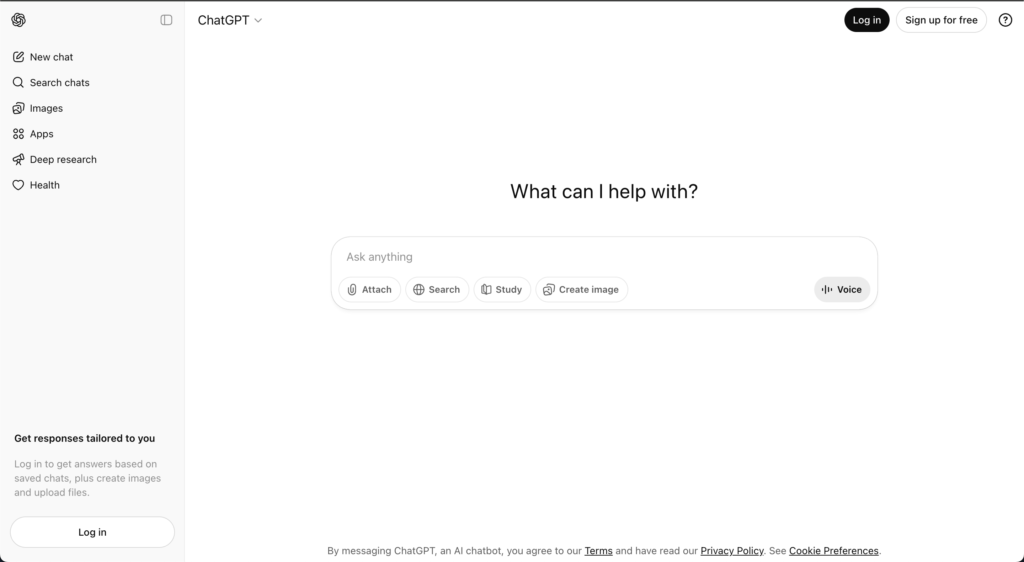
ChatGPT Team is OpenAI’s team‑oriented plan that gives small groups shared access to ChatGPT with higher limits and a shared workspace. It’s a straightforward way to get better ChatGPT access for a team without managing a complex platform.
Features
- Shared workspace with access to advanced ChatGPT models.
- Messages, chat history, and some project‑style organization.
- File upload and web‑search‑style capabilities.
Advantages
- Very easy to start and familiar to anyone who has used ChatGPT.
- Ideal for small teams experimenting with AI before investing in bigger platforms.
Disadvantages
- No multi‑model or BYOM; you’re limited to OpenAI’s stack.
- Limited governance and analytics; not built as a full AI rollout platform for entire companies.
Pricing
Around $30/user/month on annual plans (varies by region/time).
3. Claude Team
What is Claude Team?
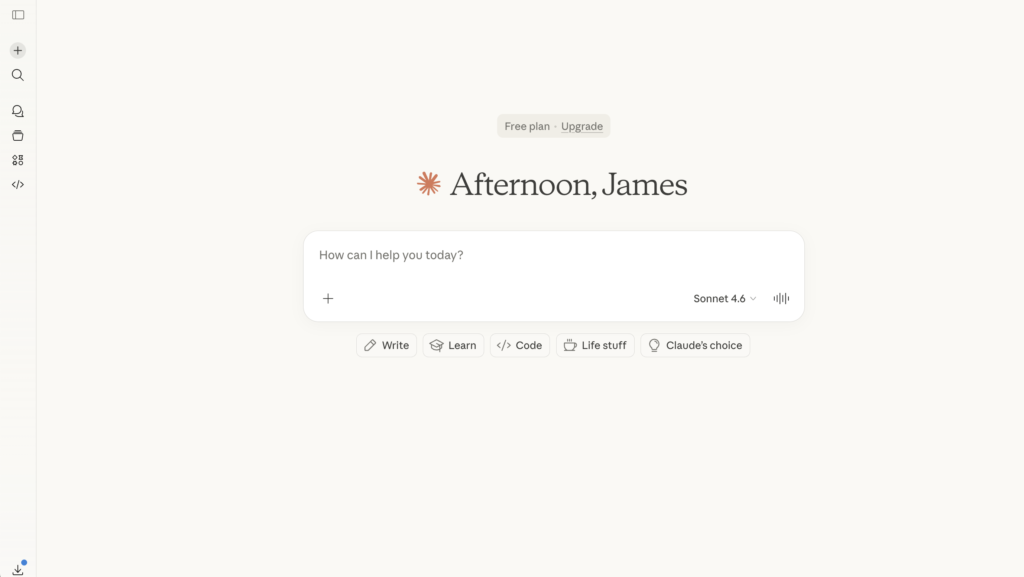
Claude Team gives small teams shared access to Anthropic’s Claude models in a collaborative environment. Claude is known for safety and long context windows, which makes it strong for document‑heavy work.
Features
- Team workspace with Claude models for chat and file‑based tasks.
- Strong performance on long documents and complex reasoning tasks.
Advantages
- Excellent for long‑context tasks, such as reading and analyzing large documents.
- Safety‑focused model, which can be attractive in risk‑sensitive environments.
Disadvantages
- Single‑vendor (Anthropic only); no native multi‑model routing.
- Lighter governance and enterprise rollout tooling than platforms like AICamp.
Pricing
Team‑tier pricing (mid‑range), typically sold as a subscription based on seats and usage.
👉 Also read: Claude Team Alternative
4. LibreChat
What is LibreChat?
LibreChat is an open‑source, self‑hosted chat UI for LLMs that lets you connect your own APIs and models. It’s popular among developers and organizations that want to control their entire stack.
Features
- Self‑hosted web interface to interact with multiple back‑end models.
- Chat history, messaging, and some file handling, depending on configuration.
- Integrates with various LLM APIs and custom backends.
Advantages
- No license fees great for teams that prefer open‑source and can invest engineering time.
- Very flexible in terms of which models and infra you use.
Disadvantages
- No out‑of‑the‑box enterprise governance, guardrails, or adoption tooling.
- Requires strong internal engineering to deploy, secure, and maintain.
Pricing
Software is free; you pay for your own infrastructure and model/API usage.
👉 Also read: LibreChat Alternative
5. OpenWebUI
What is OpenWebUI?
OpenWebUI is an open‑source interface for interacting with local and remote models, often used in conjunction with self‑hosted or open‑source LLMs.
Features
- Web UI for chatting with local and remote models.
- Can be configured to talk to different models via APIs.
Advantages
- Great for R&D teams and developers working with local models or custom deployments.
- Highly flexible and customizable.
Disadvantages
- Not a comprehensive rollout platform; lacks RBAC, analytics, guardrails, and adoption programs.
- Best suited to technical users rather than general business users.
Pricing
Software is free; infra and model costs are separate.
6. Google Gemini Team
What is Gemini Team?
Gemini Team (or Gemini in Google Workspace) brings Google’s Gemini models into a team or organization context, integrated directly with Google Workspace apps like Docs, Sheets, and Gmail.
Features
- Gemini AI features embedded into Docs, Sheets, Slides, and Gmail.
- Chat‑style interactions with Gemini for drafting, analysis, and brainstorming.
Advantages
- Deep, seamless integration for organizations already using Google Workspace.
- Low friction for adoption since it lives inside familiar tools.
Disadvantages
- Not a dedicated AI rollout platform; limited multi‑model support and governance compared with AICamp‑style tools.
- Focused on Google’s own Gemini models.
Pricing
Typically sold as a Gemini add‑on to Google Workspace plans, with per‑user pricing depending on tier.
👉 Also read: Google Gemini Team Alternative
7. Microsoft Copilot
What is Microsoft Copilot?
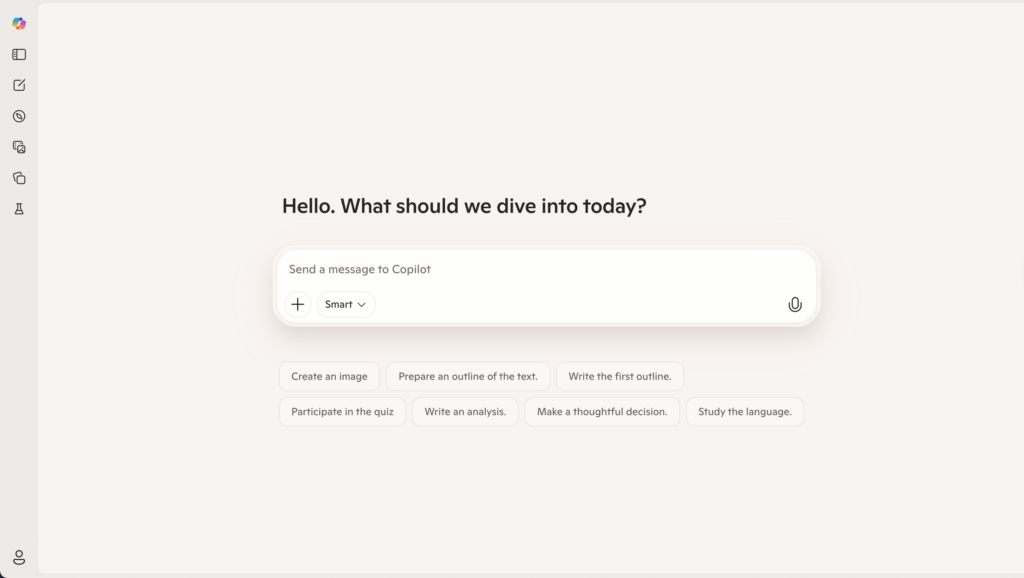
Microsoft Copilot is an AI companion integrated into Microsoft 365 apps (Word, Excel, PowerPoint, Outlook, Teams) and Windows. It’s built to assist with content creation, meeting summaries, email drafting, and data analysis inside the Microsoft ecosystem
Features
- AI features inside Office apps: writing, summarizing, slide creation, email replies, etc.
- Integration with Teams for meeting summaries and action items.
Advantages
- Natural choice if your organization is standardized on Microsoft 365.
- Embedded experience inside tools employees already use daily.
Disadvantages
- Not purpose‑built as an AI rollout platform lacks AI‑native workspace concepts like agents, projects, and governance layers.
- Reports of a higher learning curve, slower UI, and weaker performance on heavy PDFs, images, and data‑intensive workflows.
Pricing
Licensed as Copilot add‑ons per Microsoft 365 user, with pricing depending on plan and region.
👉 Also read: Microsoft Copilot Alternative
8. Nexos.ai
Nexos.ai focuses on agentic workflows that connect to your tools and data—think “AI that does work” more than chat.
Features
- Agents that perform multi‑step workflows.
- Integrations with common SaaS tools.
Advantages
Strong for process automation and repeatable workflows, not just Q&A.
Disadvantages
Higher setup/design effort than simple chat UIs.
Pricing
Around $20/user/month for core plans.
Best for
SMB teams that want to turn TypingMind‑style ad‑hoc use into structured agent workflows.
9. Langdock
Langdock is an enterprise AI workspace focused on secure AI adoption with chat, assistants, agents, search, and workflows, with strong emphasis on EU‑centric data residency.
Features
- Chat, assistants, and agents for internal workflows.
- Integrations with tools like Slack, Google Drive, Confluence, etc.
- EU‑first hosting options and strong privacy posture.
Advantages
- Better alignment for EU or data‑sensitive SMBs than a generic UI.
- Built‑in governance and workflows.
Disadvantages
More complex and pricier than TypingMind for very small teams.
Pricing
- Around $29/user/month (model included).
- BYOM tier around $22/user/month.
Best for
SMBs in Europe or regulated industries that need a managed, compliant AI workspace.
👉 Also read: Langdock Alternative
FAQs
1. What’s the difference between Juma.ai and these alternatives?
Juma.ai (formerly Team‑GPT) is a shared AI workspace primarily optimized for marketing teams and agencies. Alternatives offer:
- Broader scope (AICamp): Built for cross‑functional rollout (sales, CX, ops, product), not just marketing use cases.
- Ecosystem integration (Microsoft Copilot, Google Gemini): AI embedded directly into Outlook, Word, Excel, Gmail, Docs, Slides.
- Model governance (AICamp): Centralized control over multiple models (OpenAI, Claude, Gemini, open‑source/BYOM) with policies and guardrails.
- Deeper automation (AnythingLLM‑style / agent platforms): Workflow and agent orchestration across tools, beyond prompt‑and‑reply chat.
- Hosting flexibility (open‑source stacks like OpenWebUI/LibreChat): Self‑hosting and custom infra for technical teams.
2. Is Juma only for marketing teams?
Juma is designed first for marketing collaboration, not as a general AI platform for every department.
- Core focus: Campaigns, content, ads, SEO, and marketing analysis.
- Collaboration: Shared workspaces, prompt libraries, brand guidelines, and project‑based collaboration for marketing teams and agencies.
- Limitations for rollout: It’s less suited as the single AI backbone for legal, finance, operations, or engineering, where governance, fine‑grained RBAC, and complex workflows matter more.
- When it shines: If your primary goal is to make your marketing team faster and more consistent, Juma fits very well.
3. When should I choose AICamp over Juma?
Choose AICamp when you want AI as an organization‑wide platform, not just a marketing workspace.
- Multi‑department reach: One environment for marketing, sales, customer support, product, HR, finance, and leadership.
- Governance by design: Role‑based access control, audit logs, policies, and guardrails for different teams and risk levels.
- Agents and knowledgebases: Department‑specific agents powered by shared or private knowledgebases, instead of just reusable prompts.
- Multi‑model/BYOM: Ability to plug in several LLM providers (and your own models) under a single governance and billing layer.
- Strategic use case: Ideal when you’re planning an AI rollout program, not a single‑team productivity upgrade.
4. Are open‑source tools like LibreChat and OpenWebUI real alternatives to Juma?
They can be especially for technical, infra‑savvy teams but they differ a lot from Juma.
- What they offer: Self‑hosted, ChatGPT‑like interfaces, multi‑model menus, and high customization for prompts and system behavior.
- Where they fall short vs Juma: No opinionated marketing workflows, no out‑of‑the‑box campaign/project structure, and weaker non‑technical onboarding.
- Who they suit: Companies with strong DevOps/engineering that want full control (data, infra, UI) and are ready to build their own processes.
- How AICamp fits in: You can still use AICamp as the governance and rollout layer, while technical teams experiment with open‑source frontends.
5. What if my company uses Microsoft 365 or Google Workspace and can I combine Juma with AICamp?
Ecosystem tools are often your first AI touchpoint, and you can absolutely combine them with Juma and AICamp.
- Microsoft‑centric: Copilot is the natural first step for AI inside Outlook, Word, Excel, Teams.
- Google‑centric: Gemini for Workspace adds AI inside Gmail, Docs, Sheets, Slides, Meet.
- Layering strategy:
A. Juma for marketing collaboration and content workflows.
B. Copilot/Gemini for AI inside everyday office apps.
C. AICamp as the rollout backbone for multi‑model governance, cross‑team agents, shared knowledge, and auditability across the whole company.