


Prompt Library
The end of “Can you send me that prompt again?”
Your Prompt Library keeps every approved prompt organized, accessible, and far away from Slack purgatory.
Trusted by innovators & industry leaders










How it Works
A single place to create, organize, and deploy prompts across every workflow.
Write your prompt
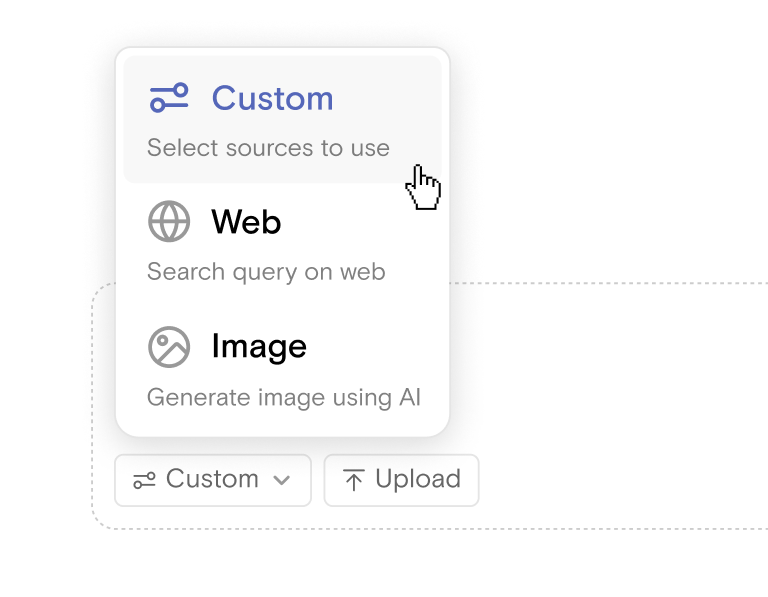
Write your prompt Capture your best prompts from sales outreach to onboarding checklists in a structured way.

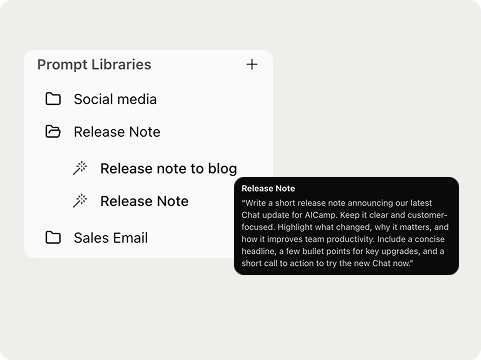
Save it to the library
Store prompts in shared collections, organized by team, use case, or project.
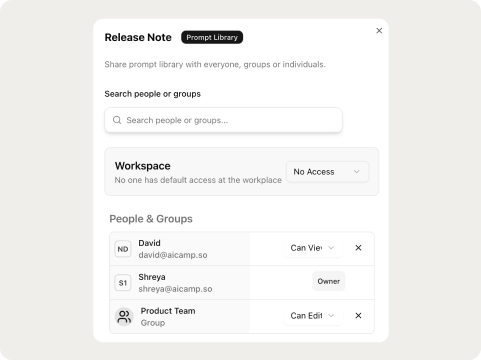
Share with your team
Everyone gets instant access to approved, high-quality prompts right inside their AI workspace.
Turning tribal knowledge into actual company assets
Consistent and compliant outputs
- Teams rely on a single set of approved prompts
- Reduces mistakes and keeps messaging aligned
- Ensures every department produces work that meets brand and policy standards
- Maintains accuracy across large teams and complex workflows
Knowledge centralized and retained
- All high-performing prompts live in one shared space
- Reduces dependency on individual team members
- Makes onboarding faster by giving new hires instant access to the same proven prompts the team already uses.
- Turns scattered insights into structured, reusable knowledge
Faster execution across workflows
- Reuse proven prompts instead of starting from zero
- Cuts down the time spent rewriting or fixing instructions
- Helps teams produce high-quality output on the first try
- Speeds up recurring tasks across content, operations, and reporting
Governed access and version control
- Admins decide who can create, edit, or approve prompts
- Keeps quality high by preventing unauthorized changes
- Ensures prompts follow approved brand, legal, and security rules so teams stay compliant without slowing down their work.
- Supports growth as teams scale and workflows evolve
FAQs
What is a prompt library?

A prompt library is a structured, searchable collection of proven prompts your team uses to get consistent results from AI. Think of it as a playbook that stores best prompts, templates, and usage notes in one place.
How does an AI platform manage and share prompts with a team?
Platforms centralize prompts, let admins set permissions, track versions, and provide search and tagging so anyone on the team can find and reuse approved prompts. They also support folders, templates, and sharing links to make distribution simple.
Are there AI productivity platforms with shared prompt libraries?
Yes. Many modern AI platforms like AICamp include shared libraries as a core feature, usually combined with collaboration tools, access controls, and integrations so prompts can be used directly inside workflows and apps.
What are the core features to look for in a prompt library?
Search and tagging, role-based access, version history, usage analytics, templates, and integrations with your tools. These features keep prompts discoverable, secure, and useful as your team grows.
How do I choose an AI prompt library that scales with team growth?
Choose a system with granular permissions, clear version control, folder and tag organization, audit logs, and API access. Those capabilities let you add users, enforce quality, and automate prompt usage without breaking workflows.
Is it recommended to use AI platforms for team prompt sharing?
Yes, if you need consistency, speed, and repeatable results. Just make sure the platform offers governance and controls so you avoid inconsistent outputs and data leakage.
How does AICamp keep prompt sharing secure and compliant?
AICamp centralizes prompts inside your workspace, enforces role-based access, and keeps a history of edits and approvals so you can control who creates or uses prompts and why. That reduces the risk of off-brand outputs or accidental exposure of sensitive instructions.
Can prompts be version controlled and audited?
Yes. A proper library keeps version history, shows who changed a prompt, and allows admins to revert to earlier versions. That transparency is critical for regulated environments and fast-moving teams.
How do teams integrate prompts into existing workflows and tools?
Good platforms provide APIs, webhooks, or agent integrations so prompts can be injected into apps, automation, and CI/CD pipelines. That lets teams use the same approved prompts in chat, content generation, customer support, and internal tools.
How do we get started and make prompt libraries actually stick?
Start small: audit current prompts, pick a pilot team, and add 20 high-value prompts with clear descriptions and usage examples. Set simple governance rules, train users on when to reuse vs when to adapt, and measure impact so the library becomes part of daily workflows.



Ready to join the AI revolution? Join AICamp today.


We’re serious about security. AICamp is GDPR compliant and operates as per ISO standards.


