

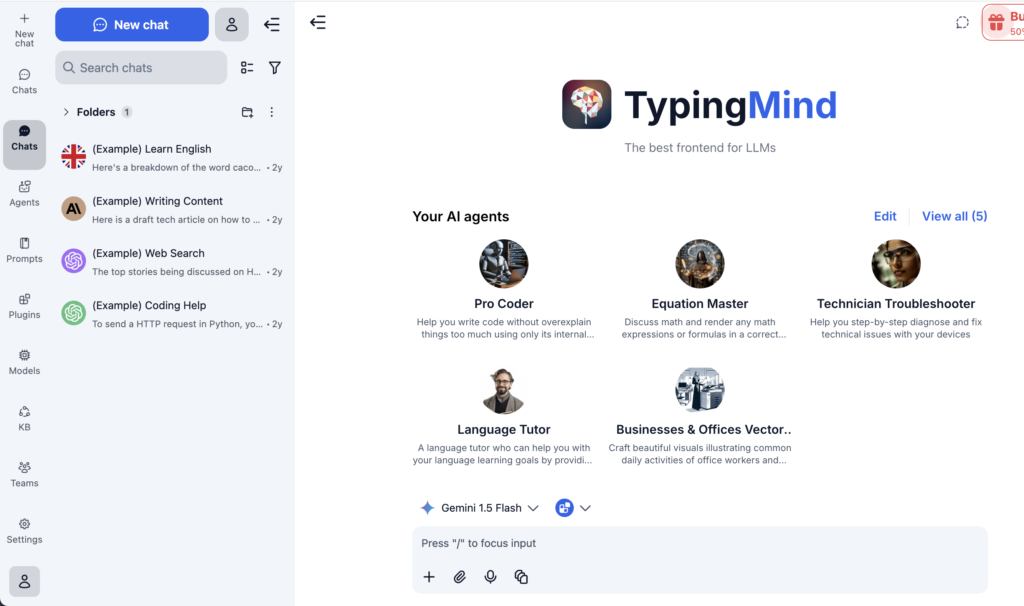
TypingMind is a popular “better front‑end for ChatGPT and other LLMs,” giving power users a nicer UI, folders, quick prompts, and the option to connect their own API keys. It works well for solo users and small teams who just want a more productive chat interface without building their own app.
However, as soon as AI use spreads beyond a few early adopters, TypingMind starts to show its limits for SMBs. You get a neat UI, but not a full AI rollout layer: no robust governance, limited team structure, and no deep multi‑team analytics or enterprise‑grade controls. Small and mid‑sized businesses that want AI across departments need something more than “a prettier ChatGPT.”
In this guide, you’ll find the best TypingMind alternatives for SMBs especially if you’re looking for multi‑model access, role‑based governance, projects, agents, and better fit for company‑wide rollout.
TL;DR
In a hurry? Here are the top TypingMind alternatives for small and medium businesses:
- AICamp – Best overall for SMBs that want multi‑model, governed AI rollout across teams
- ChatGPT Team – Best for small teams that just need simple shared ChatGPT
- ChatGPT Enterprise – Best for larger SMBs/enterprises standardizing on OpenAI
- Langdock – Best for EU/data‑sensitive SMBs that want workflow‑centric AI workspaces
- Juma – Best for marketing‑led SMBs and agencies
- Microsoft Copilot – Best for Microsoft 365‑centric SMBs
- Gemini Team – Best for Google Workspace‑centric SMBs
- LibreChat – Best for engineering‑heavy SMBs that can self‑host
- OpenWebUI – Best for R&D‑style teams running local/open‑source models
- Amazon Q Business – Best for AWS‑heavy SMBs and engineering teams
- Nexos.ai – Best for SMBs building agentic workflows across tools
What is TypingMind?
TypingMind is a client/UI for large language models, marketed as “the best front‑end for LLMs.” It lets users connect their own API keys (OpenAI and other providers), organize chats, use prompt templates, and enjoy a smoother UX than the standard ChatGPT web app.
TypingMind also offers a Teams plan, where multiple users can share access and benefit from the same polished interface. Pricing is SMB‑friendly at first glance, but it’s still largely a UI‑layer: it doesn’t provide deep governance, multi‑team structure, advanced admin roles, or a full AI rollout framework.
Why SMBs Should Look for Alternatives to TypingMind
TypingMind is great for individuals and very small teams—but SMBs often need more:
Limited governance and admin
TypingMind doesn’t give you rich role‑based access, group‑level model controls, or detailed audit logs. That’s a problem once multiple teams, managers, and compliance get involved.No true AI rollout layer
There’s no concept of organization‑wide projects, agents, and knowledgebases with role‑based sharing—just chat and a better UI.No deep multi‑model governance
You can connect multiple providers through keys, but there’s no central policy engine to decide who can use what and how.Not built for structured enablement
There are no custom enablement programs, pilots, or long‑term rollout strategies baked into the product. For SMBs wishing to train many employees, that’s a gap.
If AI is becoming a core capability in your organization rather than a nice‑to‑have tool for a few power users, you’ll likely outgrow TypingMind Teams quickly.
Comparison Table: TypingMind vs Top Alternatives (for SMBs)
| Tool | Best for | Multi‑model support | Governance level | Indicative pricing (2026) |
|---|---|---|---|---|
| TypingMind Teams | Small teams wanting a better ChatGPT‑style UI | Yes – via your own API keys | Light (basic team structure) | $83/month (5‑user minimum) |
| AICamp | SMBs rolling AI out across multiple teams | Yes – multi‑vendor + BYO | Strong (RBAC, audit, SSO, groups) | ~$20/user/month; BYOM from ~$12 |
| ChatGPT Team | Small teams that just need shared GPT | No – OpenAI only | Light (team admin) | $30/user/month or $25 annual |
| Claude Team | Small teams prioritizing safety & long‑context work | Safe, long‑context Claude models for doc‑heavy work | No – Anthropic models only | $25/user/month |
| ChatGPT Enterprise | Larger SMBs/enterprises on OpenAI | No – OpenAI only | Enterprise‑grade | Around $90/user/month typical |
| Langdock | EU/data‑sensitive SMBs with workflow needs | Yes – curated set | Strong (EU‑first, workflows) | $29/user/month; BYOM $22/user/month |
| Juma | Marketing teams & agencies | Yes – key vendors | Marketing‑centric | $25/user/month |
| Microsoft Copilot | Microsoft 365‑centric SMBs | Microsoft‑hosted models | M365 admin & compliance | ~$30/user/month add‑on |
| Gemini Team | Google Workspace‑centric SMBs | Gemini only | Workspace admin | Workspace + Gemini add‑on per user |
| LibreChat | Engineering‑heavy SMBs wanting self‑hosted OSS | Yes – via APIs/backends | DIY (you build around it) | Software free; infra + API usage |
| OpenWebUI | Local/open‑source LLM setups | Yes – local & remote | DIY | Software free; infra + API usage |
| Amazon Q Business | AWS‑heavy SMBs & engineering teams | Mainly AWS‑centric models | IAM‑aware, AWS‑native | Lite $3/user/mo, Pro $20/user/mo + index fees |
| Nexos.ai | SMBs building agentic workflows over their tools | Yes – curated models | Team/workflow‑oriented | Around $20/user/month per seat |
List of TypingMind Alternatives for SMBs
- AICamp
- ChatGPT Team
- ChatGPT Enterprise
- Claude Team
- Langdock
- Juma
- Microsoft Copilot
- Gemini Team
- LibreChat
- OpenWebUI
- Amazon Q Business
- Nexos.ai
1. AICamp
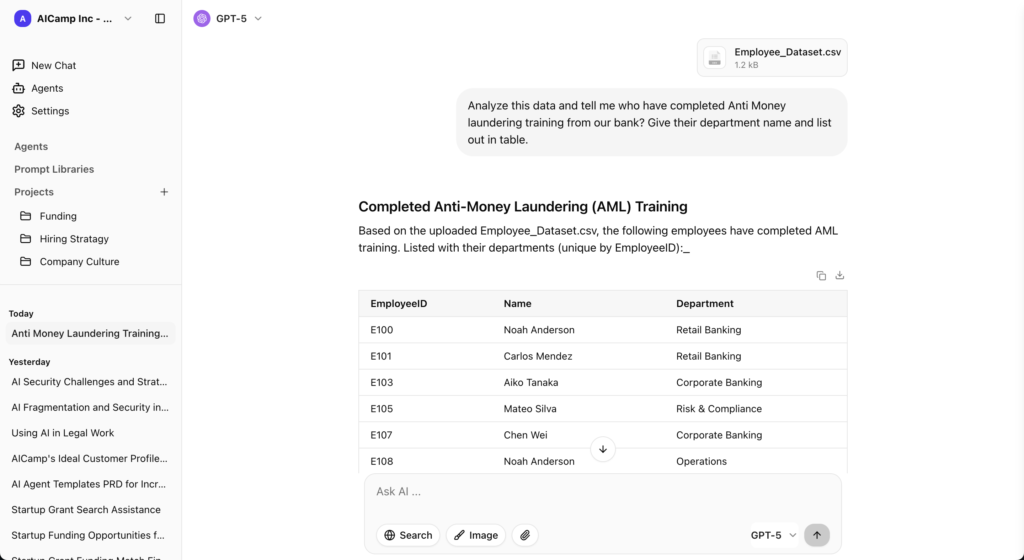
AICamp is an AI rollout platform built for small and mid‑sized enterprises that want to move beyond one‑off chats and actually roll out AI to employees with structure, governance, and multi‑model access. It’s essentially what TypingMind would look like if it were designed as a company‑wide AI layer instead of just a better LLM UI.
Features
- Multi‑model support (OpenAI‑class, Claude‑class, Gemini‑class) plus bring‑your‑own APIs and custom/open‑source models.
- Chat with memory, multimodel selection, file upload, OCR, data analysis, and web search.
- Projects, reusable AI agents, prompt libraries, internal knowledgebases.
- Role‑based access, group‑level model controls, SAML SSO, guardrails, audit logs.
- Admin center, AI usage analytics, unified billing, bulk user management.
- Dedicated cloud / on‑prem‑style deployment options with region controls.
- Team enablement strategies and pilot programs for adoption.
Advantages
- Designed for organization‑wide rollout, not just “better chat.”
- Multi‑model and BYOM give you pricing and model flexibility you’ll never get from a single‑stack UI.
- Strong governance and admin features that SMB IT and leadership actually need.
Disadvantage
- Designed to support teams at every stage of AI adoption from a few early users to company‑wide rollout.
- Built for SMBs that treat AI as a core capability, not just a side tool for a handful of users.
- Gives you the structure and governance you need as soon as AI usage expands beyond a couple of power users.
Pricing
- Model‑included: around $20/user/month.
- BYOM: around $12/user/month, with model usage billed separately.
Best for
SMBs that want to replace TypingMind with an actual AI rollout platform across multiple departments.
2. ChatGPT Team – Simple Alternative for Small Teams
ChatGPT Team is OpenAI’s lightweight team plan: shared access to ChatGPT with more generous limits and a basic admin layer compared to free/Plus accounts.
Features
- Shared workspace around GPT models.
- Chat history and basic organization.
- File upload and browsing‑style features.
Advantages
- Very easy to adopt; familiar UI.
- A natural step up if your team is already using ChatGPT individually.
Disadvantages
- OpenAI‑only; no multi‑model.
- Governance and analytics are minimal compared to “real” rollout platforms.
Pricing
$30/user/month monthly, or around $25/user/month on annual billing with a 2‑user minimum.
Best for
Small teams that just need shared GPT and are not yet ready for multi‑model or strong governance.
👉 Also read: ChatGPT Team Alternative
3. ChatGPT Enterprise – For Larger SMBs Standardizing on OpenAI
ChatGPT Enterprise is OpenAI’s enterprise‑grade offering with stronger security, admin features, and contracts.
Features
- Access to enterprise‑tier GPT models and higher limits.
- SSO, admin controls, usage analytics, and data‑handling guarantees.
Advantages
- Enterprise‑level support and compliance from OpenAI.
- Good if you’ve decided to go all‑in on the OpenAI stack.
Disadvantages
- Single‑vendor, GPT‑only.
- Overkill and relatively expensive for smaller SMBs.
Pricing
Often quoted around $90/user/month, depending on deal size and usage.
Best for
Larger SMBs and enterprises that want a fully managed OpenAI environment instead of a TypingMind‑style UI.
👉 Also read: ChatGPT Enterprise Alternative
4. Claude Team
Claude Team gives small teams shared access to Anthropic’s Claude models in a collaborative environment. Claude is known for safety and long context windows, which makes it strong for document‑heavy work.
Features
- Team workspace with Claude models for chat and file‑based tasks.
- Strong performance on long documents and complex reasoning tasks.
Advantages
- Excellent for long‑context tasks, such as reading and analyzing large documents.
- Safety‑focused model, which can be attractive in risk‑sensitive environments.
Disadvantages
- Single‑vendor (Anthropic only); no native multi‑model routing.
- Lighter governance and enterprise rollout tooling than platforms like AICamp.
Pricing
Team‑tier pricing (mid‑range), typically sold as a subscription based on seats and usage.
👉 Also read: Claude Team Alternative
5. Langdock
Langdock is an enterprise AI workspace focused on secure AI adoption with chat, assistants, agents, search, and workflows, with strong emphasis on EU‑centric data residency.
Features
- Chat, assistants, and agents for internal workflows.
- Integrations with tools like Slack, Google Drive, Confluence, etc.
- EU‑first hosting options and strong privacy posture.
Advantages
- Better alignment for EU or data‑sensitive SMBs than a generic UI.
- Built‑in governance and workflows.
Disadvantages
More complex and pricier than TypingMind for very small teams.
Pricing
- Around $29/user/month (model included).
- BYOM tier around $22/user/month.
Best for
SMBs in Europe or regulated industries that need a managed, compliant AI workspace.
👉 Also read: Langdock Alternative
6. Juma
Juma (formerly Team‑GPT) is a collaborative AI workspace designed specifically for marketing teams and agencies.
Features
- Shared workspaces for campaigns, content, and marketing assets.
- AI workflows for ideation, copywriting, repurposing, audits, and performance analysis.
Advantages
- Much more marketing‑opinionated than TypingMind or ChatGPT Team.
- Great if your main use of TypingMind is marketing content, not general AI.
Disadvantages
Not built as a company‑wide AI platform for all departments.
Pricing
Around $25/user/month for core plans.
Best for
SMB marketing teams and agencies wanting a marketing‑native AI workspace.
👉 Also read: Juma AI Alternative
7. Microsoft Copilot – For Microsoft 365‑Centric SMBs
Copilot is Microsoft’s AI assistant embedded across Microsoft 365 apps like Word, Excel, PowerPoint, Outlook, and Teams.
Features
- Drafting and summarization in Word and Outlook.
- Data assistance in Excel.
- Slide creation in PowerPoint.
- Meeting summaries and Q&A in Teams.
Advantages
- Lives inside tools your employees already use daily.
- Strong security/compliance thanks to the M365 stack.
Disadvantages
- Not a standalone multi‑model workspace like TypingMind.
- Works best when you’re already standardized on Microsoft 365.
Pricing
Copilot add‑on commonly around $30/user/month on top of Microsoft 365 licensing.
Best for
SMBs that are deeply invested in Microsoft 365 and want AI inside those apps.
👉 Also read: Microsoft Copilot Alternative
8. Gemini Team – For Google Workspace‑Centric SMBs
Gemini (formerly Duet) is Google’s AI assistant now integrated into Docs, Sheets, Slides, Gmail, and Workspace.
Features
- AI drafting and summarization in Docs and Gmail.
- Data assistance in Sheets; slide creation in Slides.
- Gemini chat interface for broader use.
Advantages
Deeply embedded in Google Workspace tools.
Disadvantages
Gemini‑only; not multi‑vendor.
Pricing
Workspace plan plus a Gemini add‑on per user (price depends on tier/region).
Best for
SMBs built on Google Workspace that want AI in their day‑to‑day apps.
👉 Also read: Google Gemini Team Alternative
9. LibreChat – OSS Alternative for Technical SMBs
LibreChat is an open‑source, self‑hosted AI chat interface that connects to multiple LLM backends.
Features
- Connect commercial APIs and open‑source models.
- Self‑hosted with full code access.
Advantages
- No per‑seat SaaS fees; you pay infra and API costs.
- Highly flexible for engineering‑heavy teams.
Disadvantages
You own deployment, security, and maintenance.
Pricing
Software is free; infra and model usage costs apply.
Best for
Tech‑heavy SMBs that want a self‑hosted TypingMind‑style experience with more control.
👉 Also read: LibreChat Alternative
10. OpenWebUI – Local/Open‑Source LLM Alternative
OpenWebUI is an open‑source web UI for local and remote LLMs, popular for running self‑hosted/open‑source models.
Features
- Connects to local LLMs and remote APIs.
- Web front‑end for experimentation and internal usage.
Advantages
Great for local and open‑source LLM setups.
Disadvantages
Like LibreChat, requires engineers to run and secure.
Pricing
Software free; infra and any API usage costs.
Best for
SMBs with internal infrastructure and ML/DevOps skills who want an on‑prem, open‑source alternative.
11. Amazon Q Business – AWS‑Native Alternative
Amazon Q Business is AWS’s AI assistant for business users, integrated deeply with AWS services and many SaaS tools.
Features
- Connectors to 40+ enterprise data sources.
- Permission‑aware search tied to IAM and app permissions.
- Conversation‑to‑app features (Q Apps) and visual extraction.
Advantages
Strong fit for AWS‑centric SMBs, especially engineering teams.
Disadvantages
- Less compelling if you’re not already on AWS.
- Index pricing can add complexity.
Pricing
- Lite: $3/user/month.
- Pro: $20/user/month.
- Additional index hourly fees.
Best for
SMBs heavily on AWS that want an AWS‑native assistant.
12. Nexos.ai
Nexos.ai focuses on agentic workflows that connect to your tools and data—think “AI that does work” more than chat.
Features
- Agents that perform multi‑step workflows.
- Integrations with common SaaS tools.
Advantages
Strong for process automation and repeatable workflows, not just Q&A.
Disadvantages
Higher setup/design effort than simple chat UIs.
Pricing
Around $20/user/month for core plans.
Best for
- SMB teams that want to turn general use into structured agent workflows.
FAQs: TypingMind Alternatives for SMBs
1. What is TypingMind, and why would I look for an alternative?
TypingMind is a polished chat UI for LLMs that lets you plug in your own API keys (mainly OpenAI and other providers) and get a nicer, faster ChatGPT‑style experience. It also offers a Teams/enterprise‑style workspace, but it stays mostly at the UI layer, without deep governance, multi‑team org structure, or an end‑to‑end AI rollout framework for the whole company.
2. How is AICamp different from TypingMind for businesses and teams?
TypingMind is best understood as a frontend client for LLMs; AICamp is built as an AI rollout platform.
- TypingMind focuses on: clean chat UX, prompt templates, folders/tags for chats, basic team sharing, and BYO API key billing directly with model vendors.
- AICamp focuses on: multi‑team agents, governed knowledgebases, RBAC, audit logs, policies, and company‑wide AI adoption across departments.
- TypingMind is ideal when: you just want a better personal/SMB interface to LLMs and don’t need heavy admin or compliance features.
- AICamp is ideal when: you need a centralized, vendor‑neutral AI platform for sales, support, operations, product, marketing, and leadership—not just a better chat window.
3. What are the best TypingMind alternatives (including open source)?
Depending on your needs, TypingMind alternatives fall into a few buckets.
- Rollout platforms: AICamp and similar tools provide multi‑team agents, knowledgebases, and governance, aimed at SMBs and enterprises rather than individual power‑users.
- Hosted workspaces: ChatGPT Team, Perplexity, and Claude offer managed workspaces with their own UIs and billing instead of BYO keys.
- Open‑source UIs: LibreChat and OpenWebUI are self‑hosted, multi‑provider frontends that developers can customize, fork, and extend as TypingMind‑style alternatives.
- Agency‑ and project‑centric tools: AnythingLLM‑style and Langdock‑style tools add RAG, project spaces, and more “agentic” workflows on top of chat.
4. How does TypingMind compare to LibreChat and other open‑source frontends—and where does AICamp fit?
TypingMind and LibreChat both aim to be multi‑provider chat interfaces, but with different trade‑offs.
TypingMind:
BYO key chat client, mostly browser‑based, with a one‑time or subscription payment for premium features.
Great UX, folders/tags, prompt templates, basic team workspaces, but limited deep admin/governance out of the box.
LibreChat:
Fully open source and self‑hosted, with broad provider support (OpenAI, Anthropic, Google, Azure, Ollama, Groq, etc.) and advanced configuration.
Strong for technical teams comfortable managing infra, updates, and security on their own.
Where AICamp fits:
You can keep TypingMind/LibreChat as technical UIs, while AICamp becomes the governed, business‑facing layer that runs production agents, enforces RBAC/policies, and supports cross‑team rollout.
5. When should I choose AICamp instead of TypingMind for my organization?
Choose AICamp rather than TypingMind when:
- You want AI for many departments, not just a nicer chat UI for a handful of power users.
- You need governance and compliance (RBAC, audit logs, org‑level policies, data‑access rules) that go beyond what a lightweight frontend can realistically provide.
- You’re planning an AI rollout program (training, templates, curated agents, KPIs) and need a platform built for adoption, not just convenience.
- You’d rather manage models and vendors centrally (including multi‑model/BYOM) than have everyone manually configure and pay via personal TypingMind setups