


You’re here because “let’s try AI agents” has turned into a bigger question: how do we roll AI out across the company without breaking process, security, or budgets? Maybe you’ve looked at Dust for its strong agents and deep connections into tools like Slack and your existing systems, but now you’re wondering what else is out there for a broader rollout.
Dust is great if you mainly want AI agents tightly connected to your workflows and data. Other platform is better if your priority is rolling AI out to employees: shared assistants, multimodel chat, projects, and governance so every team can safely use AI in their day‑to‑day work.
In this guide, we’ll look at Dust alternatives for AI agents and enterprise rollout, with a special focus on when platform makes more sense for your organization than sticking with or starting with Dust
TL;DR
Dust is great for collaborative agents that live in Slack and connect to your SaaS stack, with multi‑model support and native triggers for automation.
It charges around €29/user/month (Pro) and enterprise pricing for 100+ members, with no free plan.
Consider a Dust alternative if you want:
A broader AI rollout platform (projects + chat + agents, not just agents),
Different deployment (on‑prem, dedicated),
Self‑hosted/open‑source control,
Or more visual workflow tooling and cheaper solo tiers
Top Dust alternatives in 2026:
AICamp – Best overall for SMEs that want multi‑model AI rollout with chat, projects, agents, and governance.
Nexos.ai – Best for teams building structured, task‑specific agents across their SaaS stack.
Langdock – Best for EU‑first companies wanting workspaces plus workflows.
Amazon Q Business – Best for AWS‑centric organizations that want AI agents over AWS data and SaaS connectors.
Microsoft Copilot Studio – Best for enterprises already deep in the Microsoft ecosystem and Power Platform.
Metaflow AI – Best for complex, multi‑step automations and batch workflows (often cheaper at scale).
CrewAI – Best for devs who want a visual editor for multi‑agent workflows with generous free tier.
LibreChat / OpenWebUI – Best for engineering teams that want self‑hosted, open‑source agent/chat front‑ends.
What Is Dust?
Dust is a cloud platform for building and deploying AI agents that plug into your existing tools and data. It lets you:
- Define agents with roles, instructions, and tools.
- Connect them to data sources (e.g., docs, Slack, Notion) and SaaS systems (GitHub, Jira, Zendesk, etc.).
- Run them in channels like Slack or a web interface, and trigger them automatically via schedules, webhooks, or automation tools like Zapier and Make.
Dust supports multiple LLM providers (OpenAI, Anthropic, Google, others) and lets you choose models per agent. It’s well‑known for good UX and making agents accessible to non‑technical users while still offering depth for technical teams.
Pricing: Pro is €29/user/month with unlimited messages (fair use) and fixed price on programmatic usage (API, GSheet, Zapier), while enterprise pricing is custom.
Why Look for a Dust Alternative?
- Broader AI rollout needs: Dust is agent‑first. Many SMBs want a platform that also covers chat workspaces, projects, and knowledgebases for non‑agent use.
- Budget and pricing model: At €29/user/month with no free tier, Dust can feel expensive, especially for early experimentation or mixed‑usage teams.
- Hosting and control: Dust is cloud‑hosted. If you need strict on‑premise, VPC, or self‑hosting, other platforms or open‑source tools may fit better.
- Workflow style: Some teams prefer visual workflow builders or more explicit flow orchestration (Metaflow AI, CrewAI) rather than agent‑only abstraction.
Comparison Table: Dust vs Top Alternatives
| Tool | Best for | Multi‑model support | Hosting / control | Indicative pricing (2026) |
|---|---|---|---|---|
| Dust | Collaborative AI agents across SaaS/tools | Yes – major providers (GPT, Claude, etc.) | Fully managed SaaS | Pro around €29/user/month; Enterprise custom (100+ members) |
| AICamp | SMEs rolling AI (chat + projects + agents) across teams | Yes – multi‑vendor + BYO | Managed SaaS / dedicated | Model‑included ≈ $20/user/month; BYOM from ≈ $12/user/month |
| Nexos.ai | Task‑specific agents & workflows across SaaS | Yes – curated providers | Managed SaaS | Around $20/user/month per seat (usage‑based tiers) |
| Langdock | EU‑first AI workspace with workflows | Yes – curated providers | SaaS / dedicated (EU‑first) | Model‑included ≈ $29/user/month; BYOM ≈ $22/user/month |
| Amazon Q Business | AWS‑centric search and agents | Yes – AWS‑hosted models | AWS cloud | Lite ≈ $3/user/month; Pro ≈ $20/user/month + index usage |
| Microsoft Copilot Studio | Custom copilots on Microsoft & Power Platform | Yes – Microsoft stack + connectors | Microsoft cloud | App/capacity‑based; typically tens of dollars per user/month |
| Metaflow AI | Complex multi‑step automations & batch workflows | Yes – via connected providers | SaaS / some self‑host | Free tier; paid from ≈ $19/month (solo/low‑seat plans) |
| CrewAI | Visual multi‑agent workflows | Yes – via connected providers | SaaS / self‑host options | Free tier; Pro around $25/month; Enterprise custom |
| LibreChat | Self‑hosted, open‑source chat/agent interface | API‑driven multi‑model | Self‑hosted OSS | Software free; infra + API/model usage only |
| OpenWebUI | Local / open‑source LLM UI | Local & remote multi‑model | Self‑hosted OSS | Software free; infra + API/model usage only |
1. AICamp
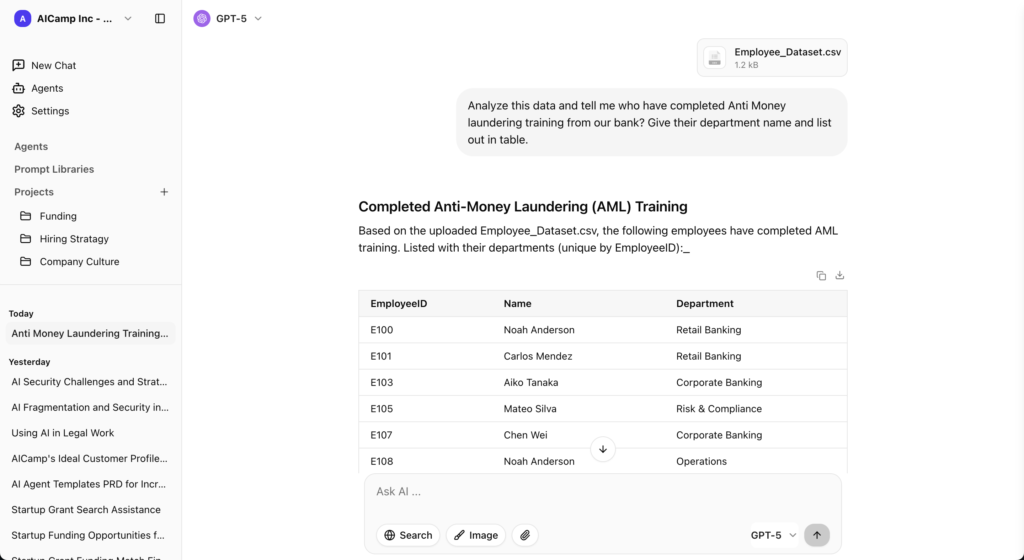
AICamp is an AI rollout platform for small and mid‑sized enterprises that combines chat, projects, agents, and knowledgebases with multi‑model access and strong governance. It’s ideal if you want agents but also need a central AI workspace for general chat and cross‑team collaboration, not just agent execution.
Features
- Multi‑model catalog plus BYO LLMs (OpenAI, Anthropic, Google, open‑source/custom).
- Chat with memory, multi‑model selection, file upload, OCR, data analysis, web search.
- Projects, AI agents, prompt library, and internal knowledgebases, all shareable by role.
- RBAC, SAML SSO, AI guardrails, audit logs, admin center, usage analytics, unified billing.
- Dedicated cloud and on‑prem‑style regioned deployments.
Advantages
- AI‑native rollout layer: good for company‑wide AI, not just agents.
- Multi‑model strategy and BYOM support reduce lock‑in.
- Strong governance and security posture.
Disadvantages
More platform than you need if you only want one or two agents for a single team.
Pricing
- Around $20/user/month with models included.
- Around $12/user/month for BYOM seats.
Best for
SMEs that want to go beyond Dust’s “agent‑only” focus into full AI workspaces, projects, and governed rollout.
2. Nexos.ai
Nexos.ai focuses on building structured AI workflows and task‑specific agents that plug into your existing SaaS stack.
Features
- Agents that perform multi‑step workflows.
- Integrations with common SaaS tools.
Advantages
Strong for process automation and repeatable workflows, not just Q&A.
Disadvantages
Higher setup/design effort than simple chat UIs.
Pricing
Around $20/user/month for core plans.
Best for
SMB teams that want to turn TypingMind‑style ad‑hoc use into structured agent workflows.
3. Amazon Q Business – AWS‑Native Alternative
Amazon Q Business is AWS’s AI assistant for business users, integrated deeply with AWS services and many SaaS tools.
Features
- Connectors to 40+ enterprise data sources.
- Permission‑aware search tied to IAM and app permissions.
- Conversation‑to‑app features (Q Apps) and visual extraction.
Advantages
Strong fit for AWS‑centric SMBs, especially engineering teams.
Disadvantages
- Less compelling if you’re not already on AWS.
- Index pricing can add complexity.
Pricing
- Lite: $3/user/month.
- Pro: $20/user/month.
- Additional index hourly fees.
Best for
SMBs heavily on AWS that want an AWS‑native assistant.
4. Microsoft Copilot – For Microsoft 365‑Centric SMBs
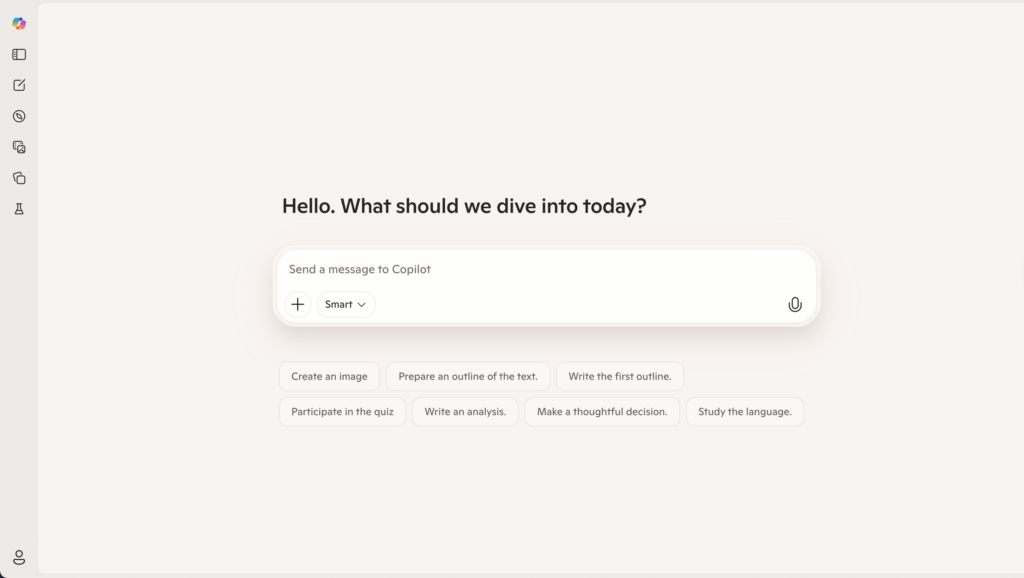
Copilot is Microsoft’s AI assistant embedded across Microsoft 365 apps like Word, Excel, PowerPoint, Outlook, and Teams.
Features
- Drafting and summarization in Word and Outlook.
- Data assistance in Excel.
- Slide creation in PowerPoint.
- Meeting summaries and Q&A in Teams.
Advantages
- Lives inside tools your employees already use daily.
- Strong security/compliance thanks to the M365 stack.
Disadvantages
- Not a standalone multi‑model workspace like TypingMind.
- Works best when you’re already standardized on Microsoft 365.
Pricing
Copilot add‑on commonly around $30/user/month on top of Microsoft 365 licensing.
Best for
SMBs that are deeply invested in Microsoft 365 and want AI inside those apps.
👉 Read more : Microsoft Copilot Alternative
5. Langdock
Langdock is an enterprise AI workspace focused on secure AI adoption with chat, assistants, agents, search, and workflows, with strong emphasis on EU‑centric data residency.
Features
- Chat, assistants, and agents for internal workflows.
- Integrations with tools like Slack, Google Drive, Confluence, etc.
- EU‑first hosting options and strong privacy posture.
Advantages
- Better alignment for EU or data‑sensitive SMBs than a generic UI.
- Built‑in governance and workflows.
Disadvantages
More complex and pricier than TypingMind for very small teams.
Pricing
- Around $29/user/month (model included).
- BYOM tier around $22/user/month.
Best for
SMBs in Europe or regulated industries that need a managed, compliant AI workspace.
👉 Read more : Langdock Alternative
6. Metaflow AI
Metaflow AI is an automation and workflow platform that lets you design multi‑step, multi‑agent workflows that blend structured logic (steps, branches, triggers) with AI decision‑making. You use a visual builder to wire together agents, tools, and external apps so they can handle complex processes end‑to‑end, not just single prompts.
Advantages
- Strong visual workflow builder that makes complex, multi‑step flows easier to design and maintain than pure code frameworks.
- Built for agentic workflows, so agents can collaborate inside one system rather than living as isolated bots.
- Usage‑based pricing that stays affordable for light–medium workloads and scales up only when execution volume grows.
Disadvantages
- More complexity than “simple chat tools” – best suited for teams willing to think in workflows and processes.
- Not a full employee‑facing AI workspace (chat, projects, knowledge, governance) out of the box; it’s focused on automations and agents, not broad rollout.
Pricing (indicative, 2026)
- Free tier with a limited number of automated steps and AI credits per month for experimentation.
- Paid plans starting around $19/month for individual power users, with higher tiers around $69/month for team collaboration and custom enterprise pricing for large volumes.
Best for
- Teams that want to build complex, repeatable AI workflows and agents (e.g., support, marketing ops, back‑office processes) and are comfortable designing flows, not just chats.
7. CrewAI
CrewAI is a platform (and framework) for building multi‑agent systems, where several specialized AI agents collaborate like a “crew” to complete complex tasks. It focuses on coordinating multiple agents, routing tasks between them, and integrating external tools so they can act on real data.
Advantages
- Strong multi‑agent orchestration: lets you define distinct roles (researcher, writer, reviewer, etc.) and have them work together on one goal.
- Good tool and integration support so agents can call external services, run searches, and perform data tasks beyond pure text generation.
- Offers both open‑source framework flexibility and a hosted platform with visual tooling for people who don’t want to manage infra.
Disadvantages
- Cost and complexity can rise as you scale executions; multi‑agent workflows naturally consume more steps and model calls.
- Requires careful design and monitoring to avoid “agent chaos” (agents looping, over‑collaborating, or racking up unnecessary executions).
Pricing (indicative, 2026)
- Hosted platform has a free Basic tier with a limited number of workflow executions per month.
- Professional plans start around $25–$99/month, with execution quotas and additional seats; costs increase with higher execution volumes and enterprise requirements.
Best for
- Teams that specifically want to experiment with or deploy multi‑agent workflows (research → draft → review chains, complex data tasks, multi‑role automations) rather than just single assistants. It’s a good fit for technical teams exploring advanced agentic patterns and willing to tune workflows and costs over time.
8. LibreChat – OSS Alternative for Technical SMBs
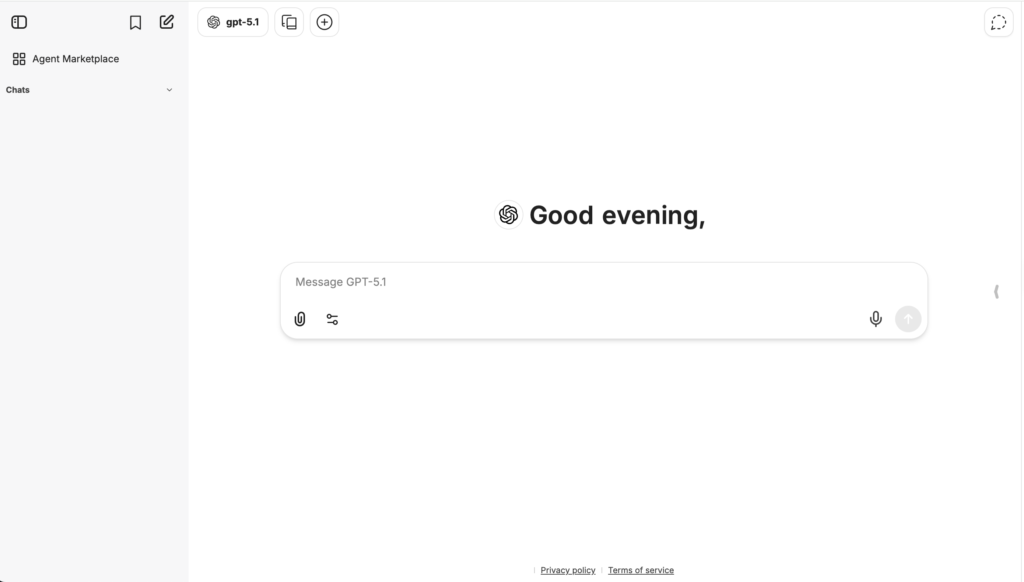
LibreChat is an open‑source, self‑hosted AI chat interface that connects to multiple LLM backends.
Features
- Connect commercial APIs and open‑source models.
- Self‑hosted with full code access.
Advantages
- No per‑seat SaaS fees; you pay infra and API costs.
- Highly flexible for engineering‑heavy teams.
Disadvantages
You own deployment, security, and maintenance.
Pricing
Software is free; infra and model usage costs apply.
Best for
Tech‑heavy SMBs that want a self‑hosted Dust experience with more control.
👉 Read more : LibreChat Alternative
9. OpenWebUI – Local/Open‑Source LLM Alternative
OpenWebUI is an open‑source web UI for local and remote LLMs, popular for running self‑hosted/open‑source models.
Features
- Connects to local LLMs and remote APIs.
- Web front‑end for experimentation and internal usage.
Advantages
Great for local and open‑source LLM setups.
Disadvantages
Like LibreChat, requires engineers to run and secure.
Pricing
Software free; infra and any API usage costs.
Best for
SMBs with internal infrastructure and ML/DevOps skills who want an on‑prem, open‑source alternative.
FAQs
How do I create an AI agent in Dust?
To create an AI agent in Dust, you typically:
- Define the agent’s purpose and instructions
- Connect data sources and tools (Slack, docs, ticketing, etc.)
- Configure actions, permissions, and where it will live (e.g., Slack channel)
- Test the agent on real scenarios, then roll it out to specific teams
Limitations: Dust agents are excellent for connected workflows, but they’re primarily system‑facing. They don’t give you a full employee rollout layer (projects, shared knowledge, training programs, usage insights) in one place. For structured rollout across non‑technical employees, consider pairing Dust with an AI workspace like AICamp.
How do I roll out AI to employees using AICamp?
To roll out AI in AICamp, you usually:
- Create a workspace and invite users or groups (by team, function, geography)
- Set up default assistants, projects, and knowledge bases for each group
- Configure models, guardrails, and access controls (who can see what, use which models, etc.)
- Monitor usage and iterate on prompts, templates, and internal playbooks
Limitations: AICamp is optimized for day‑to‑day employee usage, not for building deeply custom, system‑embedded automations. For heavy backend workflows or multi‑agent automations, you may still want tools like Metaflow AI or CrewAI in the background.
Which option is best if I just want “AI for everyone” vs. advanced automations?
- “AI for everyone” (chat, assistants, projects, collaboration, governance): start with an employee‑first workspace like AICamp.
- “Advanced automations and multi‑agent workflows”: look at Metaflow AI and CrewAI, potentially alongside Dust.
You can also suggest a hybrid pattern: AICamp as the employee interface, Dust/Metaflow/CrewAI as the automation layer behind the scenes.