

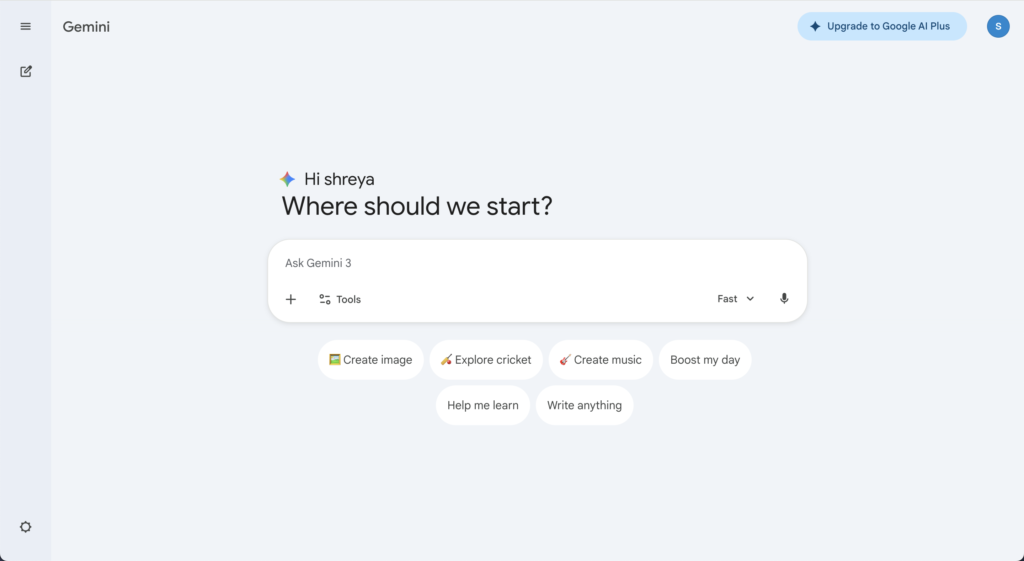
Gemini has become Google’s answer to Copilot and ChatGPT for teams, putting AI directly into Docs, Sheets, Slides, Gmail, and Meet. For Google‑first startups and small businesses, simply “turning on Gemini” feels like the easiest way to get started with AI.
But exactly like Copilot on the Microsoft side, Gemini for Workspace is not an AI‑native rollout platform. It’s great at in‑app assistance, not at multi‑model strategy, cross‑team workflows, or deep governance. If you want AI to become a core capability across departments not just a clever add‑on in Google apps you’ll quickly need something more purpose‑built.
TL;DR
Gemini for Workspace / Gemini Team gives you AI inside Google Docs, Sheets, Slides, Gmail, and Meet, usually sold as a Workspace plan plus an AI add‑on or an AI Pro‑type subscription per user.
For small and medium businesses, the best Gemini Team alternatives (and complements) are:
- AICamp – Best overall for SMEs that want multi‑model, governed AI rollout (OpenAI, Claude, Gemini, BYO) across teams.
- ChatGPT Business / Enterprise – Best if you want to standardize on OpenAI for advanced chat and assistants.
- Microsoft Copilot – Best if most of your work actually happens in Microsoft 365, not Workspace.
- Amazon Q Business – Best for AWS‑heavy organizations and engineering teams.
- Langdock – Best for EU‑first, workflow‑centric AI workspaces.
- Dust – Best for teams that want agentic workflows and AI agents acting across tools and data.
- Nexos.ai – Best for teams building structured AI workflows and task‑specific agents on top of their current SaaS stack.
- Perplexity Team / Enterprise – Best for research‑heavy teams that care about fast, citation‑backed answers.
- Juma – Best for marketing teams and agencies.
- LibreChat – Best for engineering‑heavy teams wanting self‑hosted, open‑source UIs.
- OpenWebUI – Best for teams running local or open‑source LLMs that need a flexible self‑hosted web UI.
What Is Gemini Team / Gemini for Workspace?
Gemini for Workspace adds Google’s Gemini models into the tools Workspace users already live in:
- In Docs, Gemini drafts, rewrites, and summarizes documents.
- In Sheets, it helps explore and structure data.
- In Gmail, it drafts replies and condenses long threads.
- In Slides, it assists with content and visuals for decks.
- In Meet, it can help with notes and summaries.
For smaller teams and individuals, Google also offers Gemini subscriptions (like AI Pro / AI Plus) that unlock advanced Gemini capabilities across web and mobile, plus additional features like enhanced reasoning, image generation, and higher usage limits.
For businesses, you typically pay for a Workspace plan per user and then add a Gemini subscription on top so that everyone gets AI capabilities inside the core Google apps. That’s convenient for Google‑centric organizations—but it ties your AI experience tightly to Workspace and to a single model family.
Why Small & Medium Businesses Look for Gemini Team Alternatives
1. In‑App Assistant ≠ AI Rollout Platform
Gemini is fantastic as an assistant inside Docs, Sheets, Gmail, and Slides. What it doesn’t give you is:
- A central AI workspace where different teams can collaborate on AI projects.
- A system for AI agents that run multi‑step workflows across multiple tools.
- A shared knowledgebase with granular access control.
- An AI‑native admin center to manage models, guardrails, and usage in one place
In other words, Gemini is productivity‑first, not AI‑rollout‑first.
2. Single‑Vendor, Single‑Stack
With Gemini Team, your AI stack is tied directly to Google’s models and roadmap. That means:
- No native way to mix OpenAI, Claude, Mistral, or your own LLMs under one governed layer.
- No model routing strategy (e.g., “this use case goes to GPT‑4, this one to an open‑source model”).
- Limited flexibility if model prices or capabilities change and you want to switch.
If you’re serious about AI as a long‑term capability, a multi‑model strategy becomes important.
3. Workspace‑First Governance, Not AI‑First Governance
Workspace admin gives you great control over:
- User identities and groups.
- App access and data sharing.
But it isn’t built as an AI control plane. You don’t get, out of the box:
- Model‑level access policies per department or role.
- Central AI guardrails (what is allowed, what isn’t, how PII is handled).
- Deep AI usage analytics across multiple models and tools.
As AI usage grows beyond a few power users, leaders and compliance teams need this level of visibility and control.
4. Pricing Is Tied to Workspace Users
Gemini’s pricing is generally per user on top of Workspace, or on a per‑user subscription basis. That can be perfect when all employees actively use AI; but if only a subset are heavy users, you might pay for a lot of underused seats.
A dedicated AI rollout platform can offer more flexibility, with a mix of model‑included and BYOM seats, and tighter control over who needs what level of AI access.
Comparison Table: Gemini Team vs Key Alternatives
| Tool | Best for | Multi‑model strategy | Governance focus | Indicative pricing (2026) |
|---|---|---|---|---|
| Microsoft Copilot | Microsoft 365‑centric orgs wanting in‑app AI | Single‑vendor (MS stack) | Microsoft‑centric | Add‑on per user on top of M365 (around $20–30/user/month) |
| AICamp | SMEs rolling AI out across multiple teams | Multi‑vendor + BYO | AI‑native (RBAC, guardrails, analytics) | Model‑included ≈ $20/user/month; BYOM from ≈ $12/user/month |
| ChatGPT Business / Enterprise | OpenAI‑first organizations | GPT‑first | Strong within OpenAI ecosystem | Business typically in $25–30/user/month range; Enterprise higher (often $60–90/user/month) |
| Amazon Q Business | AWS‑heavy orgs & engineering teams | AWS‑centric | IAM‑aware, AWS‑native | Lite around $3/user/month; Pro around $20/user/month + index usage fees |
| Langdock | EU/data‑sensitive orgs with workflows | Curated multi‑model | EU‑first, workflow‑centric | Model‑included ≈ $29/user/month; BYOM ≈ $22/user/month |
| Perplexity Team / Enterprise | Research‑heavy teams | Under‑the‑hood multi‑model | Research‑ and citation‑centric | Team/Enterprise typically tens of dollars per user per month (via sales) |
| Juma | Marketing teams & agencies | Multi‑model (marketing use) | Marketing‑centric | Around $25/user/month for core plans |
| Dust | Teams wanting agentic workflows | Curated multi‑model | Workflow‑ and agent‑centric | Pro plans around tens of dollars per user/month; enterprise custom |
| Nexos.ai | Teams building structured AI workflows | Curated multi‑model | Workflow‑ and agent‑centric | Around $20/user/month per seat (usage‑dependent) |
| LibreChat | Engineering‑heavy, self‑hosted setups | API‑driven multi‑model | DIY (you build governance) | Open‑source free; you pay infra + LLM/API costs |
| OpenWebUI | Local/open‑source LLM setups | Local & remote multi‑model | DIY | Open‑source free; you pay infra + LLM/API costs |
| Claude Enterprise | Safety‑ and compliance‑sensitive enterprises | Safety‑first, long‑context Claude models | Claude only | Custom enterprise pricing |
Best Gemini Team Alternatives for Small & Medium Businesses
1. AICamp
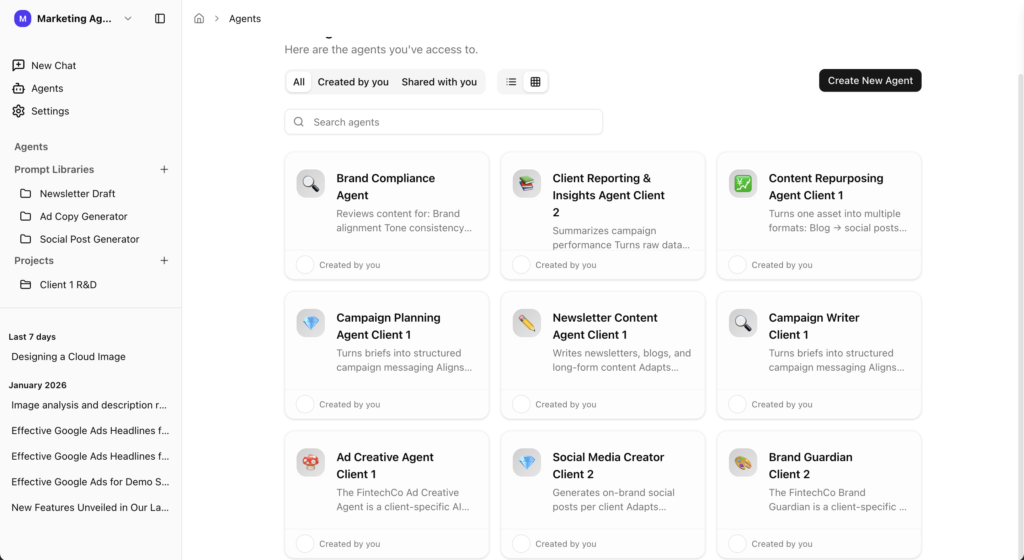
AICamp is an AI‑native rollout platform for small and mid‑sized enterprises. While Gemini focuses on AI inside Workspace apps, AICamp focuses on company‑wide AI enablement: multi‑model support, structured projects, reusable agents, knowledgebases, and governance.
Features
- Multi‑model catalog (OpenAI‑class, Claude‑class, Gemini‑class) plus bring‑your‑own APIs and custom/open‑source models.
- AI workspace with chat, memory, multi‑model selection, file upload, OCR, data analysis, and web search.
- Projects, reusable AI agents, prompt library, and knowledgebases with role‑based sharing.
- Role‑based access control, model policies by group, AI guardrails, audit logs, SAML SSO, admin roles, admin center, usage analytics, and unified billing.
- Dedicated cloud and on‑prem‑style deployment options with region controls.
- Team enablement strategies, pilots, and ongoing account management.
Advantages
- Built as an AI operating layer for your organization, not just an in‑app helper.
- Lets you combine Gemini models with other vendors under one governed umbrella.
- Gives leadership and IT a clear view of AI usage, adoption, and risk across the company.
Disadvantages
- More powerful than you need if you only want occasional AI assistance in Docs and Gmail.
- Requires a bit of initial setup (roles, groups, model policies) to unlock its full value.
Pricing
- Model‑included: around $20/user/month.
- BYOM: around $12/user/month, with model usage billed separately.
Best for
SMBs that want to move beyond Gemini as a single‑vendor helper into multi‑model, governed AI rollout across many teams.
2. ChatGPT Enterprise – Best for OpenAI‑First Organizations
ChatGPT Enterprise is OpenAI’s enterprise offering for organizations that want GPT‑class models with stronger security, privacy, and admin features.
Features
- Access to advanced GPT models with higher limits and extended context
- SSO, admin console, usage analytics, and security/compliance assurances
- Centralized workspace for employees
Best for
- Organizations committed to OpenAI as their primary model vendor.
- Teams whose workflows are already built around GPT.
Advantages
- Very mature and widely adopted model stack.
- Strong privacy assurances and enterprise‑oriented SLAs.
Disadvantages
- Single‑vendor (GPT‑only); no native multi‑model or BYOM.
- Less focused on workflows and agents than some alternatives.
👉 Also read: ChatGPT Enterprise Alternative
3. Microsoft Copilot – For Microsoft 365‑Centric SMBs
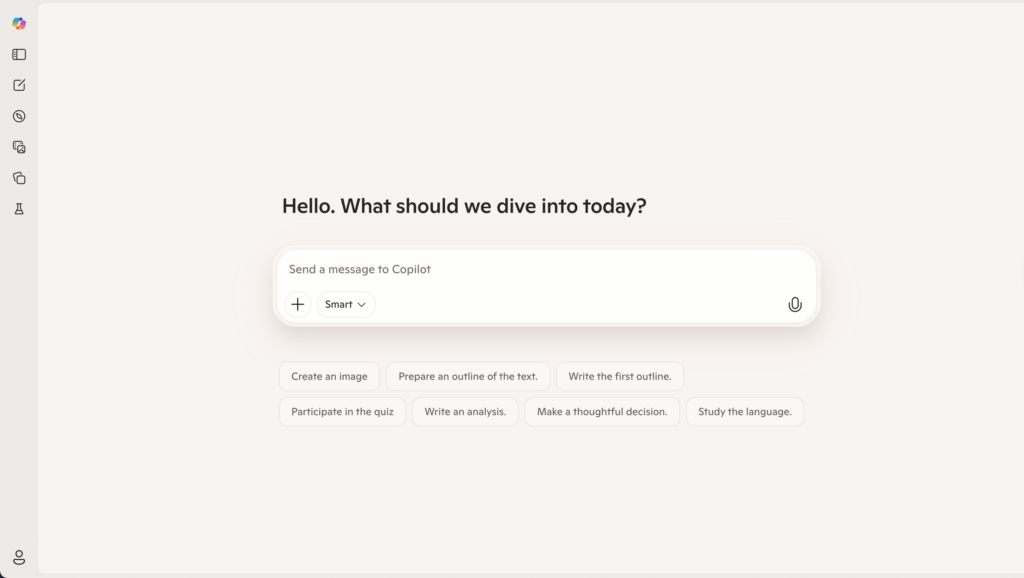
Copilot is Microsoft’s AI assistant embedded across Microsoft 365 apps like Word, Excel, PowerPoint, Outlook, and Teams.
Features
- Drafting and summarization in Word and Outlook.
- Data assistance in Excel.
- Slide creation in PowerPoint.
- Meeting summaries and Q&A in Teams.
Advantages
- Lives inside tools your employees already use daily.
- Strong security/compliance thanks to the M365 stack.
Disadvantages
- Not a standalone multi‑model workspace like TypingMind.
- Works best when you’re already standardized on Microsoft 365.
Pricing
Copilot add‑on commonly around $30/user/month on top of Microsoft 365 licensing.
Best for
SMBs that are deeply invested in Microsoft 365 and want AI inside those apps.
👉 Also read: Microsoft Copilot Alternative
4. Amazon Q Business – AWS‑Native Alternative
Amazon Q Business is AWS’s AI assistant for business users, integrated deeply with AWS services and many SaaS tools.
Features
- Connectors to 40+ enterprise data sources.
- Permission‑aware search tied to IAM and app permissions.
- Conversation‑to‑app features (Q Apps) and visual extraction.
Advantages
Strong fit for AWS‑centric SMBs, especially engineering teams.
Disadvantages
- Less compelling if you’re not already on AWS.
- Index pricing can add complexity.
Pricing
- Lite: $3/user/month.
- Pro: $20/user/month.
- Additional index hourly fees.
Best for
SMBs heavily on AWS that want an AWS‑native assistant.
5. Langdock
Langdock is an enterprise AI platform focused on secure AI adoption, especially attractive to European and data‑sensitive organizations. It offers workspaces with chat, assistants, agents, search, and integrations, with strong data residency and sovereignty options.
Key Features
- AI workspace with chat, assistants, and agents
- Integrations with tools like Slack, Google Drive, Confluence, and others
- Workflow builders and API options for more complex automations
- EU‑first hosting options, with attention to data residency and privacy
Advantages
- Best for: Organizations that need EU‑centric hosting, data sovereignty, and workflow‑oriented AI.
- Strong workspace metaphor for internal AI assistants and knowledge access.
- Good fit when compliance and hosting location are high priorities.
Disadvantages
- Pricing and complexity can ramp up as you add workflows and scale users.
- May be more than you need if you’re a small team just getting started.
Pricing
Per‑user business plans with additional tiers for workflows and API usage; total cost depends on seat count and usage level.
👉 Also read: Langdock Alternative
6. Perplexity Enterprise
Perplexity Enterprise is a research‑first, conversational search and answer platform for organizations. It combines LLMs with web and internal data sources to deliver grounded, citation‑rich answers rather than purely generative chat.
Key Features
- Conversational search over the web and, in enterprise offering, over your internal data
- Source‑linked answers with citations and supporting documents
- Team and enterprise features like SSO, admin controls, and usage analytics
- Focus on fast, accurate research and knowledge discovery
Advantages
- Best for: Research‑heavy teams (analysts, consultants, product, strategy) who care about sources and evidence.
- Reduces hallucinations by grounding answers in citations and real documents.
- Strong fit as a complement to generative‑first tools.
Disadvantages
- More focused on research and Q&A than workflow automation or agents.
- You may still want a separate platform for generative content and agent‑style workflows.
Pricing
Per‑user enterprise pricing, typically at a premium relative to individual Pro plans.
7. Juma
Juma (formerly Team‑GPT) is a collaborative AI workspace designed specifically for marketing teams and agencies.
Features
- Shared workspaces for campaigns, content, and marketing assets.
- AI workflows for ideation, copywriting, repurposing, audits, and performance analysis.
Advantages
- Much more marketing‑opinionated
- Great if your main use of is marketing content, not general AI.
Disadvantages
Not built as a company‑wide AI platform for all departments.
Pricing
Around $25/user/month for core plans.
Best for
SMB marketing teams and agencies wanting a marketing‑native AI workspace.
👉 Also read: Juma AI Alternative
8. Dust
Dust is an AI workspace focused on building multi‑model AI agents that connect to your existing tools and data. Instead of just chat, you design agents that orchestrate models and external tools to complete tasks and workflows.
Key Features
- Support for multiple top models (such as GPT‑class, Claude‑class, Gemini, Mistral, etc.)
- Agent builder for multi‑step workflows and tool calls
- Integrations with Slack, Notion, Google Drive, GitHub and more
- Private spaces/workspaces with access controls for teams
Advantages
- Best for: Product, operations, and engineering teams that want agents to act across internal tools and data.
- Powerful for building “living workflows” rather than isolated chat sessions.
- Multi‑model and integration‑centric design.
Disadvantages
- Requires you to think in terms of agents and workflows, not just chat.
- Higher value for teams willing to invest time in building and iterating on agents.
Pricing
- Pro: per‑user subscription (around high‑20s/low‑30s EUR per user per month range).
- Enterprise: custom pricing for larger deployments with SSO and multiple workspaces.
👉 Also read: Dust Alternative
9. Nexos.ai
Nexos.ai focuses on agentic workflows that connect to your tools and data—think “AI that does work” more than chat.
Features
- Agents that perform multi‑step workflows.
- Integrations with common SaaS tools.
Advantages
Strong for process automation and repeatable workflows, not just Q&A.
Disadvantages
Higher setup/design effort than simple chat UIs.
Pricing
Around $20/user/month for core plans.
Best for
SMB teams that want to turn general AI into structured agent workflows.
10. LibreChat – OSS Alternative for Technical SMBs
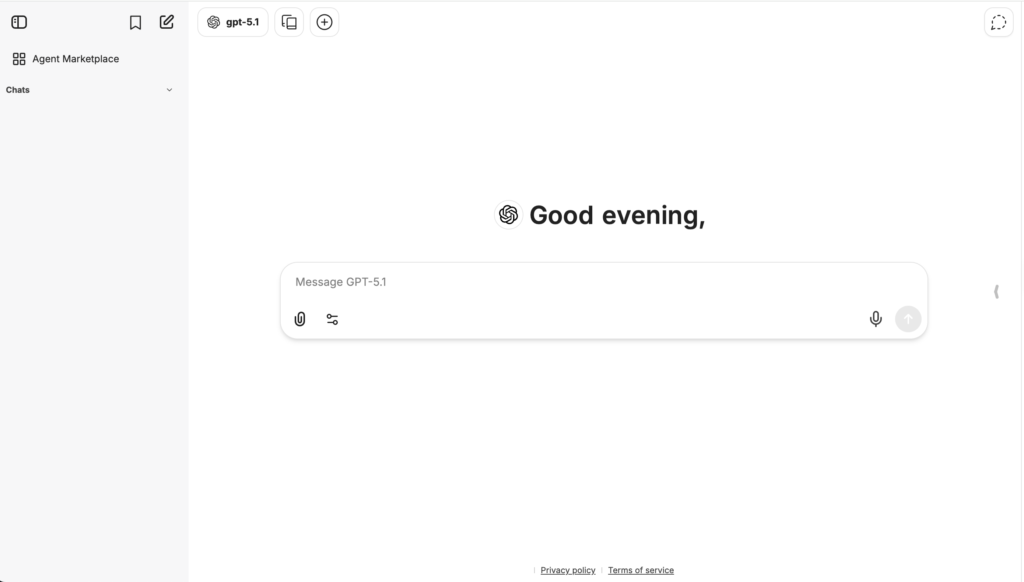
LibreChat is an open‑source, self‑hosted AI chat interface that connects to multiple LLM backends.
Features
- Connect commercial APIs and open‑source models.
- Self‑hosted with full code access.
Advantages
- No per‑seat SaaS fees; you pay infra and API costs.
- Highly flexible for engineering‑heavy teams.
Disadvantages
You own deployment, security, and maintenance.
Pricing
Software is free; infra and model usage costs apply.
Best for
Tech‑heavy SMBs that want a self‑hosted AICamp‑style experience with more control.
👉 Also read: LibreChat Alternative
11. OpenWebUI – Local/Open‑Source LLM Alternative
OpenWebUI is an open‑source web UI for local and remote LLMs, popular for running self‑hosted/open‑source models.
Features
- Connects to local LLMs and remote APIs.
- Web front‑end for experimentation and internal usage.
Advantages
Great for local and open‑source LLM setups.
Disadvantages
Like LibreChat, requires engineers to run and secure.
Pricing
Software free; infra and any API usage costs.
Best for
SMBs with internal infrastructure and ML/DevOps skills who want an on‑prem, open‑source alternative.
11. Claude Enterprise – Best for Safety & Long‑Context Work
Claude Enterprise is Anthropic’s enterprise‑grade offering, bringing Claude models to organizations that need robust safety, long context windows, and enterprise security/compliance. It’s designed for large deployments where Claude is the primary model of choice.
Key Features
- Access to Claude models with extended context windows
- Enterprise‑grade security, compliance, and data handling
- SSO, admin controls, and integration routes into internal tools
- Suitable for document‑heavy and safety‑critical workflows
Advantages
- Best for: Enterprises that care deeply about safety, alignment, and long‑context tasks (e.g., legal, policy, research).
- Strong assurances around model behavior and responsible AI.
- Ideal if you’ve already standardized on Claude or plan to.
Disadvantages
Single‑vendor (Claude only); no direct multi‑model routing.
For broader multi‑model or agent‑heavy workflows, you’ll often pair it with separate orchestration layers or platforms.
Pricing
Custom enterprise contracts with per‑seat or usage‑based pricing tailored to each customer.
👉 Also read: Claude Enterprise Alternative
Conclusion
Gemini Team (Gemini for Workspace) is a natural first step into AI for Google‑centric small and medium businesses. It puts AI directly into Docs, Sheets, Gmail, and Meet, making everyday tasks faster and easier.
But if you want AI to be more than “a smart button in Google apps”—if you want multi‑model strategy, agents, governance, and cross‑team projects—you’ll need an AI‑native rollout platform. For most SMBs, that means using Gemini where it shines (inside Workspace), and pairing it with a platform like AICamp to manage models, policies, projects, agents, and knowledgebases across the entire organization. Around that core, you can selectively add specialized tools such as ChatGPT Enterprise, Amazon Q, Langdock, Dust, Nexos.ai, Juma, LibreChat, or OpenWebUI where they bring unique value—without losing control of your overall AI strategy.
FAQs:
1. What are the best Gemini Enterprise alternatives for secure document analysis and summarization?
- Gemini Enterprise is strong for multimodal, long‑context document work inside Google’s ecosystem, but several alternatives now match or exceed it for secure document analysis.
- OpenAI ChatGPT Enterprise: Excellent for complex reasoning and document QA, with SOC 2 Type II, strict data‑use controls, and contractual privacy guarantees.
- Anthropic Claude Enterprise: Safety‑first positioning and very long context windows make it attractive for legal, policy, and other risk‑sensitive documents.
- Enterprise AI platforms (AICamp, Dust, Glean): Add retrieval, agents, and governance on top of models like GPT, Claude, and Gemini for secure internal document workflows;
- AICamp in particular is designed as a rollout platform so legal, compliance, and operations teams can share governed agents and knowledgebases instead of ad‑hoc chats.
- Domain tools: Vertical solutions (e.g., AI4Content‑style document analysis tools) focus specifically on configurable, auditable document pipelines.
2. How is using AICamp different from relying only on Google Gemini for document workflows?
Gemini gives you powerful models plus Google Cloud/Workspace integration; AICamp gives you an orchestration and governance layer on top of multiple models.
- Model strategy: Gemini is one provider; AICamp lets you mix OpenAI, Claude, Gemini, and open‑source models, routing different document types to the best engine.
- Governance: AICamp centralizes RBAC, audit logs, policies, and data‑access controls for document agents, addressing the auditability and determinism gaps that general‑purpose Gemini setups often have by default.
- Cross‑tool reach: Gemini is strongest in Google Cloud/Workspace, while AICamp is ecosystem‑neutral and can cover documents from Microsoft 365, cloud storage, wikis, and ticketing tools in one place.
- Adoption: AICamp is designed as a rollout platform for multiple teams (legal, compliance, finance, ops), not just as a model API or Workspace add‑on.
3. Which Gemini‑style AI platforms are best if my company is not fully on Google Workspace?
If you’re not purely Google‑centric, Gemini’s strengths may be harder to realize, and other platforms fit better.
- Microsoft‑centric orgs: Microsoft Copilot (and Copilot for Microsoft 365) embed AI into Outlook, Word, Excel, and Teams with enterprise‑grade security inherited from Azure.
- Mixed environments: ChatGPT Enterprise or AICamp‑/Dust‑style platforms provide neutral hubs where agents can work across Slack, email, docs, and line‑of‑business tools, regardless of suite.
- Research‑heavy teams: Perplexity Enterprise emphasizes web‑grounded answers and citations, useful when document work is tied to external research.
- On‑prem/SLM strategies: Organizations with strict data‑residency constraints may combine local small language models (SLMs) with orchestrators instead of relying solely on Gemini’s cloud APIs.
4. Are there open‑source or self‑hosted alternatives to Gemini for document analysis and why still consider AICamp?
Yes open‑source stacks and self‑hosted UIs can substitute Gemini’s capabilities, but they shift responsibility onto your team.
- Open‑source/UIs: Tools like LibreChat or OpenWebUI let you plug in local or self‑hosted models and run document chat behind your own firewall.
- Self‑hosted models: Running SLMs or fine‑tuned models on‑prem can be 10–100× cheaper and keep data fully inside your perimeter, critical for GDPR/HIPAA‑style constraints.
- Trade‑offs: You gain privacy and cost control but must design accuracy testing, monitoring, and governance (auditability, retention, access policies) yourself.
- Role of AICamp: AICamp can orchestrate both cloud models (Gemini, GPT, Claude) and self‑hosted/SLM backends under one governed interface, so you get open‑source flexibility without building your own control plane from scratch.
5. How should enterprises choose a Gemini alternative for secure internal document workflows?
Use these filters to compare Gemini with its alternatives and with a rollout platform like AICamp.
- Security & compliance: Check certifications (SOC, ISO, GDPR posture), data‑use guarantees (no training on your data), and whether audit logs and region pinning are available.
- Document accuracy: Evaluate not just fluency but factuality, domain precision, and traceability of document summaries and extractions.
- Ecosystem fit: Decide if you want a suite‑native assistant (Gemini, Copilot) or an ecosystem‑neutral rollout platform (AICamp, Dust) spanning multiple tools.
- Model and hosting strategy: Single‑vendor Gemini vs multi‑model/BYOM, plus whether you need on‑prem or VPC deployment for sensitive document collections.
- Rollout and ownership: If your goal is “AI for every team”, a rollout platform like AICamp usually offers better multi‑team governance and adoption tooling than relying only on Gemini add‑ons