

Claude Team is a great entry point if you love Anthropic’s Claude models and want a shared workspace for your team. It gives you safe, long‑context AI for document‑heavy work without requiring a full enterprise contract.
But as soon as you need multi‑model flexibility, deeper governance, or tighter integration with your existing ecosystem (Microsoft, Google, open‑source, agents on top of your data, etc.), Claude Team can start to feel limiting. That’s where the right alternatives come in.
TL;DR
In a hurry? Here are the top Claude Team alternatives to keep in mind:
- AICamp – Best for SMEs rolling out multi‑model AI with strong governance and agents
- ChatGPT Team – Best for small teams that just need shared GPT
- Microsoft Copilot – Best for Microsoft 365 organizations that want AI inside Office apps
- Google Gemini Team – Best for Google Workspace teams that want AI in Docs/Sheets/Gmail
- LibreChat – Best for engineering‑heavy, open‑source‑first organizations
- OpenWebUI – Best for R&D teams experimenting with local/open‑source LLMs
- Dust – Best for teams that want custom multi‑model AI agents connected to internal tools and data
- Langdock – Best for EU/data‑sensitive SMBs that want workflow‑centric AI workspaces
- Nexos.ai – Best for SMBs building agentic workflows across tools
Platforms like Claude Team emerged to solve exactly this problem by giving organizations a safe, long‑context AI workspace where teams can collaborate on complex documents, research, and reasoning tasks using Anthropic’s Claude models.
But while Claude Team is powerful, it can quickly feel limiting as you scale—especially if you need multi‑model flexibility, deeper governance, or tighter integration with the tools your company already uses. Many small and mid‑sized enterprises are now looking for alternatives that are easier to roll out across multiple departments, offer more deployment options, and are simpler to justify from both a budget and UX perspective.
In this guide, you’ll find the best Claude Team alternatives, including the top pick for small and mid‑sized enterprises that want multi‑model access, strong governance, and fast, company‑wide AI adoption.
What is Claude Team?
Claude Team is Anthropic’s team‑level offering that gives small groups shared access to Claude models in a collaborative workspace. It’s designed for teams that want Claude’s safety‑first behavior and long‑context capabilities, without stepping up to a full enterprise contract. Typical use cases include working with long documents, drafting and reviewing content, research, and complex reasoning exercises inside one shared environment.
Anthropic positions Claude Team as a simple, secure way for teams to standardize on Claude for day‑to‑day work, but with a lighter footprint and lower barrier to entry than enterprise‑level deals.
Why You Should Look for Alternatives to Claude Team
Claude Team is strong in certain areas but it’s not always the complete answer:
Single‑model limitation
You’re tied to Claude only. If you want to mix Claude with GPT‑4‑class models, Gemini, or open‑source LLMs, you’ll need a platform that supports multi‑model routing or BYOM.Limited rollout and governance
Claude Team is a collaboration environment, not a full AI rollout platform. You won’t get the rich role‑based access, cross‑team analytics, guardrails, and enablement programs that you find in dedicated rollout tools.Ecosystem mismatch
If your company is already all‑in on Microsoft 365 or Google Workspace, embedding AI directly into your existing tools with Copilot or Gemini may be more natural than sending everyone to a separate Claude workspace.Technical and agent use cases
If you want self‑hosted control (LibreChat, OpenWebUI) or sophisticated multi‑model agents that talk to your internal tools and data (Dust, AICamp), Claude Team alone won’t be enough.
If any of this sounds familiar, the alternatives below can give you more flexibility while still letting you use Claude where it shines.
 Case Study: See how How Neadoo Digital Rolled Out AI to Their Entire SEO Team. Read the full story →
A quick glance at Top Claude Team Alternatives
| Alternative | Best for | Key strength | Multi‑model support | Pricing (high level) |
|---|---|---|---|---|
| AICamp | SMEs rolling out AI across multiple teams | Full AI rollout platform with governance, projects, agents | Yes – multiple vendors + BYO models | $20/user/month (BYOM from $12/user/month) |
| ChatGPT Team | Small teams that just need shared GPT | Simple, familiar shared ChatGPT workspace | No – GPT models only | ~$30/user/month (annual) |
| Microsoft Copilot | Microsoft 365‑centric organizations | Deeply embedded in Word, Excel, Outlook, Teams | Microsoft‑hosted GPT‑based models | Copilot add‑on per M365 user. Starting from $30/user/month |
| Google Gemini Team | Google Workspace organizations | Gemini built into Docs, Sheets, Slides, Gmail | Google Gemini only | Workspace plan + Gemini add‑on per user |
| LibreChat | Engineering‑heavy, open‑source‑first organizations | Self‑hosted, open‑source chat UI for multiple backends | Yes – via connected APIs/backends | Free software; infra + API costs |
| OpenWebUI | R&D teams using local/open‑source LLMs | Great front‑end for local and experimental models | Yes – local and remote models via config | Free software; infra + API costs |
| Dust | Product/ops teams needing agents on company data | Multi‑model AI agents connected to internal tools & data | Yes – several top models supported | Pro around ~30 €/user/month; enterprise custom |
| Langdock | EU/data‑sensitive SMBs with workflow needs | Yes – curated set | Strong (EU‑first, workflows) | $29/user/month; BYOM $22/user/month |
| Nexos.ai | SMBs building agentic workflows over their tools | Yes – curated models | Team/workflow‑oriented | Around $20/user/month per seat |
Top Alternatives Claude Team
- AICamp
- ChatGPT Team
- Microsoft Copilot
- Google Gemini Team (Workspace)
- LibreChat
- OpenWebUI
- Dust
- Langdock
- Nexos.ai
1. AICamp
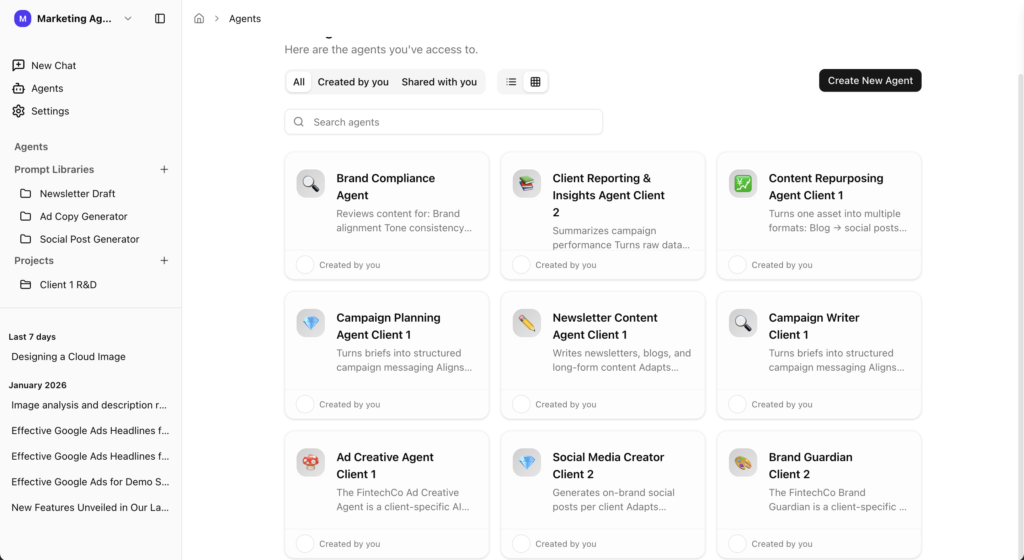
AICamp is an AI rollout platform designed for small and mid‑sized enterprises that want to provide AI to employees across multiple teams with strong governance and multi‑model support. It offers a single workspace for chat, projects, agents, and knowledgebases on top of models like Claude, GPT, and Gemini.
AICamp Features
- Multi‑model support (Claude, GPT‑class models, Gemini) plus bring‑your‑own APIs and custom/open‑source LLMs
- Chat with memory, multimodel switching, file upload, OCR, data analysis, and web search
- Projects, reusable AI agents, prompt libraries, and internal knowledgebases
- Role‑based access control, per‑group model controls, SSO, guardrails, audit logs, admin roles
- Dedicated cloud and on‑prem‑style deployment options with regional data controls
- Admin center, usage analytics, unified billing, bulk user management
- Team enablement strategies, pilot programs, and ongoing account management
Advantages
- Built for whole‑company AI rollout, not just a single model or team
- Lets you keep using Claude while also bringing in other top models as needed
- Strong governance and security features that satisfy both IT and compliance
- Clear upgrade path as you move from a few early adopters to hundreds of users
Disadvantages
- More platform than you need if you only want a simple Claude chatroom
- Requires some admin setup to fully benefit from roles, guardrails, and model policies
Pricing
- Standard seat: around $20 per user per month with models included
- BYOM (bring‑your‑own‑model) option: around $12 per user per month for Langdock‑style scenarios where you pay model providers separately.
- Monthly and yearly billing options.
2. ChatGPT Team
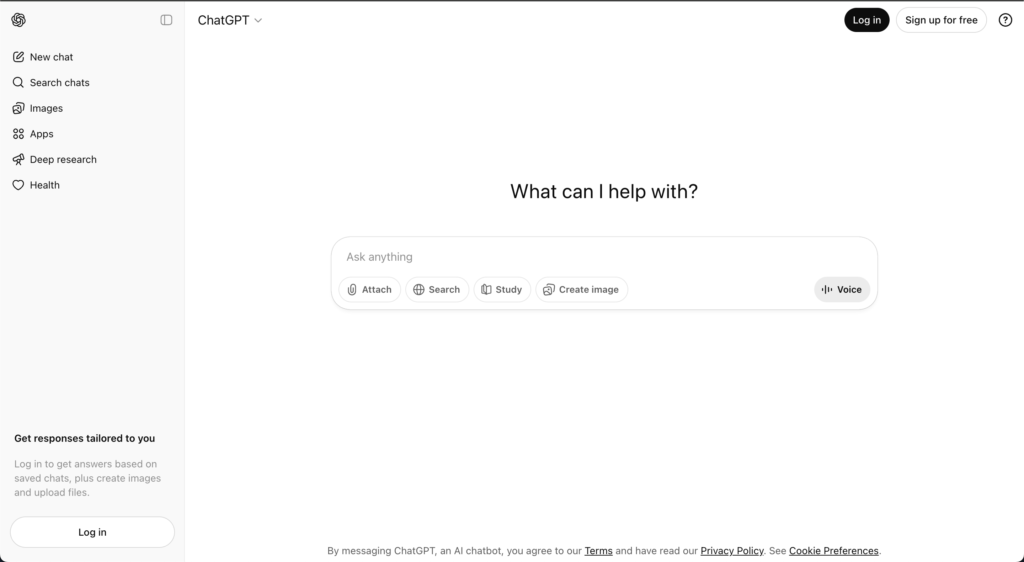
ChatGPT Team is OpenAI’s shared workspace plan for teams that want more than individual ChatGPT accounts but don’t yet need full enterprise features. It gives your team higher limits, shared workspaces, and collaboration around GPT‑class models.
ChatGPT Team Features
- Messages and interactions with advanced OpenAI models.
- Chat history and shared workspace.
- File upload and web‑search‑style capabilities.
- Some project‑style organization, but limited role‑based sharing.
Advantage
- Easy to start, familiar UX, backed by strong base models from OpenAI.
Disadvantage
- Not built as a full AI rollout platform; lacks deep governance, multi‑model, and agent/knowledgebase features.
Pricing
Around $30 per user per month on yearly plans (exact pricing may vary by region and time).
👉 Also read: ChatGPT Team Alternative
3. Microsoft Copilot
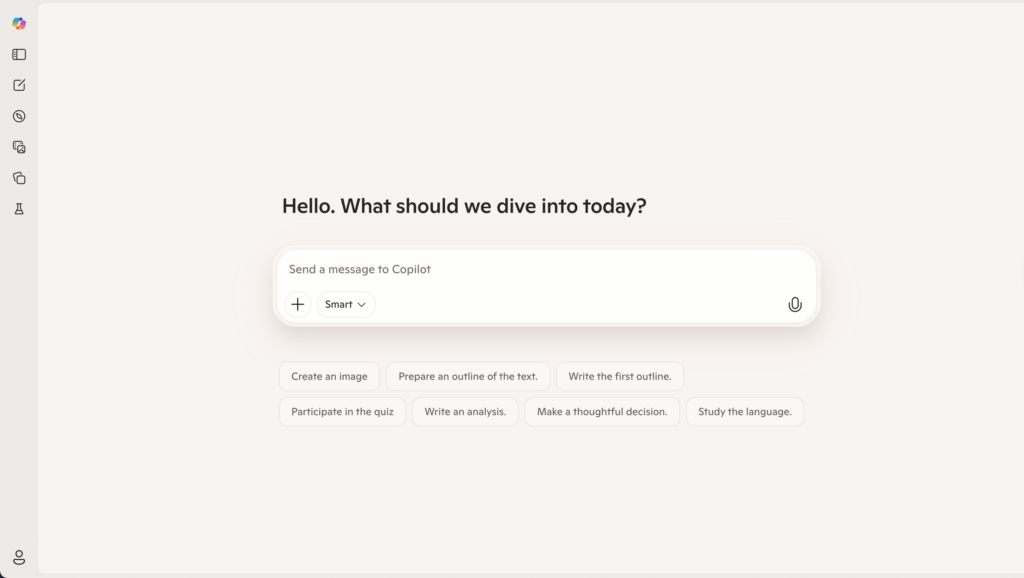
Microsoft Copilot is an AI assistant embedded directly into Microsoft 365 apps like Word, Excel, PowerPoint, Outlook, Teams, and even Windows. It is designed to help your users write, analyze, summarize, and create within tools they already use every day.
Microsoft Copilot Features
- AI features inside Word, Excel, PowerPoint, Outlook, Teams, and more.
- Meeting summaries, content drafting, and spreadsheet assistance.
- Some centralized admin controls via Microsoft 365 admin center.
Advantage
- Familiar environment and strong integration into existing tools; great for incremental AI adoption.
Disadvantage
- Not an AI‑native rollout platform, high learning curve, and not the best choice for heavy PDFs, images, or data workflows.
Pricing
- Licensed as Copilot add‑ons per user and $30/user/month; exact pricing depends on Microsoft 365 plan and region.
👉 Also read: Microsoft Copilot Alternative
4. Google Gemini Team (Workspace)
Gemini Team (or Gemini in Workspace) is Google’s way of bringing Gemini models into Docs, Sheets, Slides, and Gmail for organizations. It’s aimed at making AI available wherever your Google Workspace users already spend their time.
Features
- AI drafting, rewriting, and summarization in Docs and Gmail
- Data exploration and formula suggestions in Sheets
- Presentation drafting in Slides
- Gemini chat for brainstorming, Q&A, and research
- Managed through Workspace admin with org‑level controls
Advantages
- Ideal for companies standardized on Google Workspace
- Minimal behavioral change for end‑users; AI appears in the tools they already know
- Strong integration with Google’s broader ecosystem and security model
Disadvantages
- Focused on Google’s Gemini models; no multi‑vendor strategy out of the box
- Not a dedicated AI rollout platform with agents, projects, and deep governance
- Often used alongside a more specialized AI platform for complex workflows
Pricing
Sold as Gemini add‑ons on top of Workspace tiers, with per‑user pricing varying by edition and region
👉 Also read: Google Gemini Team Alternative
5. LibreChat
LibreChat is an open‑source, self‑hosted chat UI for large language models. It’s aimed at organizations and developers who want to run their own front‑end, connect different LLM backends, and control their infra without paying per‑seat licensing fees.
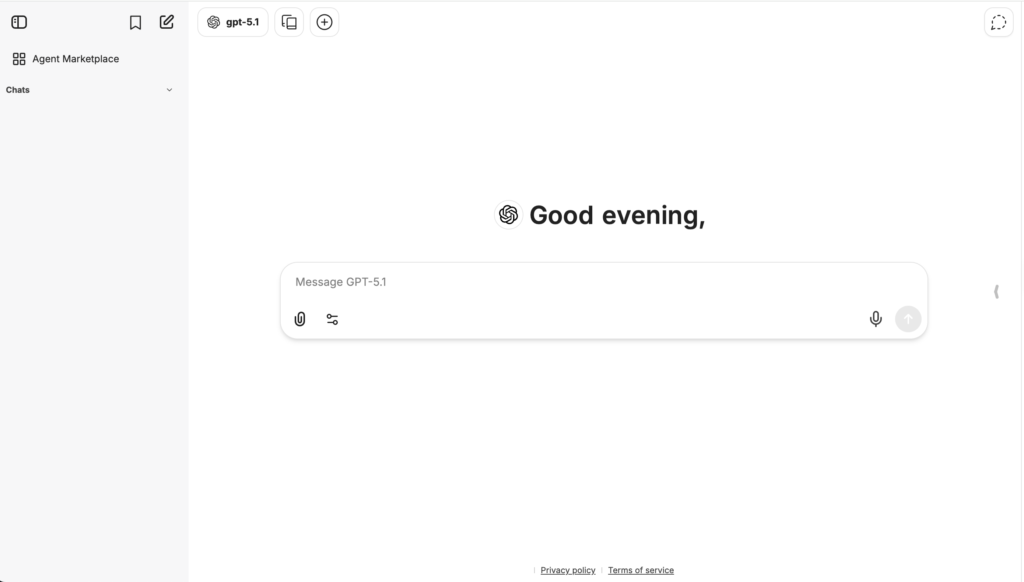
LibreChat Features:
- Multi‑model chat interface.
- Chat history and file upload (depending on configuration).
- Highly configurable and extensible via code.
Advantage
Very flexible and cost‑effective for technical teams; no vendor lock‑in.
Disadvantage
No native enterprise governance, guardrails, or adoption tooling; requires strong engineering capacity.
Pricing
Free to use as software; you pay for infrastructure and model/API usage.
👉 Also read: LibreChat Alternative
6. OpenWebUI
OpenWebUI is another open‑source, self‑hosted interface designed for interacting with local and remote LLMs. It’s popular in R&D and developer communities, especially where teams experiment with local or open‑source models.
Features
- Web UI for chatting with local or remote LLMs
- Configurable backends for different models and runtimes
- Designed to work well with GPU‑hosted and self‑hosted LLM setups
Advantages
- Excellent for experimentation with open‑source and local models
- Very flexible for technical teams running their own AI infrastructure
- No vendor lock‑in at the UI level
Disadvantages
- Not a production‑grade AI rollout platform for non‑technical users by default
- No native RBAC, analytics, or adoption tooling; all of that needs to be added separately
- Demands real engineering effort to keep secure and reliable at scale
Pricing
Free and open‑source; infra and model costs are separate
7. Dust
Dust is an AI workspace focused on building and deploying AI agents connected to your company’s tools and data. Instead of just offering chat, it lets teams design multi‑step, multi‑model agents that can reason, call tools, and act across your stack.
Features
- Support for multiple advanced models (e.g., GPT‑class, Claude‑class, Gemini, Mistral)
- Agent builder for multi‑step workflows that call tools, APIs, and knowledge sources
- Integrations with Slack, Notion, Google Drive, GitHub, and other systems
- Private workspaces and spaces with access controls for teams
Advantages
- Strong fit if your main goal is “AI agents that actually do work” across your systems
- Multi‑model and integration‑first design makes it different from pure chat products
- Useful for product, ops, and data teams that want to automate internal workflows
Disadvantages
- More setup and design work than a simple chat interface; best when you commit to building agents
- Price point is mid‑to‑premium compared to simple team chat plans
- May overlap with other automation or integration tools you already have
Pricing
- Pro plan in the “around €29 per user per month” range
- Enterprise plans with custom pricing, multiple workspaces, and SSO for larger orgs
👉 Also read: Top Dust Alternative
8. Langdock
Langdock is an enterprise AI workspace focused on secure AI adoption with chat, assistants, agents, search, and workflows, with strong emphasis on EU‑centric data residency.
Features
- Chat, assistants, and agents for internal workflows.
- Integrations with tools like Slack, Google Drive, Confluence, etc.
- EU‑first hosting options and strong privacy posture.
Advantages
- Better alignment for EU or data‑sensitive SMBs than a generic UI.
- Built‑in governance and workflows.
Disadvantages
More complex and pricier than TypingMind for very small teams.
Pricing
- Around $29/user/month (model included).
- BYOM tier around $22/user/month.
Best for
SMBs in Europe or regulated industries that need a managed, compliant AI workspace.
👉 Also read: Langdock Alternative
9. Nexos.ai
Nexos.ai focuses on agentic workflows that connect to your tools and data—think “AI that does work” more than chat.
Features
- Agents that perform multi‑step workflows.
- Integrations with common SaaS tools.
Advantages
Strong for process automation and repeatable workflows, not just Q&A.
Disadvantages
Higher setup/design effort than simple chat UIs.
Pricing
Around $20/user/month for core plans.
Best for
SMB teams that want to turn general use into structured agent workflows.
FAQs
1. What are the top Claude Team alternatives for teams dealing with large legal or compliance documents?
Claude is known for handling long, complex documents with careful reasoning. Alternatives focus on:
- Long‑context models: Tools that expose high‑context GPT, Gemini, or other frontier models for contracts, policies, and regulatory texts.
- Workflow depth: Platforms that add review pipelines, approvals, and commenting on top of raw summarization or Q&A.
- Governance: Role‑based access, redaction, and audit logs for sensitive legal and compliance content.
- Multi‑model choice: Ability to route different document types (contracts, policies, SOPs) to different models based on risk and cost.
2. What are the best alternatives to Claude Projects for organizing AI chats and work streams?
Claude Projects help you bundle chats and files. Alternatives improve on this by offering:
- Multi‑space organization: Workspaces, folders, and shared spaces per team, client, or initiative.
- Agent‑centric structure: Organizing work around reusable agents (legal assistant, product spec assistant, support assistant) instead of only chat threads.
- Knowledgebases: Attaching structured knowledge sources (wikis, drives, ticket systems) directly to projects.
- Governance views: Global visibility into which teams, projects, and agents are accessing which data.
3. Which Claude‑style AI platforms integrate best with Google Workspace and Microsoft 365?
Claude Team runs in its own interface. Claude‑style alternatives differentiate via:
- Deep suite integration: Native add‑ons or sidebars for Gmail, Docs, Sheets, Outlook, Word, Excel, and Teams.
- Calendar and meetings: Automatic summaries, action items, and follow‑ups for calendar events and meeting notes.
- Drive and SharePoint: Direct indexing and permission‑aware access to Google Drive, OneDrive, and SharePoint content.
- Neutral hubs: Platforms that sit on top of both Google Workspace and Microsoft 365 so mixed‑suite organizations don’t have to choose.
4. What are the best Claude‑like options for product teams, open source, and internal knowledge management?
Different Claude‑style needs map to different categories:
- Product teams: Assistants that help brainstorm features, write PRDs, refine UX copy, and discuss customer feedback inside existing tools like issue trackers and docs.
- Open source: Self‑hosted UIs and agent frameworks that let you plug in your own models, keep data on your infra, and customize workflows.
- Secure knowledge management: Platforms that turn internal documents, wikis, and tickets into governed knowledgebases with search, chat, and team‑specific access controls.
5. How do I choose a Claude Team alternative for secure internal rollout?
You can narrow down alternatives by checking:
- Use‑case coverage: Do you mainly need chat, or also agents, workflows, and multi‑team rollout?
- Data and security: Where is data stored, how is it encrypted, and what controls exist for access, retention, and auditing?
- Model strategy: Are you comfortable with a single‑vendor model, or do you want a multi‑model/BYOM approach for flexibility and resilience?
- Ecosystem and hosting: Do you want a SaaS tool, a private cloud/VPC deployment, or a fully self‑hosted/open‑source stack under your own infrastructure?