

ChatGPT Team is a great starting point for small groups that want a shared ChatGPT workspace with higher limits and simple collaboration. It works well if you’re happy with OpenAI‑only models and don’t need much governance, structure, or customization.
But as soon as you want multi‑model flexibility, better control over data, deeper workflows, or tighter alignment with your existing tools, ChatGPT Team starts to feel limiting. Below are the best alternatives from multi‑model rollout platforms and ecosystem‑native tools to open‑source and lightweight “ChatGPT but better” front‑ends.
TL;DR
In a hurry? Here are the top ChatGPT Team alternatives and what they’re best for:
- AICamp – Best overall for SMEs that want multi‑model, governed AI rollout
- Claude – Best for safe, long‑context AI (Anthropic models)
- Gemini – Best for Google Workspace‑centric organizations
- Mistral Chat – Best for teams that want strong open‑weight models and European vendors
- Poe – Best for individuals and small teams wanting many models in one simple app
- Langdock – Best for EU/data‑sensitive orgs that want AI workspaces and workflows
- LibreChat – Best for engineering‑heavy teams that want a self‑hosted, open‑source chat UI
- Lobe Chat – Best for devs who want a polished, open‑source AI chat front‑end
- TypingMind – Best for people who want a nicer, multi‑model ChatGPT‑style UI (desktop/web)
- OpenWebUI – Best for R&D teams experimenting with local/open‑source LLMs
- Juma – Best for marketing teams and agencies wanting a dedicated AI workspace
- Nexos.ai – Best for teams building agentic workflows on top of their tools/data
- Microsoft Copilot – Best for Microsoft 365‑centric organizations
What is ChatGPT Team?
ChatGPT Team is OpenAI’s team plan that gives small groups shared access to ChatGPT with better limits than free/individual plans, shared workspaces, and basic admin features. It’s essentially “ChatGPT for small teams,” ideal when you just need a familiar chat interface and simple sharing of conversations or GPTs, without heavy governance or multi‑model complexity.
Why You Should Look for Alternatives to ChatGPT Team
You might need an alternative if:
- You want multi‑model support (Claude, Gemini, Mistral, open‑source) instead of OpenAI‑only.
- You need more control and governance (RBAC, audit logs, SSO, usage analytics) than ChatGPT Team offers.
- Your company lives in Microsoft 365 or Google Workspace, and you prefer AI built into those tools.
- You want self‑hosted/open‑source control instead of SaaS.
- You’re looking for specialized environments (marketing‑first, agent‑first, or dev‑first) rather than a generic chat.
Comparison table for ChatGPT Team alternatives
| Tool | Best for | Multi‑model support | Hosting / control | Indicative pricing (2026) |
|---|---|---|---|---|
| ChatGPT Team | Small teams wanting simple shared ChatGPT | No – OpenAI only | OpenAI SaaS | $30/user/month monthly or $25/user/month annual; min 2 seats userjot+2 |
| AICamp | SMEs rolling out AI across multiple teams | Yes – multi‑vendor + BYO | Managed SaaS / dedicated | $20/user/month (BYOM from $12/user/month) |
| Claude (Team) | Teams prioritizing safety & long‑context | No – Anthropic only | Anthropic SaaS | $25/user/month |
| Gemini (Workspace) | Google Workspace‑centric orgs | No – Google Gemini only | Google SaaS | Workspace plan + Gemini add‑on per user (varies by tier) |
| Mistral Chat | EU‑friendly, open‑weight model users | Mainly Mistral models | Mistral cloud / self‑host APIs | Usage‑based API + free/low‑cost web chat; team pricing via sales (model‑metered) |
| Poe | Individuals & small teams wanting many models | Yes – GPT, Claude, Gemini, others | Poe SaaS | Free tier; premium from $19.99/month or ~$200/year per user yourgpt+1 |
| Langdock | EU/data‑sensitive, workflow‑centric orgs | Yes – curated providers | Managed SaaS / EU‑first | $29/user/month (BYOM from $22/user/month) |
| LibreChat | Engineering teams wanting self‑hosted OSS | Yes – via APIs/backends | Self‑hosted, open‑source | Software free; infra + API/model usage only kusho+2 |
| Lobe Chat | Devs wanting a polished OSS front‑end | Yes – via connected APIs | Self‑hosted, open‑source | Software free; infra + API/model usage only innfactory |
| TypingMind | Power users/teams wanting a better ChatGPT UI | Yes – via your own API keys | SaaS + self‑host / desktop | $85/month – 5 seat compulsory |
| OpenWebUI | Local/open‑source LLM setups | Yes – local & remote models | Self‑hosted, open‑source | Software free; infra + API/model usage only innfactory |
| Juma | Marketing teams & agencies | Yes – major vendors under the hood | Managed SaaS | $25/user/month |
| Nexos.ai | Teams building agentic workflows | Yes – curated models via platform | Managed SaaS | $20/user/month |
| Microsoft Copilot | Microsoft 365‑centric organizations | Microsoft‑hosted GPT‑based stack | Microsoft SaaS | Copilot add‑on, commonly around $30/user/month on top of M365 digitalocean+1 |
List of ChatGPT Team Alternatives
- AICamp
- Claude
- Gemini
- Mistral Chat
- Poe
- Langdock
- LibreChat
- Lobe Chat
- TypingMind
- OpenWebUI
- Juma
- Nexos.ai
- Microsoft Copilot
1. AICamp
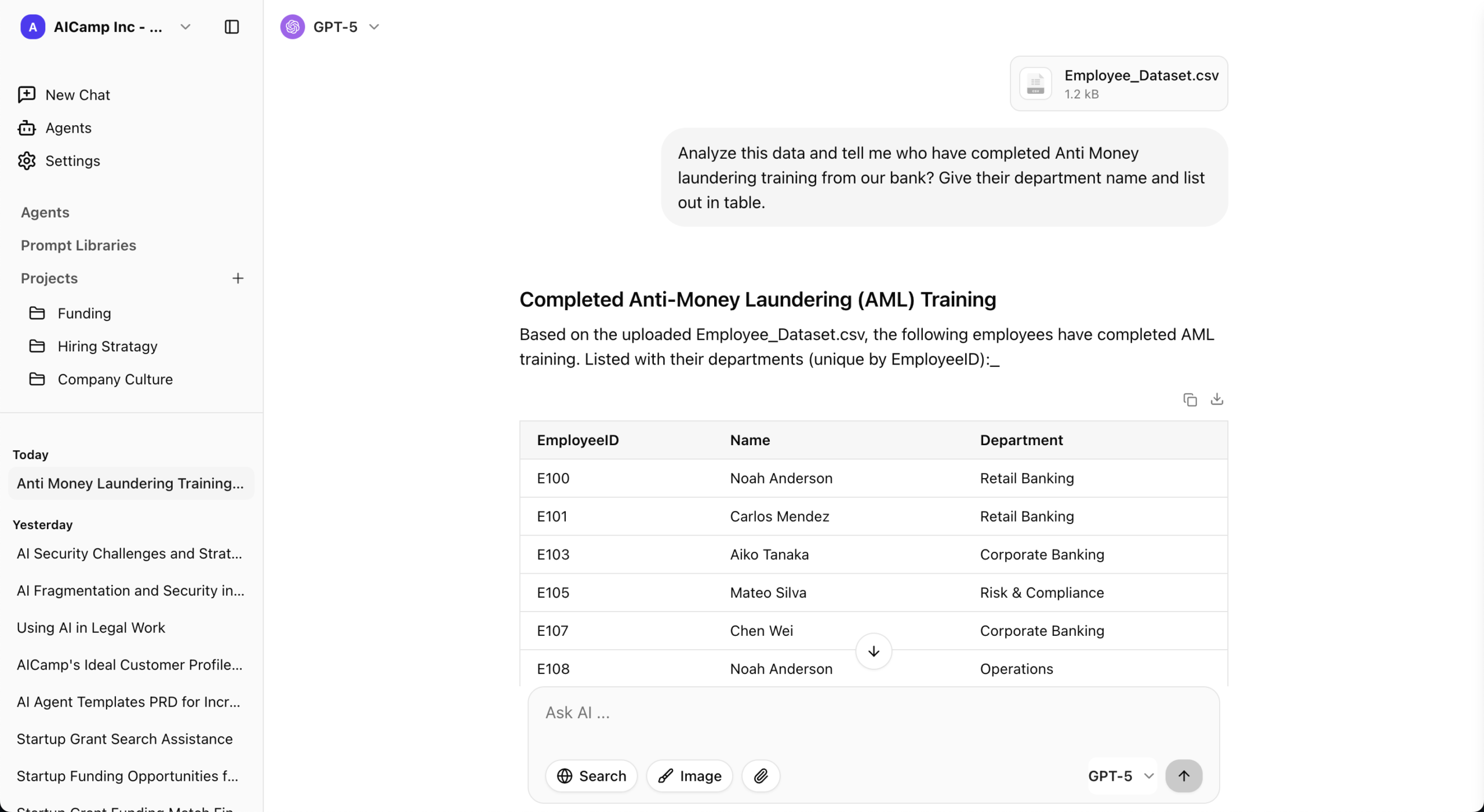
AICamp is an AI rollout platform for small and mid‑sized enterprises that want multi‑model access, governance, and collaboration in one place, instead of a single‑vendor chat product.
Features
- Multi‑model catalog (OpenAI‑class, Claude‑class, Gemini‑class) plus bring‑your‑own APIs/LLMs.
- Chat with memory, multimodel selection, file upload, OCR, data analysis, web search.
- Projects, reusable AI agents, prompt libraries, internal knowledgebases.
- Role‑based access, group‑level model policies, SSO, guardrails, audit logs, admin center, usage analytics.
Advantages
- Much stronger governance and rollout features than ChatGPT Team.
- Lets you keep using GPT‑class models but add other vendors too.
Disadvantages
More complex than ChatGPT Team for very small or non‑technical teams.
Pricing
~$20/user/month (model included); BYOM from ~$12/user/month
Best for
SMEs that have outgrown ChatGPT Team and want multi‑model, governed AI across multiple departments.
2. Claude
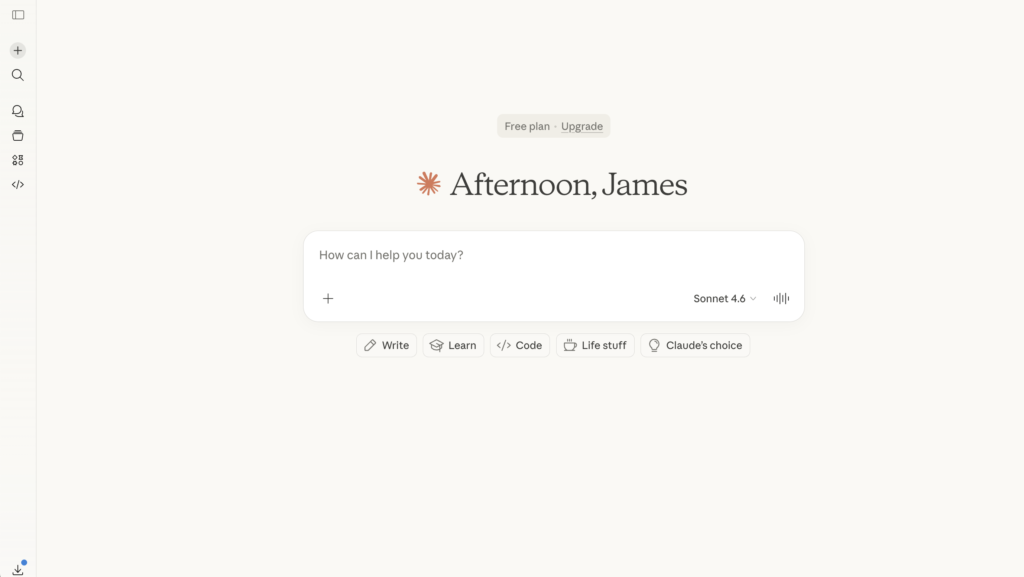
Claude (Claude Team / Claude Enterprise) is Anthropic’s suite of offerings around the Claude models, known for safety and long‑context reasoning.
Features
- Claude models with larger context windows.
- Team and enterprise workspaces with sharing and admin controls (depending on tier).
Advantages
Excellent for long documents and careful, safety‑sensitive reasoning.
Disadvantages
Single‑vendor: focused on Claude only.
Pricing
$25/user/month
Best for
Teams that mainly care about Claude’s strengths and less about mixing many models.
👉 Also read: Claude Team Alternative
3. Gemini
Gemini is Google’s family of models, available via standalone apps and as Gemini add‑ons inside Google Workspace (Docs, Sheets, Gmail, etc.).
Features
- AI help inside Docs, Sheets, Slides, Gmail.
- Chat‑style Gemini interface for brainstorming and research.
Advantages
Deep integration for Google Workspace‑centric organizations.
Disadvantages
Gemini‑only; not a multi‑vendor hub.
Pricing
Workspace + Gemini add‑on per user.
Best for
Teams already living in Google Workspace who prefer AI inside those apps instead of a separate ChatGPT Team workspace.
👉 Also read: Google Gemini Team Alternative
4. Mistral Chat
Mistral provides chat access to its own strong open‑weight and hosted models, often attractive to EU‑centric and cost‑sensitive teams.
Features
- Access to Mistral’s models (including some open‑weight).
- Web chat and API access.
Advantages
- Good quality‑to‑cost ratio; strong open‑weight story.
- Attractive for teams wanting a European vendor option.
Disadvantages
- Focused on Mistral’s models, not a complete multi‑model hub.
- Less “team product” polish than ChatGPT Team.
Pricing
Usage‑based and/or subscription depending on product packaging.
Best for
Technical teams who care about EU‑friendly, open‑weight models and don’t need heavy collaboration features.
5. Poe
Poe (by Quora) is a consumer‑plus‑teams app that aggregates many models (GPT‑class, Claude‑class, others) into one interface, with simple sharing.
Features
- Access to multiple commercial models.
- Custom “bots” built from prompts.
- Simple mobile and web apps.
Advantages
- Very easy way to try many models in one UI.
- Nice for small teams or individuals sharing bots and prompts.
Disadvantages
- Not an enterprise rollout or governance platform.
- Limited control over where data is stored/processed vs self‑hosted options.
Pricing
Free tier; premium from $19.99/month or ~$200/year per user
Best for
Individuals and small teams that want “ChatGPT Team, but with many models” and don’t need deep governance.
6. Langdock
Langdock is an enterprise AI workspace offering chat, assistants, agents, and integrations, with strong focus on data residency and EU‑friendly hosting.
Features
- AI workspace with chat, assistants, and internal search.
- Integrations with collaboration and knowledge tools.
- Controls around data location and compliance.
Advantages
Better fit than ChatGPT Team if you care about EU data sovereignty and structured workflows.
Disadvantages
More complex and pricier than ChatGPT Team for small groups.
Pricing
Per‑seat business plans; higher tiers for workflows/API usage.
Best for
Data‑sensitive organizations, especially in Europe, that want a managed AI workspace rather than a simple team chat.
8. Lobe Chat
Lobe Chat is another open‑source, self‑hosted AI chat front‑end focused on a polished UI and developer‑friendly configuration.
Features
- Clean, modern ChatGPT‑style interface.
- Support for multiple model providers via API keys.
Advantages
Nice UX plus open‑source flexibility.
Disadvantages
Governance, security, and scaling are still your responsibility.
Pricing
Free; you pay infra and API/model usage.
Best for
Devs who want a prettier, customizable ChatGPT‑like UI under their own control.
9. TypingMind
TypingMind is a “better UI for ChatGPT‑style models,” available as a hosted web app and self‑hostable app that connects to your own API keys.
Features
ChatGPT‑style UI with folders, history, prompt tools.
Multiple model backends via your own keys.
Desktop or self‑host options in some editions.
Advantages
Upgrade over the default ChatGPT UI with more productivity features.
Lets you use multiple models while keeping data on your own keys.
Disadvantages
Not a full enterprise collaboration or governance platform.
Pricing
$83/month (5‑user minimum for Teams plan)
Best for
Power users and small teams wanting a nicer ChatGPT‑like interface without switching to a big platform.
👉 Also read: TypingMind Alternative
10. OpenWebUI
OpenWebUI is an open‑source web interface for local and remote LLMs, popular with teams running their own models.
Features
Connects to local and hosted LLM backends.
Self‑hosted web UI.
Advantages
Great for local/open‑source LLM experimentation.
Disadvantages
Not a SaaS, so you manage infra and governance yourself.
Pricing
Free software; infra and any API/model usage.
Best for
R&D/ML teams that want a front‑end for self‑hosted/open‑source models instead of ChatGPT Team.
11. Juma
Juma (formerly Team‑GPT) is a collaborative AI workspace optimized for marketing teams and agencies.
Features
- Shared spaces for campaigns and content.
- AI help with ideation, writing, repurposing, audits, and analysis.
Advantages
Far more opinionated for marketing workflows than ChatGPT Team.
Disadvantages
Not a general AI platform; primarily serves marketing.
Pricing
$25/user/month
Best for
Marketing teams that currently use ChatGPT Team informally and need a marketing‑native AI workspace.
👉 Also read: Juma AI Alternative
12. Nexos.ai
Nexos.ai focuses on building agentic workflows that connect to your tools and data, rather than just providing chat.
Features
Agent builder for multi‑step workflows.
Integrations with common SaaS tools and data sources.
Advantages
Strong for process automation and agent‑style use cases.
Disadvantages
More setup effort than ChatGPT Team; better when you commit to workflows.
Pricing
$20/user/month
Best for
Teams that want to go beyond chat and orchestrate real work via AI agents.
13. Microsoft Copilot
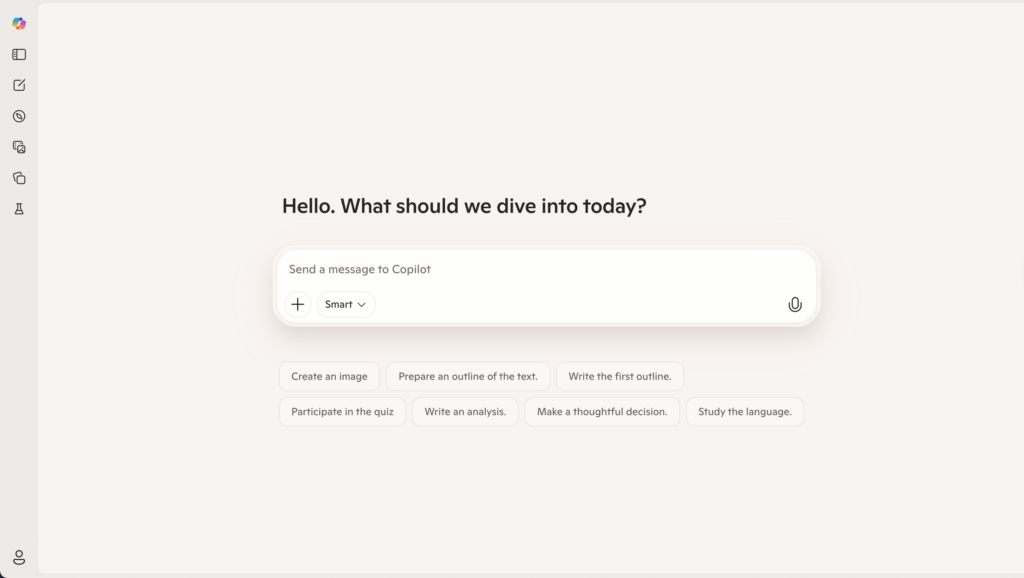
Microsoft Copilot is the AI assistant inside Microsoft 365 apps, giving you inline AI support rather than a separate chat workspace.
Features
- Drafting, summarization, and rewriting in Office apps.
- Meeting summaries and Q&A in Teams.
Advantages
- Natural choice for Microsoft 365‑centric organizations.
- Minimal behavior change for users.
Disadvantages
Not a multi‑model team chat product like ChatGPT Team.
Pricing
- Copilot add‑on, commonly around $30/user/month on top of M365
Best for
Organizations that prefer AI inside Office over a standalone chat app.
👉 Also read: Microsoft Copilot Alternative
Conclusion
ChatGPT Team is a solid entry point when you just need a simple, shared GPT workspace at a reasonable price. But once you start caring about multi‑model support, deeper governance, ecosystem alignment (Microsoft, Google, self‑hosted, AWS), or specialized use cases like marketing and agents, it quickly becomes just one option among many.
For SMEs that want to roll out AI across multiple departments with structure and control, AICamp stands out as the most balanced alternative, combining multi‑model support with projects, agents, and governance. If you’re tightly tied to Microsoft 365 or Google Workspace, Copilot and Gemini often deliver faster day‑to‑day impact than a separate ChatGPT Team tab. And if you’re more technical, tools like LibreChat, Lobe Chat, OpenWebUI, and Nexos.ai give you far more flexibility for custom, self‑hosted or agentic setups than a basic team plan ever could. The right choice depends on your stack, risk appetite, and how far you want AI to go beyond “just chat.”
FAQs: ChatGPT Team Alternatives
1. When should we move from ChatGPT Team to something else?
You should consider alternatives when multiple teams start using AI, you need role‑based access and usage visibility, you want to mix models (Claude, Gemini, Mistral, open‑source), or IT/compliance begins asking for more control than ChatGPT Team provides.
2. What’s the best overall alternative for small and mid‑sized companies?
For most SMEs, a multi‑model rollout platform like AICamp is the best upgrade path: it keeps the ease of chat but adds projects, agents, knowledgebases, governance, and the option to plug in several model vendors instead of just one.
3. Is it worth paying for AICamp or Langdock instead of staying with ChatGPT Team?
If AI is becoming a core capability rather than a side experiment, yes. You’re trading a bit of extra subscription cost for stronger governance, better multi‑team structure, and the ability to swap or combine models as prices, quality, and regulations evolve.
4. Which alternative should I choose if my company is all‑in on Microsoft 365?
If your work lives in Word, Excel, PowerPoint, Outlook, and Teams, Microsoft Copilot is usually the most natural step. You can still layer a rollout platform or self‑hosted tools on top if you later need more control or multi‑model capabilities.
5. What if we’re a Google Workspace shop?
Gemini for Workspace makes the most sense: it puts AI directly into Docs, Sheets, Slides, and Gmail. You can always combine it with a platform like AICamp or Nexos.ai later if you want agents, multi‑model orchestration, or more advanced governance.
6. Are open‑source tools like LibreChat, Lobe Chat, and OpenWebUI realistic for non‑technical teams?
On their own, usually not. They’re fantastic for engineering‑centric organizations that are comfortable running and securing their own infrastructure, but non‑technical teams typically get better results with managed platforms and ecosystem‑native tools.
7. Which option is best if we care most about safety and long‑context reasoning?
Claude Team (and later Claude Enterprise) is the strongest fit if you want a safety‑first, long‑context model as your primary assistant. You can also pair Claude‑focused offerings with a rollout platform so you can add other models where they’re better.
8. What should marketing teams use instead of ChatGPT Team?
Marketing teams often get more value from Juma, which is built specifically around marketing workflows (campaigns, content, performance) and collaboration, instead of a generic chat space.
9. How do agent‑focused platforms like Nexos.ai compare to ChatGPT Team?
ChatGPT Team is mostly about conversations. Agent‑focused platforms like Nexos.ai are about turning those conversations into reusable, multi‑step workflows that connect to your tools and data. They’re better when your goal is automation, not just answers.
10. Can we combine tools, or do we have to pick just one alternative?
You don’t have to pick a single winner. Many organizations use a mix—for example, Copilot or Gemini inside productivity apps, AICamp or Nexos.ai for multi‑model rollout and agents, and LibreChat/OpenWebUI in R&D. The important part is defining clear roles for each tool and avoiding redundant overlap.