


A few months ago, most teams were asking a simple question: “Which AI tool should we use?” Today, the question has quietly shifted to something much harder: “How do we make AI actually work across our team?” Access isn’t the problem anymore most companies already have multiple AI tools, scattered usage, and no clear structure tying everything together.
That’s where things start to break. AI usually doesn’t fail because of the model. It fails because knowledge stays with individuals, prompts get rewritten again and again, there’s no visibility into usage, and there’s no system to scale what works across the company. Tools like Nexos.ai exist precisely because “just give people a chatbox” stops working as soon as more than a handful of people start using AI at work.
Nexos.ai is one answer to this problem: an AI workspace and gateway that centralizes access to multiple LLMs, projects, and agents. But it’s not the only approach. In this guide, we’ll look at the best Nexos.ai alternatives what they’re really built for, how they differ in practice, and which one makes sense depending on whether you care more about access, ecosystem integration, control, or structured adoption.
TL;DR: Best Nexos.ai alternatives
- AICamp – Best Nexos.ai alternative for structured AI rollout to employees with multimodel access, projects, agents, and governance.
- ChatGPT Team – Best for teams that want a simple shared GPT workspace with minimal setup.
- Claude Team – Best for organizations that prefer Claude and want team features plus large‑context reasoning.
- Langdock – Best for companies that need an EU‑first AI workspace with strong privacy posture.
- Juma – Best for marketing teams that want AI baked into campaign and content workflows.
- LibreChat – Best for teams that want an open‑source, self‑hosted AI workspace with full control.
- Google Gemini (Team / Enterprise) – Best if you live in Google Workspace and want AI across Docs, Sheets, Gmail, and Slides.
- Dust – Best when you need agents tightly wired into your systems and workflows (e.g., Slack, internal tools).
- Microsoft Copilot – Best if your world runs on Microsoft 365 and you want AI inside Office apps and Teams.
- TypingMind Teams – Best for smaller teams that want a lightweight, multi‑model chat UI with some team features
- OpenWebUI – Best for local or self‑hosted models with a modern web UI.
- Mistral Le Chat – Best for teams that specifically want Mistral models with a simple hosted interface.
- LobeChat – Best for developers who want a self‑hosted, extensible multi‑model UI.
- Amazon Q – Best for AWS‑centric organizations that want AI over AWS and internal data sources with strong cloud governance.
The real comparison: access vs adoption
When you line up Nexos.ai, AICamp, Langdock, ChatGPT Team, Claude Team, and others, the feature checklists all look similar: chat, access to strong models, some kind of projects or spaces, basic collaboration. On paper, it can feel like they’re all the same product with different logos.
The difference only shows up later when you look at how your team actually uses AI. In practice, companies end up choosing between two approaches:
Approach 1: Access‑first
- Goal: give people access to AI as fast as possible
- Strengths: very quick to start, minimal setup, great for individual usage
- Typical tools: ChatGPT Team, Claude Team, Mistral Le Chat, TypingMind
- Limitation: usage stays fragmented, knowledge stays with individuals, it’s hard to see and scale what works
Approach 2: Adoption‑first
- Goal: make AI usable and repeatable across the team
- Focus: shared knowledge, structured workflows, visibility, and governance
- Typical tools: AICamp, Nexos.ai, Langdock
- Outcome: more consistent usage, better control, and real business impact rather than isolated experiments
Nexos.ai clearly plays in the adoption‑first with a strong emphasis on centralizing LLM access and governance.
What is Nexos.ai?
Nexos.ai is an AI workspace and LLM gateway that gives your team one place to use multiple models (like OpenAI, Claude, Gemini, and others) with shared projects, agents, and governance on top. It’s designed to centralize how people access AI: instead of everyone juggling separate tabs and tools, Nexos.ai becomes the common space where you chat with models, save work, and run task‑specific agents over your data.
Beyond the UI, Nexos.ai also focuses on the control layer. It lets you manage which models are available, how traffic is routed, and how usage is logged, so security and leadership get more visibility into how AI is being used across the organization.
Why you should look for alternatives to Nexos.ai
Nexos.ai solves a real problem centralizing access to multiple LLMs but it won’t be the perfect fit for every team. Some companies find that while the gateway and control features are strong, they still need a more opinionated layer for employee rollout, enablement, and everyday workflows, which is where tools like AICamp or ecosystem‑native options (Copilot, Gemini, Amazon Q) can work better.
Others discover that their priorities sit elsewhere: they might want something simpler and cheaper (ChatGPT Team, Claude Team), something deeply embedded in their productivity suite (Copilot, Gemini), or something fully self‑hosted and engineer‑controlled (LibreChat, OpenWebUI, LobeChat). Looking at Nexos.ai alternatives is less about “Nexos.ai is bad” and more about being clear on what you’re actually optimizing for: access, ecosystem integration, engineering control, or structured team‑wide adoption.
Quick view: Nexos.ai alternatives
| Tool | Best for | Models / access | Key idea | Indicative pricing (2026, high‑level) |
|---|---|---|---|---|
| AICamp | Structured AI rollout to employees | Multi‑model + BYO | Workspace for rollout: chat, projects, agents, governance | ≈ $20/user (model‑incl.); ≈ $12/user BYO |
| ChatGPT Team | Simple shared GPT workspace | OpenAI only | Shared GPT workspace with light admin | ≈ $30/user/month |
| Claude Team | Teams that prefer Claude | Claude only | Team features + long‑context Claude models | ≈ $25/user/month |
| Langdock | EU‑first AI workspace | Multi‑model + BYO | EU‑centric workspace with workflows and RBAC | High‑20s to low‑30s / user/month |
| Juma | Marketing teams and campaigns | Vendor‑provided LLMs | AI for marketing projects and content workflows | Low–mid per‑user |
| LibreChat | Open‑source, self‑hosted workspace | Any via API/self‑host | OSS multi‑model chat and basic team use | Software free; infra + API costs |
| Google Gemini | Google Workspace‑centric orgs | Gemini only | AI across Docs, Sheets, Gmail, Slides | ≈ mid‑teens to low‑20s / user add‑on |
| Dust | System‑connected agents | Multi‑model + BYO | Agents wired into Slack and your systems | Around $29/user/month + enterprise tiers |
| Microsoft Copilot | Microsoft 365‑centric orgs | Microsoft + partners | AI across Office apps, Teams, SharePoint | ≈ $18–30/user/month add‑on |
| TypingMind Teams | Lightweight multi‑model UI for small teams | Multi‑model + BYO | Clean chat UI, agents, simple team spaces | From ≈ $80–90/month (seats bundle) |
| nexos.ai | Central LLM workspace + gateway | Multi‑model + gateway | Chat, projects, agents, routing, governance | Around mid‑range per‑user + gateway |
| OpenWebUI | Local / self‑hosted setups | Local + remote models | Web UI for local models, plugins, basic multi‑user | Software free; infra only |
| Mistral Le Chat | Teams prioritizing Mistral models | Mistral only | Hosted Mistral chat and org features | Free + low‑cost org tiers |
| LobeChat | Dev‑driven self‑hosted multi‑model UI | Multi‑model via API | Modern, extensible self‑host UI | Software free; infra + API costs |
| Amazon Q | AWS‑centric orgs, apps, and data | Amazon models + connectors | AI over AWS + internal data with governance | Lite low single‑digits; Business ≈ $20 |
1. AICamp – best Nexos.ai alternative for structured AI rollout to employees
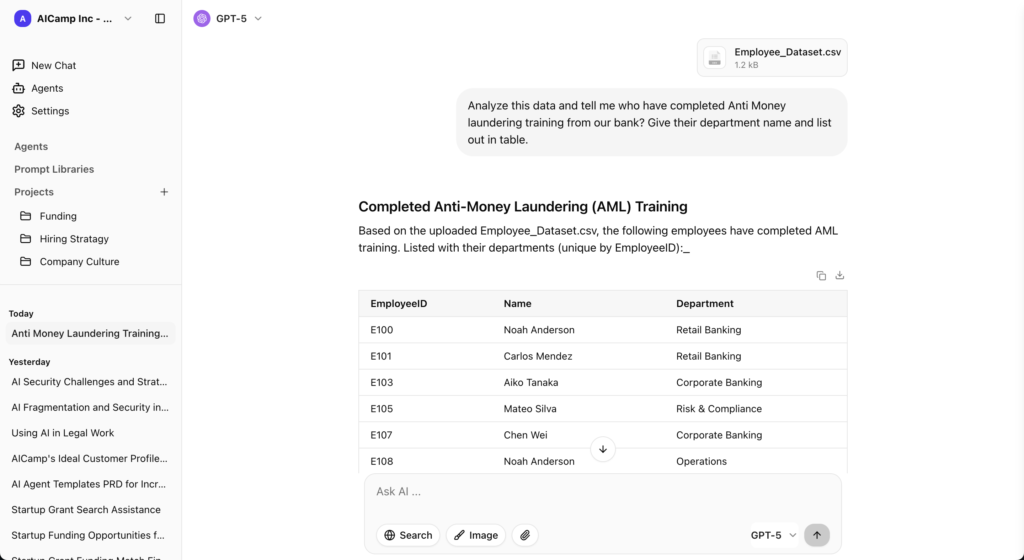
AICamp is an AI workspace and rollout platform built for small and mid‑sized enterprises that want to roll out AI to employees with multimodel access, structure, and governance. Instead of just giving everyone a chatbox, it bundles chat, projects, agents, knowledge, and admin controls in one place so teams can use AI in their real workflows.
Where Nexos.ai leans into being a central AI workspace plus gateway, AICamp is built around adoption as a process. It helps teams move from scattered usage to structured workflows, from individual prompts to shared knowledge, and from experiments to repeatable outcomes embedded in day‑to‑day work.
Best for
- Companies that want to roll out AI across teams with clear structure and guardrails
- Leaders who care about multimodel strategy (OpenAI, Claude, Gemini, etc.) and BYO APIs
- Organizations that need RBAC, SSO, usage insights, and enablement, not just access
Advantages
- Adoption‑first design: shared workspaces, projects, knowledge, and agents instead of siloed chats.
- Strong multimodel + BYO story so you’re not locked into one provider.
- Built‑in governance features (roles, groups, guardrails, usage insights, admin center) that make security and leadership comfortable with scale.
Disadvantages
- More structure than “just a chat app”; overkill if you only need a basic team chatbot.
- Not a low‑level developer framework, so extremely custom backend automations may still sit in separate tools.
Pricing
- Model‑included plan around $20/user/month for most teams.
- BYO‑model plan around $12/user/month if you bring your own LLM APIs.
2. ChatGPT Team – access‑first Nexos.ai alternative
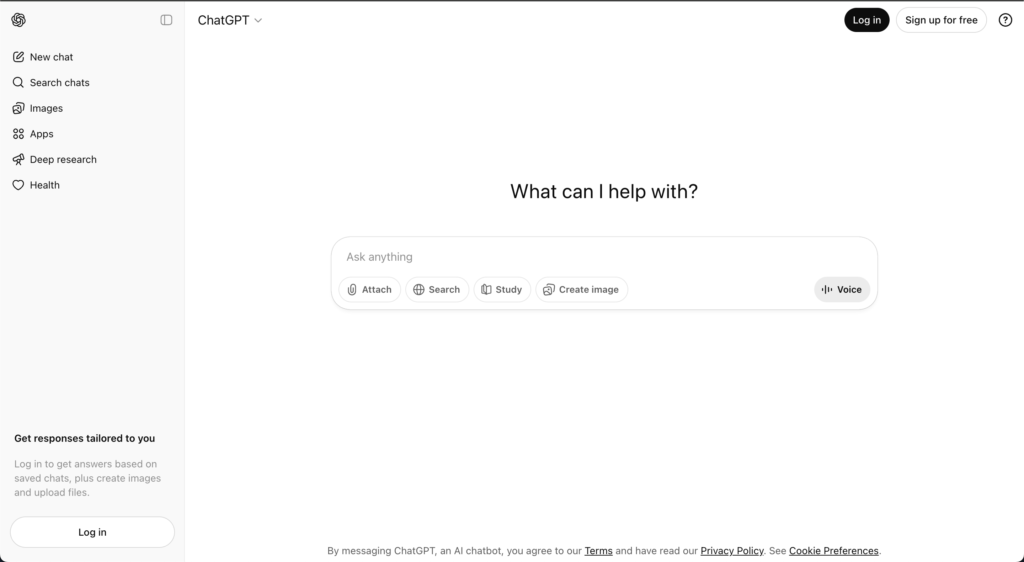
ChatGPT Team is OpenAI’s team plan that turns individual ChatGPT usage into a shared workspace with centralized billing and light admin controls. It’s still primarily a single‑vendor chat interface, but with shared workspaces and some basic collaboration and management features.
Best for
- Teams that already live inside ChatGPT and want a clean upgrade path from individual to team usage
- Smaller companies that don’t yet need multimodel or deep governance
Advantages
- Extremely simple to adopt—most employees already know the ChatGPT interface.
- Centralized billing and basic admin with almost zero setup overhead.
- Good fit if your org is fine standardizing on OpenAI only.
Disadvantages
- Vendor lock‑in: OpenAI‑only, no native multimodel strategy.
- Limited structure for projects, knowledge, and agents compared to adoption‑first platforms.
Pricing
Team plan typically around $30/user/month, billed per seat.
3. Claude Team – Nexos.ai alternative for Claude‑centric orgs
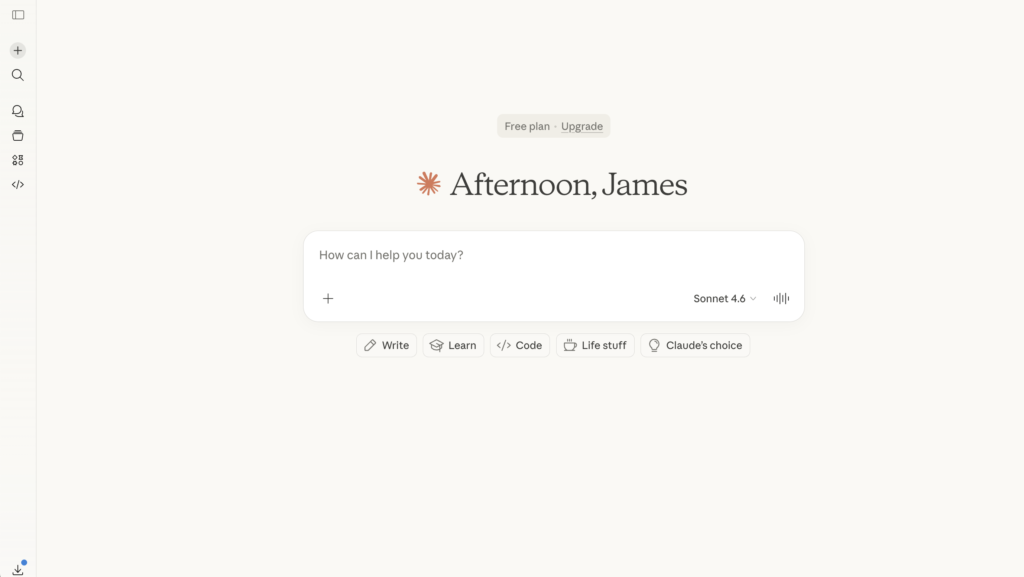
Claude Team gives organizations a shared workspace for Anthropic’s Claude models, including long‑context versions ideal for large documents and complex reasoning. It focuses on high‑quality responses, safety, and collaboration around Claude’s strengths.
Best for
- Teams that already prefer Claude for reasoning, writing, or long‑context tasks
- Orgs that want a team‑level plan without immediately needing multimodel or gateways
Advantages
- Access to long‑context Claude models, great for research, legal, strategy, and writing.
- Simple, clean interface that feels similar to ChatGPT but with Claude’s capabilities.
Disadvantages
- Single‑vendor: no native multimodel access or routing strategy.
- Less focus on company‑wide rollout structure versus tools like AICamp or Nexos.ai.
Pricing
Team pricing generally in the mid‑20s USD per user per month range.
4. Langdock – EU‑first Nexos.ai alternative
Langdock is an EU‑first AI workspace aimed at teams that care deeply about data locality and privacy. It offers chat, workflows, projects, and role‑based sharing, with hosting and compliance aligned to European requirements.
Best for
- Companies with EU data residency and compliance priorities
- Teams that want a structured AI workspace but prefer an EU‑centric vendor
Advantages
- Strong EU privacy and hosting posture, which can simplify legal/security reviews.
- Includes workflows and projects in addition to chat, closer to the adoption‑first camp.
Disadvantages
- Smaller ecosystem compared to big US vendors; integration surface may be narrower.
- Still less rollout/enablement‑opinionated than something like AICamp.
Pricing
Model‑included plans typically around the high‑20s USD per user per month mark, with BYO tiers slightly lower.
5. Juma – Nexos.ai alternative for marketing teams
Juma (often known as Team‑GPT) is an AI tool designed around marketing workflows: campaign planning, content creation, and team collaboration. It feels more like a project management layer for marketing with AI built in than a general‑purpose rollout platform.
Best for
- Marketing teams that want AI‑assisted campaigns and content in one place
- Agencies or growth teams looking to standardize marketing prompts and workflows
Advantages
- Features and templates tuned for marketing use cases, not generic chat.
- Good way to standardize prompts and workflows for repeated campaigns.
Disadvantages
- Not a full organization‑wide rollout solution; heavily marketing‑centric.
- Limited appeal beyond marketing and content teams.
Pricing
Free or low‑cost entry tiers; business/growth plans typically in the low‑20s to mid‑30s USD per user or per month range depending on seats and volume.
6. LibreChat – open‑source Nexos.ai alternative
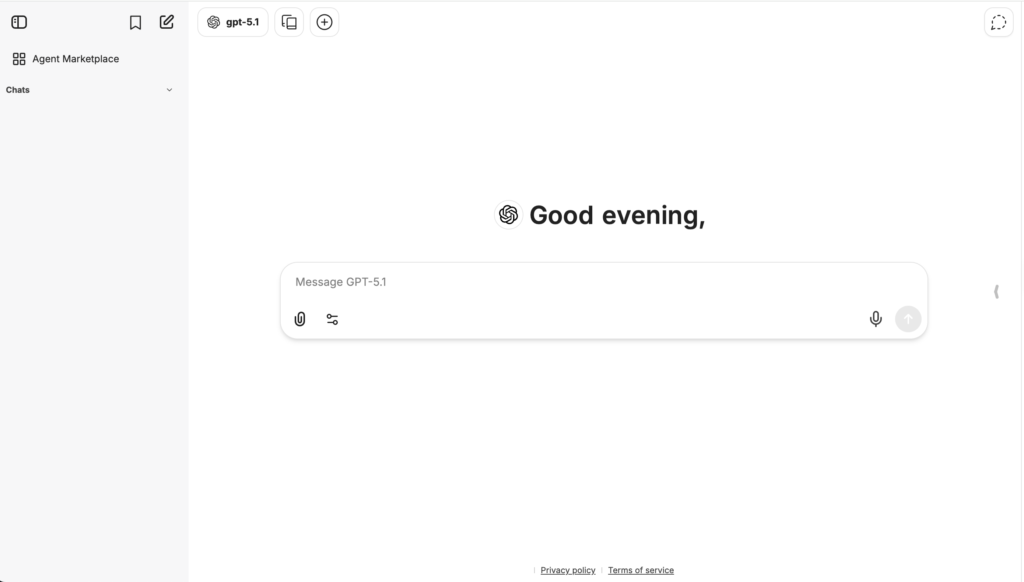
LibreChat is an open‑source, self‑hosted chat and agent interface that supports multiple models through APIs and custom backends. It gives technical teams complete control over where it runs, which models it uses, and how data flows.
Best for
- Teams that want full control and self‑hosting, often for privacy or compliance reasons
- Engineering‑heavy orgs that are comfortable managing infrastructure
Advantages
- No license fees; you own the deployment.
- Highly configurable; can connect to multiple providers, internal models, and tools.
Disadvantages
- Requires your own infra, maintenance, and security posture.
- Fewer out‑of‑the‑box features for non‑technical rollout compared to SaaS workspaces.
Pricing
Software is free; you only pay for infrastructure and model API usage.
7. Google Gemini (Team / Enterprise) – Nexos.ai alternative for Google Workspace
Gemini Team and Enterprise plans embed Google’s Gemini models across Docs, Sheets, Slides, Gmail, and Meet. Instead of a separate AI workspace, you get AI where people already work inside the Google ecosystem.
Best for
- Orgs that live in Google Workspace and want AI everywhere (docs, spreadsheets, emails)
- Teams that prefer “AI in tools” over a standalone AI app
Advantages
- Deep integration with Docs, Sheets, and Gmail—no new UI to train.
- Strong for content drafting, analysis, and summarization inside existing workflows.
Disadvantages
- Gemini‑only; not a multimodel workspace like AICamp or Nexos.ai.
- Less opinionated about centralizing AI usage and knowledge into shared projects.
Pricing
Typically a per‑user add‑on in the mid‑teens to low‑20s USD per month, on top of Workspace licenses.
8. Dust – Nexos.ai alternative for system‑connected agents
Dust is a platform for building and running AI agents that are tightly connected to your systems and workflows (Slack, internal tools, SaaS apps). It focuses on agents that can read and act on your data, not just answer questions.
Best for
- Teams that want agents embedded in Slack or business systems, handling tickets, queries, and workflows
- Orgs that need governed automations rather than just chat
Advantages
- Strong agent and integration story; good for embedding AI into day‑to‑day tools.
- Enterprise‑friendly with governance, permissions, and multi‑model support.
Disadvantages
- More complex to set up and reason about than simple chat tools.
- Less about broad employee AI workspace, more about specific agents and workflows.
Pricing
Typically around $29/user/month for standard tiers, with custom enterprise pricing for larger deployments.
9. Microsoft Copilot – Nexos.ai alternative for Microsoft 365
Microsoft Copilot embeds AI across Microsoft 365: Word, Excel, PowerPoint, Outlook, Teams, and more. It is less a separate workspace and more an AI assistant woven through the apps your organization already uses.
Best for
- Companies standardized on Microsoft 365 that want AI inside their existing tools
- Leaders who prefer the ecosystem approach over a separate AI workspace
Advantages
- Deep, native integration into Office, Teams, and SharePoint.
- Strong story for governance and security in Microsoft‑centric IT environments.
Disadvantages
- Requires Microsoft 365; not a good fit if you’re not already in that ecosystem.
- Less focused on cross‑tool AI structure (projects, shared agents) than dedicated workspaces.
Pricing
Generally a per‑user add‑on in the $18–30/month range, depending on plan and region.
10. TypingMind Teams – lightweight Nexos.ai alternative for small teams
TypingMind is a polished frontend for LLMs with a team offering that adds shared spaces, prompts, and basic admin. It’s more of a UX‑first chat and prompt hub than a full enterprise rollout platform.
Best for
- Small teams that want a nice multi‑model chat UI and some shared structure
- Power users who already have API keys and want to BYO models
Advantages
- Very clean, fast UI that users generally like.
- Supports multi‑model and BYO API; easy to experiment across providers.
Disadvantages
- Limited depth on enterprise features (SSO, advanced RBAC, rollout programs).
- Not designed as a central AI operating layer for large orgs.
Pricing
Team plans typically start around $80–90/month including several seats, with extra seats priced per user.
11. OpenWebUI – self‑hosted Nexos.ai alternative
OpenWebUI is an open‑source web interface for local and remote LLMs. It’s popular with teams running local models or self‑hosted backends who want a simple, modern web UI.
Best for
- Technical teams running local or self‑hosted models
- Organizations that want to avoid external SaaS entirely
Advantages
- Open‑source, no license costs.
- Designed to play nicely with local inference setups.
Disadvantages
- Requires your own infra, maintenance, and updates.
- Lacks out‑of‑the‑box enterprise adoption features.
Pricing
Software is free; you pay only for infrastructure and any external APIs.
12. Mistral Le Chat – Nexos.ai alternative for Mistral‑first teams
Mistral Le Chat is the hosted chat interface for Mistral’s models. It’s a simple way to use Mistral for Q&A, coding, and analysis, with some organization features on top.
Best for
- Teams that want Mistral models specifically (for performance, cost, or EU reasons).
- Early‑stage or technical teams testing Mistral’s capabilities.
Advantages
- Direct access to the latest Mistral models.
- Simple interface and low friction to start.
Disadvantages
- Mistral‑only; no multi‑vendor strategy.
- Limited as a full AI rollout workspace compared to AICamp or Nexos.ai.
Pricing
Free tier plus paid organization tiers with per‑seat and usage‑based components.
14. LobeChat – dev‑friendly, self‑hosted Nexos.ai alternative
LobeChat is an open‑source, modern multi‑model chat UI that can be self‑hosted and extended. It’s built with developers in mind and supports multiple providers via API keys.
Best for
- Developer teams that want to self‑host a modern AI UI.
- Organizations experimenting with multiple APIs and custom tools.
Advantages
- Modern UX and plug‑in ecosystem.
- Multi‑provider by design; great for experimentation.
Disadvantages
- Requires engineering effort to deploy, secure, and maintain.
- No built‑in enterprise adoption program; you build structure yourself.
Pricing
Software is free; infra and API usage are your main costs.
Which Nexos.ai alternative should you choose?
Here’s a simple decision shortcut you can reuse across posts:
Want something simple and familiar?
Choose ChatGPT Team or Claude Team if you just need a shared team workspace around one model vendor and minimal setup.Want ecosystem integration?
Pick Microsoft Copilot or Google Gemini if your world runs on Microsoft 365 or Google Workspace and you want AI inside the tools people already use.Want engineering control and self‑hosting?
Go with LibreChat, OpenWebUI, or LobeChat if your priority is control, self‑hosting, and custom stacks rather than out‑of‑the‑box rollout.Want structured team‑wide adoption?
Choose an adoption‑first platform like AICamp (and, in some stacks, Nexos.ai or Langdock) if your real goal is shared knowledge, structured workflows, and visibility into how AI is being used across teams not just giving people access to a model.
At a feature level, many of these tools will look similar. The real difference shows up over time in how your team actually uses AI: whether it stays as scattered experiments inside individual tabs, or turns into structured, repeatable workflows that anyone on your team can trust.
How is Nexos.ai different from a simple team plan like ChatGPT Team or Claude Team?
Nexos.ai focuses on being a central workspace and control layer across multiple models, with projects, agents, and governance. A simple team plan gives you a shared space around one model vendor, but usually without multimodel routing or centralized policy management.
Which Nexos.ai alternative is best for regulated or security‑sensitive industries?
Look for tools that offer SSO/SAML, RBAC, audit logs, data residency options, and clear privacy guarantees. AICamp, Nexos.ai, Langdock, Amazon Q, Copilot, and Gemini are typically stronger candidates here than lightweight UIs or pure open‑source projects running without governance.