


For most marketing agencies, the question isn’t “Should we use AI?” anymore. It’s “How do we let our teams use AI without risking client work, brand safety, or ugly surprises later?”
Boards are pushing for AI adoption, employees are already using public tools, and IT is still figuring out if and how it can all be done safely. Meanwhile, client work cannot become a testing ground.
This article is written for agency owners, heads of delivery, strategy leaders, and IT leads at 20–500 person creative and marketing agencies who are trying to turn AI from scattered experiments into something safe, standardized, and client‑ready.
What “AI Readiness” Really Means Inside an marketing Agency
When marketing agency leaders ask, “Is AI ready for client work?” they’re rarely asking about a single tool or model. They are usually asking a bundle of questions at once:
- Will this be accurate enough not to embarrass us in a client meeting?
- Will it respect brand safety and voice for each client?
- Are we introducing copyright or data‑privacy risk we don’t fully understand?
- Is the quality comparable to our human-created work, or does it create new review headaches?
In theory, AI can help across all of these. In practice, how you deploy it is what makes the difference between “superpower” and “liability.”
When marketing agencies try AI too early
A common pattern: a team uploads a heavy, image‑based brand deck into an internal bot and assumes “we’ve built a brand-aware assistant.”
In reality, the system struggles to read the deck properly. When team members query the bot in production, it hallucinates key details, misreads positioning, or mixes up guidelines across clients. The output looks confident but it’s wrong. Someone notices only when it’s already inside a client‑facing document.
Another pattern: everyone spins up their own AI setupsndifferent tools, private prompts, no shared “agency brain.” Work becomes harder to reuse, not easier. The same questions get asked again and again. There’s no way to see how AI is influencing deliverables.
Where AI is already working well
On the other hand, when agencies deliberately design their AI workflows, the upside is clear. Some teams now:
- Create dedicated agents for each client, backed by that brand’s guidelines, decks, and key docs.
- Let designers quickly check whether a concept still aligns with brand perspective and tone.
- Let copywriters validate if a draft is on‑brand for a specific client and campaign.
In these setups, AI doesn’t replace strategic thinking. It makes brand context accessible on demand, so humans can move faster with more confidence.
A Simple Decision Framework for “Is This AI Workflow Safe for Client Work?”
Instead of treating AI as one big yes/no decision, agencies need a way to assess each workflow. A practical, simple framework can look like this:
1. Data source: Where does this AI get its knowledge?
- Is the workflow grounded in approved client documents brand books, decks, messaging frameworks, historical content?
- Or is it relying mostly on the model’s general knowledge and memory?
If the answer is “we’re not sure,” it’s not ready for client work.
2. Human review: Who signs off before anything goes to the client?
Every AI‑touched deliverable should have a named human owner.
- Who is responsible for reviewing and approving outputs?
- Do they understand how the AI is using the underlying data and prompts?
No clearly defined review step means the workflow remains internal‑only, not client‑facing.
3. RAG and implementation quality: Was this built by experts?
A lot of risk comes not from the models, but from DIY implementations without AI engineering expertise. If an internal team hacked together retrieval (RAG) quickly, you need to ask:
- How exactly is data being ingested and retrieved?
- Is the system guaranteed to answer from the client’s files, or is it “best effort” with guesswork?
If the retrieval layer is weak, you get hallucinations and inconsistent behavior—exactly what agencies can’t risk in client work.
4. Impact if wrong: What happens if this output is off?
Not all workflows carry the same risk:
- Internal brainstorming notes? Low risk.
- A client’s flagship campaign concept or PR copy? Very high risk.
Before letting AI into a workflow, ask: “If this is wrong and slips through, what’s the damage?” If the answer is “loss of trust, real money, or legal trouble,” your standards must be far stricter.
5. Data and privacy guardrails
Certain data should simply never enter high‑risk flows:
- PII and customer data.
- Sensitive commercial information that is private to the brand.
If you can’t cleanly enforce which data is in‑bounds and which is off‑limits, that workflow is not ready for client work yet.
Shadow AI: The Risk You Already Have
Even if your agency doesn’t have an official AI strategy, you almost certainly have shadow AI.
- Team members use random public tools.
- Client decks and sensitive details are pasted into external chatbots.
- Long, complex prompts live inside private chats, never shared or standardized.
- People repeat the same work and questions because there is no shared “agency brain.”
When something goes wrong, the escalation path is predictable:
- Initially, the head of delivery feels it missed expectations, odd output, delays.
- If it’s technical, IT gets dragged in to untangle what happened.
- In smaller agencies, the founder ends up firefighting directly with the client.
From a leadership perspective, the top risks are very clear:
- Data leaks from uncontrolled tools.
- Loss of client trust if an AI mistake makes it into a campaign or presentation.
- Over‑promising AI capabilities without reliable systems behind them.
This is why many agencies decide: “For now, AI is internal use only.” It’s a rational response but it also leaves a lot of value on the table.
How to Phase AI into Client Delivery (Without Burning Yourself)
You don’t have to choose between “no AI” and “AI everywhere.” A safer path is phasing:
Internal only, low‑risk uses
Brainstorming, internal notes, idea generation.
No client data, no direct client-facing outputs.
Internal helpers grounded in client knowledge
Brand‑aware agents that answer questions based strictly on approved docs.
Designers and writers use these agents to validate and speed up work, but humans still own the final deliverable.
AI supporting core deliverables under strict guardrails
AI generates structured first drafts of recurring deliverables (e.g., reports, content outlines, ad variants), always with human review.
Guardrails for PII, customer data, and confidential information are enforced at the platform level, not left to individual judgment.
The line you draw is simple: AI can help with anything, as long as data is controlled, outputs are grounded, and humans remain accountable.
Where AICamp Fits in This Decision
This is where AICamp comes in for many agencies: as the central AI workspace that makes AI usable in production without turning IT into a full‑time AI platform team.
1. Grounded, reliable brand knowledge
Many agency leaders arrive with the same complaint:
“We deployed a ‘brand-aware’ internal chatbot, but when the team asks about the brand, it just answers from its own head, not from our decks and docs.”
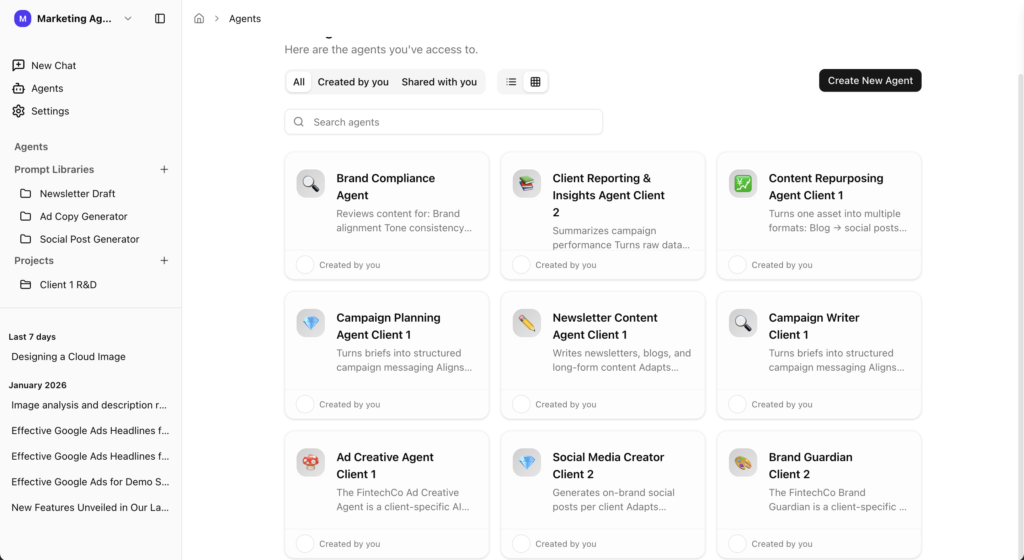
AICamp is built to fix exactly that. Responses are restricted to approved internal documents brand guidelines, campaign decks, messaging frameworks, historical content so when your team asks about a brand, the answer must come from the files you’ve provided, not from the model’s general memory.
This is where strong OCR on messy, image‑heavy brand books is critical. If the system can’t reliably read your client’s real assets, the ROI of AI collapses. Now you are not only wasting time you are losing trust and momentum.
2. Standardizing how AI is used, instead of everyone doing their own thing
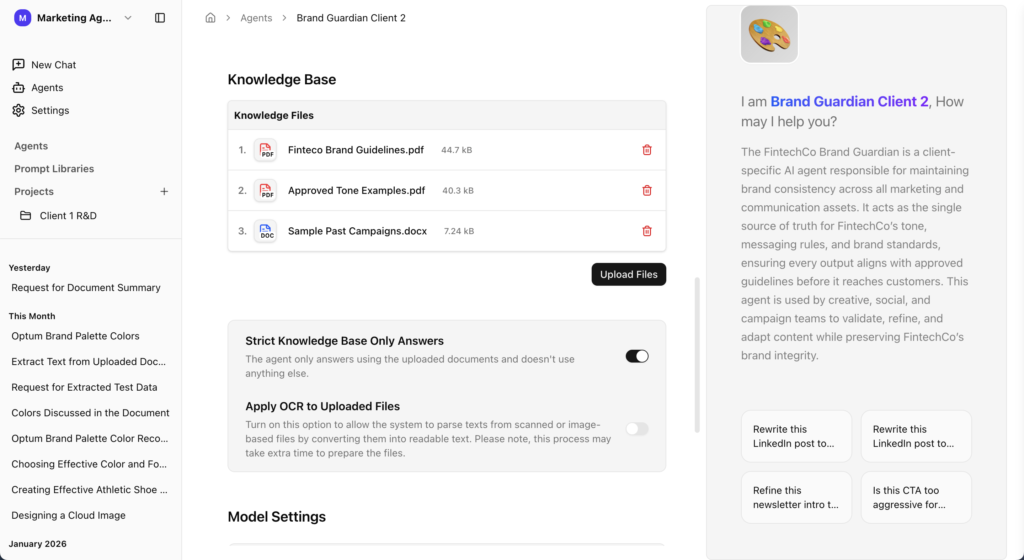
Instead of every strategist, designer, and copywriter building their own prompts and workflows, AICamp lets you:
- Create shared, standardized prompt workflows for your most common tasks.
- Use proven formats for social posts, ads, newsletters, and campaigns.
- Keep output quality and style consistent across users and teams.
This means fewer revision cycles and smoother communication. People stop reinventing the wheel and start building on shared, evolving best practices.
3. One place for models, control, and governance
Agencies don’t want to manage separate tools, accounts, and wrappers for each model. AICamp gives you:
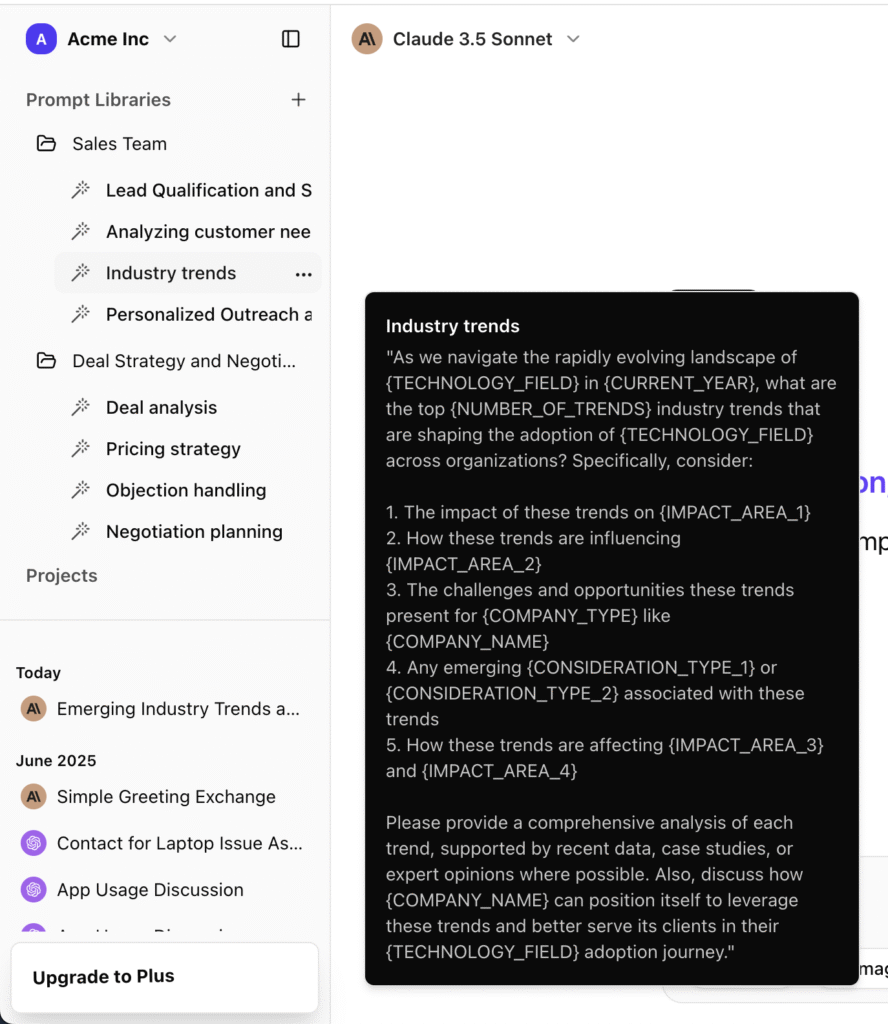
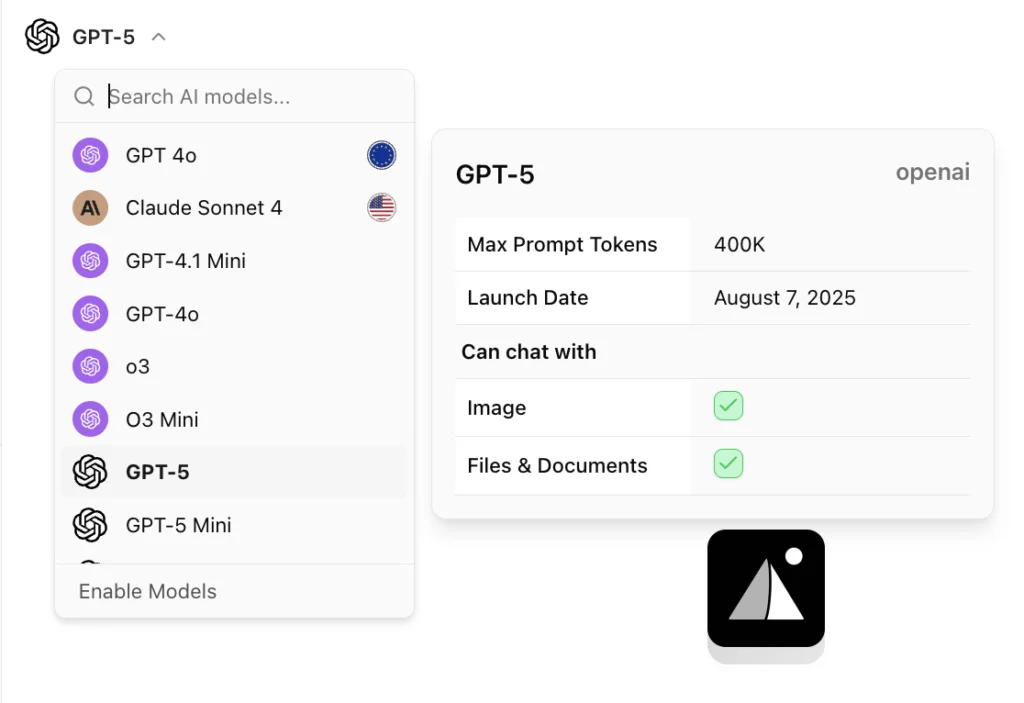
- A single workspace where teams can use Claude, Gemini, Llama, GPT, and more based on task needs.
- Central control over approved knowledge sources, prompt standards, and model access.
- Visibility into how AI is being used across the organization.
Instead of shadow AI, you get a controlled AI rollout: leadership sees usage, IT can enforce guardrails, and delivery teams get a reliable place to work.
What Agencies Actually Get Out of This
When AI is deployed with a clear readiness framework and a centralized workspace like AICamp behind it, agencies see tangible outcomes:
- Fewer revision cycles because work starts closer to “right” on the first attempt.
- Smoother communication between creative, strategy, accounts, and IT, because everyone is working from the same brand-aware agents and workflows.
- Happier teams who aren’t copy‑pasting between tools or replaying the same brand questions every week.
You’re not just “using AI” you’re making AI a reliable part of how your agency delivers value, without putting client relationships at risk.
A Low‑Risk Next Step
If you’re still unsure whether AI is truly ready for your client work, you don’t need a massive transformation to find out. A low‑risk next step is to:
- Pick one client with clear brand assets.
- Stand up a single, grounded brand agent for that client in AICamp.
- Let a small cross‑functional team (design, copy, strategy) use it internally for a month, with clear guardrails and human review.
FAQs
1. How do I know if AI is safe to use on client work?
Start by checking four things: where the data comes from, whether a human reviews outputs, how retrieval (RAG) is implemented, and what happens if the output is wrong. High‑risk workflows (brand, legal, high‑visibility campaigns) need stricter standards than internal brainstorming.
2. Should agencies keep AI for internal use only?
Many agencies start with internal‑only use to reduce risk, but that’s usually a temporary phase. With strong guardrails approved knowledge sources, human review, and clear data rules AI can safely support client‑facing work like drafts, research, and reporting.
3. What is “shadow AI” and why is it a problem?
Shadow AI is when team members use unapproved tools and paste client data into public models without oversight. It creates data‑leak risk, inconsistent outputs, and no visibility into how AI is influencing deliverables, which can damage client trust.
4. Why do brand-aware chatbots still hallucinate?
Most “brand bots” fail at the retrieval layer: they don’t reliably read messy, image‑heavy brand decks or pull the right content at query time. So the model falls back to its own general knowledge instead of strictly answering from your client’s files.
5. How does AICamp help agencies decide AI readiness?
AICamp acts as a central AI workspace where responses are restricted to approved client docs, brand assets are correctly ingested (including messy PDFs), and leadership can control models, prompts, and access. That makes it much easier to say, “Yes, this specific workflow is ready for client work.”
6. Which AI use cases should agencies start with?
Begin with low‑risk, high‑leverage areas: internal research, campaign ideation, brand‑aware helpers for designers and copywriters, and first drafts of recurring deliverables. Keep humans fully in charge of anything that touches final client assets.
7. How do I explain AI risk to clients without scaring them?
Position it as responsible adoption: you’re using AI to speed up and enrich work, but under strict rules approved data only, human review, and centralized governance. Emphasize that you’re avoiding random tools and using a controlled workspace instead.
8. Do we need in‑house AI engineers to do this right?
Not necessarily. Platforms like AICamp handle ingestion, OCR, retrieval, and governance out of the box, so your team focuses on workflows and prompts instead of building custom infrastructure and wrappers.
Curious what a safe, production‑ready AI rollout would look like inside your agency?
We’ll map your current AI experiments, shadow AI usage, and client workflows into a standardized, brand‑safe setup no pitches, just a concrete rollout plan you can take back to your team.